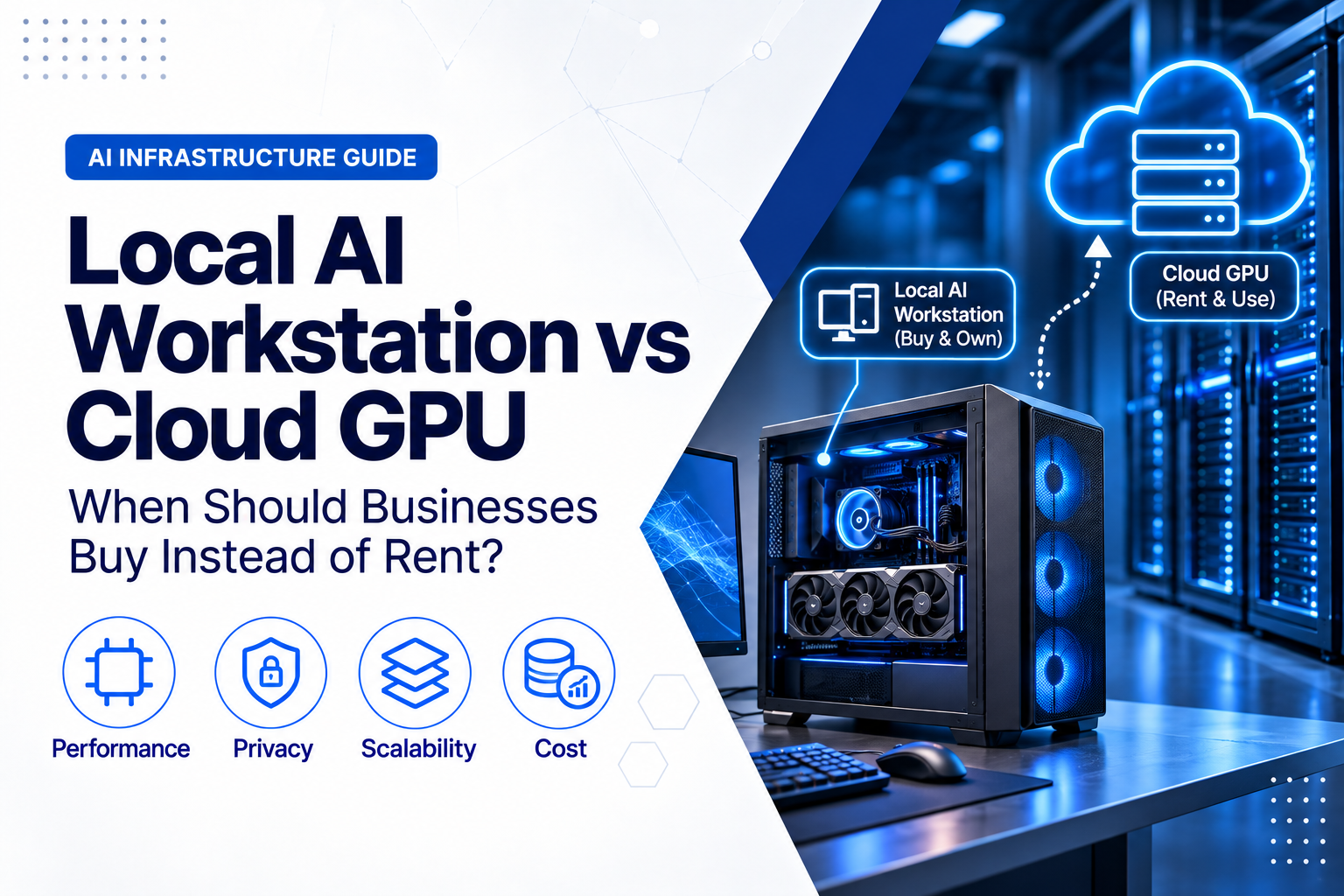
Businesses adopting artificial intelligence eventually face a practical infrastructure decision: should they buy a powerful local AI workstation or rent GPU capacity from a cloud provider?
The cloud can provide rapid access to specialised GPUs without a large initial purchase. A local workstation can provide predictable performance, direct control and low-latency access without an hourly meter running in the background.
Neither model is automatically cheaper.
The correct choice depends on whether the workload fits the available GPU memory, how many hours the system will actually be used, how quickly capacity must scale, where sensitive data may be processed and how the complete cost develops over several years.
For many businesses, the best answer is not exclusively local or exclusively cloud. A hybrid model can use local hardware for continuous development and inference while reserving cloud GPUs for temporary training jobs, unusually large models or peak demand.
Local AI Workstation or Cloud GPU: The Quick Answer
Buying a local AI workstation may make sense when:
- the workload is stable and runs regularly;
- the required models fit within the workstation’s GPU memory;
- data should remain on infrastructure controlled directly by the business;
- users need responsive, interactive access without Internet latency;
- the organisation can operate and support the hardware;
- the measured break-even period is acceptable; and
- the workstation will remain useful for several years.
Renting cloud GPU capacity may make sense when:
- demand is temporary, uncertain or highly variable;
- the workload requires more GPU memory than a practical workstation can provide;
- several GPUs or several servers are required for a short period;
- the business wants to test different GPU types before purchasing;
- capacity must be deployed quickly in different locations;
- the project needs specialised data-centre accelerators; or
- the organisation does not want to maintain physical GPU infrastructure.
A hybrid approach may make sense when:
- developers need permanent local capacity but occasionally require much larger cloud systems;
- models are trained in the cloud and deployed locally for inference;
- sensitive production data remains local while synthetic or approved datasets are processed remotely;
- cloud capacity provides temporary overflow during busy periods; or
- the business wants a practical migration path without committing entirely to one environment.
Compare Completed Work, Not Only GPU Names
A local workstation GPU and a cloud data-centre GPU are not automatically equivalent simply because both support AI workloads.
A cloud H100, H200 or newer accelerator may complete a job much faster than a desktop or workstation GPU. A workstation GPU may nevertheless be more economical when it is already owned, available continuously and sufficiently fast for the required task.
Before comparing costs, benchmark the same workload using the same:
- model;
- model precision and quantisation;
- context length;
- batch size;
- dataset;
- software framework;
- driver and runtime versions;
- quality settings; and
- output requirements.
The important metric is not always cost per GPU hour.
It may be:
- cost per completed training run;
- cost per million processed tokens;
- cost per generated image or video;
- cost per engineering simulation;
- cost per inference request;
- time required to produce a result; or
- cost per user served at the required response time.
A cloud GPU costing more per hour can still be better value if it completes the job much faster. A locally owned workstation can still win if the workload runs continuously and does not require cloud-scale hardware.
What Is a Local AI Workstation?
A local AI workstation is a high-performance computer configured for machine learning, generative AI, data science, rendering or other GPU-accelerated work.
A typical system may include:
- one or more high-memory GPUs;
- a workstation or high-end desktop processor;
- large amounts of system RAM;
- fast NVMe storage;
- a high-capacity power supply;
- substantial cooling;
- high-speed networking; and
- a professional operating-system and driver environment.
Current professional workstation GPUs can provide substantially more memory than ordinary consumer cards. For example, the NVIDIA RTX PRO 6000 Blackwell Workstation Edition provides 96 GB of ECC GPU memory.
At the consumer end of the market, a GPU such as the GeForce RTX 5090 provides 32 GB of GPU memory. That can be useful for many local inference, image-generation, development and parameter-efficient fine-tuning workloads, but it is a different product class from a 96 GB professional GPU or an H100-class cloud accelerator.
The correct workstation is therefore not simply the computer containing the fastest GPU the budget can buy. It must match the model size, software, expected utilisation, support requirements and future upgrade plan.
What Is a Cloud GPU?
A cloud GPU is GPU capacity delivered through a cloud virtual machine, managed AI service, container platform, notebook environment or dedicated hosted system.
The business normally pays according to:
- time used;
- reserved or committed capacity;
- the selected GPU model;
- CPU and system memory;
- storage;
- network traffic;
- software and management services; and
- support level.
Public-cloud providers offer several GPU classes for different workloads.
At the time of publication:
- Amazon Web Services lists inference, graphics, training and high-performance GPU instance families, including H100, H200, B200 and B300 systems;
- Microsoft Azure lists GPU-optimised families for visualisation, inference, training and large distributed AI workloads; and
- Google Cloud offers GPU-equipped systems and separately documents GPU, VM, storage, network, Spot and committed-use pricing.
These catalogues change regularly, and not every GPU is available in every region or zone.
Cloud capacity should therefore be verified for the exact location, quantity, operating system and deployment date required by the project.
GPU Memory Often Decides Before Cost Does
GPU memory, commonly called VRAM, is one of the first constraints to check.
The model must fit within the available memory together with the memory required for:
- runtime overhead;
- activations;
- attention or key-value cache;
- batch processing;
- temporary tensors;
- training states;
- optimiser states; and
- the selected software framework.
A model file described as 20 GB does not necessarily require only 20 GB of GPU memory during operation.
Longer context windows, larger batches and simultaneous users can increase memory requirements significantly.
Inference
Inference usually requires less memory than full training, particularly when a model has been quantised.
A local workstation can be a strong option for:
- private document assistants;
- local coding assistants;
- retrieval-augmented generation;
- image generation;
- speech processing;
- video analysis;
- small and medium language models; and
- internal AI tools with predictable usage.
However, a nominally quantised model still needs additional memory for context, runtime overhead and concurrent requests.
Fine-Tuning
Parameter-efficient methods such as LoRA and QLoRA can make selected fine-tuning workloads practical on a local workstation.
Memory requirements still depend on model size, precision, sequence length and batch configuration.
A local system may be suitable for repeated fine-tuning of smaller models, while larger or occasional projects may be more economical in the cloud.
Full Model Training
Training a large model from the beginning generally requires far more GPU memory, compute, networking and storage throughput than a normal workstation provides.
Large-scale training commonly favours cloud or dedicated data-centre clusters because the workload may require:
- multiple high-memory accelerators;
- fast GPU-to-GPU interconnects;
- distributed training;
- high-throughput shared storage;
- large system-memory capacity; and
- specialised networking between servers.
A business should not purchase a workstation for a workload that fundamentally requires a cluster.
When Buying a Local AI Workstation Makes Sense
1. The Workload Is Regular and Predictable
Ownership becomes more attractive when the workstation will be used consistently throughout its useful life.
Examples include:
- daily model development;
- continuous internal inference;
- regular image or video generation;
- repeated engineering analysis;
- local document processing;
- AI-assisted software development; and
- research teams that require permanent GPU access.
A workstation that remains productive for several hours every working day can spread its purchase cost across many completed jobs.
A workstation used only twice a month may never achieve the same economic value.
2. Data Should Remain Under Direct Control
Local processing can reduce the amount of sensitive information transferred to third-party infrastructure.
This can be valuable for:
- confidential engineering data;
- unreleased product designs;
- customer documents;
- legal records;
- medical or research information;
- internal source code;
- financial records; and
- intellectual property.
Local does not automatically mean secure. The workstation still requires access control, encryption, patching, backup, monitoring and physical protection.
However, it can give the business more direct control over where the data is stored and processed.
3. Users Need Interactive, Low-Latency Performance
Local hardware can provide a responsive experience for interactive workflows because the user is not dependent on a remote session, Internet connection or cloud region.
This can benefit:
- AI-assisted design;
- real-time visualisation;
- image generation;
- video editing;
- model debugging;
- rapid prompt testing; and
- applications connected to local instruments or storage.
Cloud environments can also provide responsive remote access, but the result depends on network latency, bandwidth and session architecture.
4. Costs Need to Be Predictable
Purchased hardware creates a large initial cost but can make ongoing compute expenditure easier to forecast.
Once the workstation is installed, the main operating costs include:
- electricity;
- cooling;
- support;
- maintenance;
- software;
- backup; and
- eventual replacement.
There is no separate GPU invoice every time an employee runs another experiment.
5. The Business Needs Offline or Isolated Operation
Some environments cannot depend on continuous external connectivity.
Local processing may be appropriate for:
- isolated research networks;
- restricted development environments;
- industrial sites;
- ships or remote facilities;
- field deployments;
- secure laboratories; and
- locations with unreliable Internet connections.
6. The Hardware Can Be Reused
A workstation may retain value after its original project ends.
It may be reassigned to:
- inference;
- rendering;
- simulation;
- video production;
- software development;
- testing;
- training; or
- another employee or department.
It may also have resale value, although this should be estimated conservatively.
Limitations of a Local AI Workstation
High Initial Cost
A professional GPU, workstation-class platform, large memory configuration, NVMe storage and appropriate support can require a substantial initial investment.
Buying capacity before the workload is understood can leave the business with an expensive underused asset.
Limited Scale
A workstation has a physical ceiling.
When the GPU memory, power supply, cooling, PCIe capacity or chassis is full, scaling may require another workstation or a move to server infrastructure.
Adding a second GPU also does not automatically combine both GPUs into one simple pool of memory. The application and model framework must support the intended multi-GPU method.
Power and Cooling
A high-end professional GPU can consume several hundred watts on its own. The complete workstation also includes the CPU, memory, storage, cooling and power-supply losses.
Before installation, check:
- electrical capacity;
- power-supply rating;
- connector requirements;
- room temperature;
- airflow;
- noise;
- UPS capacity; and
- whether the system will operate continuously.
A system suitable for a server room may be uncomfortable beside an employee’s desk.
Hardware Failure
One workstation can become a single point of failure.
Availability planning may require:
- on-site warranty;
- spare storage;
- backup hardware;
- another compatible workstation;
- cloud failover capacity; or
- a documented replacement process.
Buying the workstation does not automatically create resilience.
Technology Depreciation
AI accelerators develop quickly.
A workstation purchased today may remain useful for years, but newer GPUs may offer more memory, better precision support or substantially higher performance.
The purchase case should not depend on the system remaining the fastest available device throughout its life.
Management Responsibility
The business becomes responsible for:
- drivers;
- CUDA or other compute runtimes;
- framework compatibility;
- operating-system updates;
- hardware monitoring;
- security;
- backup;
- user access;
- capacity planning; and
- repair coordination.
When Renting a Cloud GPU Makes Sense
1. The Project Is Temporary or Uncertain
Cloud is particularly useful when the organisation does not yet know whether an AI project will continue.
A proof of concept can be tested without purchasing a workstation that may no longer be needed three months later.
2. Demand Changes Significantly
A team may need one GPU during normal development and dozens during a short training or batch-processing window.
Cloud capacity can allow the organisation to increase resources temporarily and release them when the job is complete.
This flexibility creates value only when unused resources are actually stopped.
3. The Workload Requires Specialised Accelerators
Cloud providers can offer access to accelerators that would be impractical to install in a normal office workstation.
This can include systems with:
- large amounts of high-bandwidth GPU memory;
- several interconnected GPUs;
- specialised AI accelerators;
- high-speed cluster networking;
- large local NVMe capacity; and
- distributed storage.
Renting may be more sensible when the specialised hardware is required for only one project or several days per month.
4. Several Teams Need Separate Environments
Cloud platforms can create isolated development environments for different users, customers or projects.
Permissions, budgets and shutdown schedules can be applied separately.
A shared local workstation can become a bottleneck when several users require exclusive access at the same time.
5. Deployment Speed Matters
A cloud environment can often be deployed faster than a custom workstation can be specified, purchased, delivered and configured.
This can matter when:
- a customer project begins immediately;
- a research deadline is approaching;
- hardware is unavailable locally;
- the business must test several GPU types; or
- the requirement may change before purchased equipment arrives.
6. The Business Wants Managed Services
Cloud AI platforms can include:
- managed notebooks;
- model registries;
- training pipelines;
- managed inference endpoints;
- monitoring;
- identity integration;
- autoscaling;
- data-processing services; and
- deployment automation.
These services can reduce infrastructure work, although they may also increase platform dependency and cost.
Limitations of Cloud GPU Capacity
Hourly Cost Continues Until the Resource Is Stopped
A cloud GPU can become expensive when it remains active while nobody is using it.
Common causes include:
- development instances left running overnight;
- notebook environments forgotten after testing;
- idle training clusters;
- failed jobs that do not shut down resources;
- unused storage volumes;
- old snapshots; and
- reserved capacity that is no longer required.
Automated shutdown, budgets, usage alerts and resource ownership should be established before deployment.
The Advertised GPU Rate Is Not the Complete Cost
The cloud bill may include more than the GPU.
Review:
- GPU instance time;
- vCPUs;
- system memory;
- boot disks;
- dataset storage;
- snapshots;
- object storage;
- network traffic;
- public IP addresses;
- load balancers;
- managed notebooks;
- logging;
- monitoring;
- software licences; and
- support plans.
Google Cloud, for example, explicitly notes that some GPU pricing is separate from machine-type, disk and network charges.
For more detail on network-related costs, see Bandwidth, Traffic and Egress Charges: Cloud Hosting Costs Buyers Often Miss.
GPU Capacity Is Not Guaranteed Everywhere
A provider may advertise a particular GPU without offering it in every region or guaranteeing immediate capacity.
The project may require:
- a quota increase;
- a reservation;
- a long-term commitment;
- a different region;
- a different GPU model; or
- a delay until capacity becomes available.
Before committing to the architecture, confirm that the selected region supports the required GPU, quantity and networking configuration.
See How to Choose a Data-Centre Region for Your Cloud Server for wider regional considerations.
Large Datasets Can Be Expensive and Slow to Move
A training job may require terabytes of source data, checkpoints and outputs.
Moving this information into, between or out of cloud regions can create:
- transfer time;
- egress charges;
- replication cost;
- security requirements;
- data-sovereignty concerns; and
- migration complexity.
A low GPU price may provide little value if the data pipeline cannot keep the accelerator busy.
Cloud Does Not Remove Security Responsibility
The provider secures the underlying platform, but the customer may remain responsible for:
- accounts;
- permissions;
- API keys;
- network access;
- operating-system security;
- containers;
- data encryption;
- model access;
- logs;
- backup; and
- incident response.
A powerful GPU instance exposed through weak credentials remains a security risk.
How to Calculate the Real Three-Year Cost
Compare both options across the same period and for the same completed workload.
Local AI Workstation Cost
Local three-year cost may include:
- workstation purchase price;
- GPU upgrades;
- warranty and support;
- electricity;
- cooling;
- UPS capacity;
- networking;
- backup storage;
- software licences;
- administration;
- repair and downtime;
- secure disposal; and
- minus realistic resale or reuse value.
A useful formula is:
Local TCO = purchase + support + power + cooling + software + administration + downtime − residual value
Cloud GPU Cost
Cloud three-year cost may include:
- GPU instance time;
- CPU and RAM;
- persistent storage;
- temporary high-performance storage;
- snapshots and checkpoints;
- data transfer;
- managed AI services;
- monitoring and logs;
- support;
- unused commitments;
- idle resources; and
- engineering time required to operate the environment.
A useful formula is:
Cloud TCO = completed-job hours × fully loaded hourly cost + storage + transfer + managed services + support + idle-resource cost
An Illustrative Break-Even Example
Assume that a local workstation has a net fixed three-year cost of €16,000 after support and estimated residual value.
Assume that electricity and cooling add €0.40 for each active workstation hour.
Assume that the equivalent cloud environment has a fully loaded cost of €4.00 per billable hour after the VM, GPU, storage and normal supporting services are included.
The approximate break-even calculation would be:
€16,000 ÷ (€4.00 − €0.40) = approximately 4,444 active hours
Across 36 months, that is approximately:
- 123 active hours per month; or
- 28 active hours per week.
Under those illustrative assumptions, buying could become financially attractive if the workstation is productively used for more than about 28 hours each week over three years.
This is not a universal threshold.
The calculation changes significantly when:
- the cloud GPU is faster;
- the local GPU cannot run the same model;
- the cloud rate is discounted;
- the workstation has significant downtime;
- electricity is more expensive;
- the workstation retains more resale value;
- the cloud resource is frequently left idle; or
- the project requires several GPUs simultaneously.
Always compare the cost of completing the same job at the required quality and deadline.
Understand Cloud GPU Purchasing Models
On-Demand
On-demand capacity provides maximum flexibility but normally has a higher hourly rate.
It is suitable for:
- short tests;
- unpredictable workloads;
- urgent projects;
- proofs of concept; and
- capacity required for only a few hours.
Committed or Reserved Capacity
Longer commitments can reduce the effective rate, but the business accepts a contractual obligation or reduced flexibility.
This model is better suited to stable cloud workloads than occasional experiments.
Spot or Preemptible Capacity
Interruptible instances may provide substantial savings when the workload can stop and restart safely.
They can be useful for:
- fault-tolerant batch jobs;
- distributed experiments;
- rendering;
- checkpointed training; and
- non-urgent data processing.
They are less suitable when interruption would destroy many hours of uncheckpointed work or breach a delivery deadline.
Capacity Reservations and Blocks
Some providers allow customers to reserve GPU capacity for a defined period.
This can improve availability for an important training window, but unused reserved time may still create cost.
Managed Inference
Managed or serverless inference can charge according to provisioned capacity, requests or execution time.
This may be more efficient than maintaining a full GPU VM for an application with irregular demand.
However, model-loading time, minimum provisioned capacity, cold starts and service restrictions should be reviewed.
Security and Data Governance
Local hardware is not automatically secure, and cloud infrastructure is not automatically insecure.
The appropriate model depends on how each environment is designed and operated.
Questions for a Local Workstation
- Who can log in?
- Is the storage encrypted?
- Where are model files and datasets backed up?
- Can users copy confidential information to removable media?
- Is remote access protected by multi-factor authentication?
- Are drivers and operating systems patched?
- What happens if the workstation is stolen or damaged?
- Are generated outputs retained securely?
Questions for Cloud GPU Infrastructure
- Which region processes and stores the data?
- Who controls encryption keys?
- Are public IP addresses required?
- Which users and service accounts can access the environment?
- Are temporary disks erased when the instance stops?
- Are notebooks, snapshots and logs protected?
- Does the service use customer data for any other purpose?
- How can all data and models be exported or deleted?
- Does the workload require confidential-computing capabilities?
Some cloud platforms now provide confidential GPU services designed to protect data and computation within trusted execution environments. Availability and supported GPU types vary, so these capabilities should be verified for the exact service and region.
Which Workloads Fit Each Model?
Local Model Development
A local workstation is often effective for daily coding, prompt testing, evaluation and repeated experimentation when the model fits comfortably within available GPU memory.
Developers avoid provisioning delays and can work without watching hourly cloud costs.
Private Inference and Retrieval-Augmented Generation
Stable internal inference can favour local hardware when:
- data should stay inside the organisation;
- usage is reasonably predictable;
- the selected model fits the GPU;
- response times must remain low; and
- the team can maintain the service.
A dedicated server may be more appropriate than a desk-side workstation when the service supports many users or must operate continuously.
Short Fine-Tuning Projects
Cloud can be attractive when a business fine-tunes a model only occasionally.
Instead of buying hardware sized for the largest possible job, the organisation can rent a high-memory GPU during the training window and stop it afterwards.
Repeated Fine-Tuning
If similar fine-tuning jobs run every week, a high-memory local workstation or GPU server may become more economical.
The decision depends on job duration, model size, power cost and whether the hardware can support future models.
Large Distributed Training
Large-scale training generally favours cloud or dedicated data-centre infrastructure.
The workload may need more accelerators, GPU interconnect bandwidth and storage throughput than a normal workstation can provide.
Image, Video and Media Generation
Local hardware can be economical for continuous creative work, especially when large source files are already stored locally.
Cloud may be better for occasional high-volume campaigns or rendering bursts that require many GPUs simultaneously.
AI at Remote or Industrial Sites
Local systems may be preferable when AI must operate close to cameras, sensors, laboratory equipment or industrial machinery.
Processing data locally can reduce latency and network dependency.
A Hybrid AI Infrastructure Model
Many businesses do not need to choose one model for every AI task.
A practical hybrid design might use:
- a local workstation for development and testing;
- cloud GPUs for occasional large training jobs;
- local inference for sensitive production data;
- cloud inference for public or rapidly scaling applications;
- local storage for active datasets;
- cloud storage for approved shared datasets and checkpoints; and
- cloud capacity as temporary overflow when the local workstation is busy.
A hybrid design still requires planning.
Define:
- which data may leave the local environment;
- how datasets are synchronised;
- how model versions are controlled;
- where checkpoints are stored;
- how credentials are managed;
- how results return to the local environment;
- how transfer costs are monitored; and
- which environment is authoritative.
For wider infrastructure-planning considerations, see Hybrid Infrastructure: When to Combine Physical Servers and Cloud Services.
What to Specify When Buying an AI Workstation
Do not request a quotation for “a powerful AI computer” without defining the workload.
Provide the supplier with:
- the intended models and applications;
- inference, fine-tuning or training requirements;
- required GPU memory;
- preferred compute framework;
- operating system;
- expected concurrent users;
- dataset size;
- storage-performance requirements;
- network requirements;
- expected daily utilisation;
- noise and location constraints;
- upgrade requirements; and
- warranty and support expectations.
GPU
Check:
- GPU model;
- VRAM capacity;
- memory type and ECC requirements;
- supported numerical precision;
- software and driver compatibility;
- professional versus consumer support terms;
- power consumption;
- cooling design;
- physical dimensions; and
- whether more GPUs may be added later.
CPU and PCIe Platform
The processor and motherboard must provide enough PCIe lanes and physical spacing for the intended GPU configuration.
A powerful GPU can still be limited by an unsuitable platform, slow data loading or insufficient CPU performance.
System Memory
System RAM should be sized for:
- dataset preparation;
- model loading;
- CPU offloading;
- multiple development tools;
- virtual machines or containers; and
- future growth.
Storage
Fast NVMe storage can reduce time spent loading datasets, models and checkpoints.
Consider separate storage for:
- operating system and applications;
- active datasets;
- model files;
- checkpoints;
- temporary processing; and
- backup.
Power, Cooling and Chassis
Confirm that the system is designed for the sustained load, not merely that the GPU physically fits.
The power supply, connectors, airflow and room environment must support continuous operation.
Warranty and Support
For business-critical use, confirm:
- warranty duration;
- on-site or return-to-base service;
- response time;
- GPU coverage;
- replacement-part availability;
- international warranty conditions; and
- whether changing components affects support.
What to Specify When Renting a Cloud GPU
A cloud request should define more than “one GPU server.”
Ask for:
- exact GPU model;
- GPU count;
- memory per GPU;
- whether the GPU is dedicated, partitioned or shared;
- vCPU count;
- system memory;
- local NVMe storage;
- persistent storage;
- network bandwidth;
- GPU-to-GPU interconnect;
- region and availability zone;
- quota and reservation requirements;
- on-demand, committed or interruptible pricing;
- operating-system image;
- driver, CUDA and framework versions;
- backup and snapshot requirements;
- estimated data transfer;
- support level;
- security controls; and
- automatic shutdown rules.
The Cloud Hosting Requirements Checklist provides a broader framework for defining business cloud requirements before requesting a quotation.
Questions to Answer Before Deciding
- Which exact models and workloads must run?
- How much GPU memory does the complete workload require?
- Can the same workload be benchmarked locally and in the cloud?
- How many productive GPU hours are expected each month?
- Is usage stable, seasonal or unpredictable?
- Will several users need the GPU simultaneously?
- How large are the datasets?
- Can the data legally and contractually be processed in the selected cloud region?
- How much data will move into and out of the cloud?
- What happens if the local workstation fails?
- What happens if the cloud GPU is unavailable?
- Does the project need several GPUs or only one?
- How quickly is the hardware likely to become insufficient?
- Can the business support drivers, security, backup and hardware maintenance?
- What is the complete three-year cost of each option?
- What is the cost per completed job?
- Can a hybrid design provide better value?
Common Buying and Renting Mistakes
Comparing Purchase Price With Only the Cloud GPU Rate
A fair comparison must include the workstation’s operating costs and the cloud environment’s CPU, storage, networking, support and idle time.
Ignoring Actual Utilisation
A purchased workstation is poor value if it remains idle. A cloud instance is poor value if it remains running while idle.
Buying Too Little GPU Memory
A fast GPU provides limited value when the required model does not fit.
Assuming Multi-GPU Automatically Combines Memory
Applications must explicitly support multi-GPU execution. Two GPUs do not always behave like one GPU with twice the memory.
Assuming Local Means Secure
Local systems still require encryption, access controls, patching, backup and monitoring.
Assuming Cloud Capacity Is Always Available
GPU quotas, regional availability and provider capacity can delay deployment.
Ignoring Power, Cooling and Noise
A workstation designed for sustained AI processing may consume substantial power and generate significant heat and noise.
Using Hourly Speed Instead of Cost per Result
The faster system may finish the job sooner. Benchmark the complete workflow before deciding which hourly rate is cheaper.
Buying for the Largest Imagined Future Workload
Purchasing a very expensive workstation for a requirement that may never materialise can be less economical than buying for established local workloads and using cloud for exceptional demand.
Frequently Asked Questions
Is a Local AI Workstation Cheaper Than a Cloud GPU?
It can be cheaper when the workstation is used consistently, the workload fits the installed GPU and the hardware remains productive for several years. Cloud may be cheaper for temporary, irregular or rapidly changing requirements. The decision should be based on cost per completed workload rather than purchase price or hourly rate alone.
How Much GPU Memory Does a Local AI Workstation Need?
The answer depends on the model, precision, context length, batch size and number of concurrent users. Include runtime overhead and cache requirements rather than sizing the GPU only from the model-file size.
Can a Workstation Train a Large Language Model?
A workstation can support development, inference and selected parameter-efficient fine-tuning workloads. Training a large foundation model from the beginning normally requires multi-GPU server or cluster infrastructure.
Is Cloud GPU Infrastructure More Scalable?
Cloud infrastructure can scale more quickly when the required GPU capacity is available and quotas have been approved. Scaling is not automatic, and specialised GPUs may have regional or capacity restrictions.
Is Local AI More Private?
Local processing can keep data under the organisation’s direct control and reduce external transfers. Privacy still depends on encryption, access control, physical security, backup and operational discipline.
Should a Business Buy a Consumer or Professional GPU?
Consumer GPUs may provide strong performance per purchase cost, while professional GPUs can provide larger memory configurations, ECC, professional drivers, workstation support and different warranty terms. The correct choice depends on software support, reliability requirements and workload size rather than gaming performance alone.
Can a Business Use Both Local and Cloud GPUs?
Yes. A common approach is to perform daily development and stable inference locally while using cloud GPUs for temporary training, unusually large models, multi-GPU jobs or peak demand.
Final Recommendation
Buy a local AI workstation when the workload is stable, the models fit comfortably within the available GPU memory, direct control provides value and measured utilisation can justify the investment within the expected hardware lifecycle.
Rent cloud GPUs when demand is temporary, difficult to predict or requires specialised accelerators, several GPUs or rapid scaling that would be uneconomical to purchase for occasional use.
Do not decide from the GPU purchase price or cloud hourly rate alone.
Benchmark the actual workload and compare:
- cost per completed job;
- GPU memory;
- time to result;
- utilisation;
- data-transfer requirements;
- security;
- availability;
- support;
- power and cooling;
- future expansion; and
- the complete three-year cost.
For many organisations, a hybrid design offers the strongest balance: owned hardware for predictable daily work and cloud GPUs for temporary scale, specialised hardware and unusually demanding projects.
For a broader comparison of infrastructure acquisition models, see Buying Hardware, Leasing Hardware or Renting Cloud Capacity: Which Model Fits Your Business?.
Planning an AI workstation, GPU server or cloud AI environment? ILA Express supplies professional workstations, high-performance computers, enterprise servers, GPUs, storage and networking components for business customers. ILA Express can also help organisations evaluate physical hardware, hosted infrastructure and hybrid deployment options around model requirements, GPU memory, data location, utilisation and long-term cost.