Keeping a business server up to date involves considerably more than installing Windows, Linux or hypervisor patches.
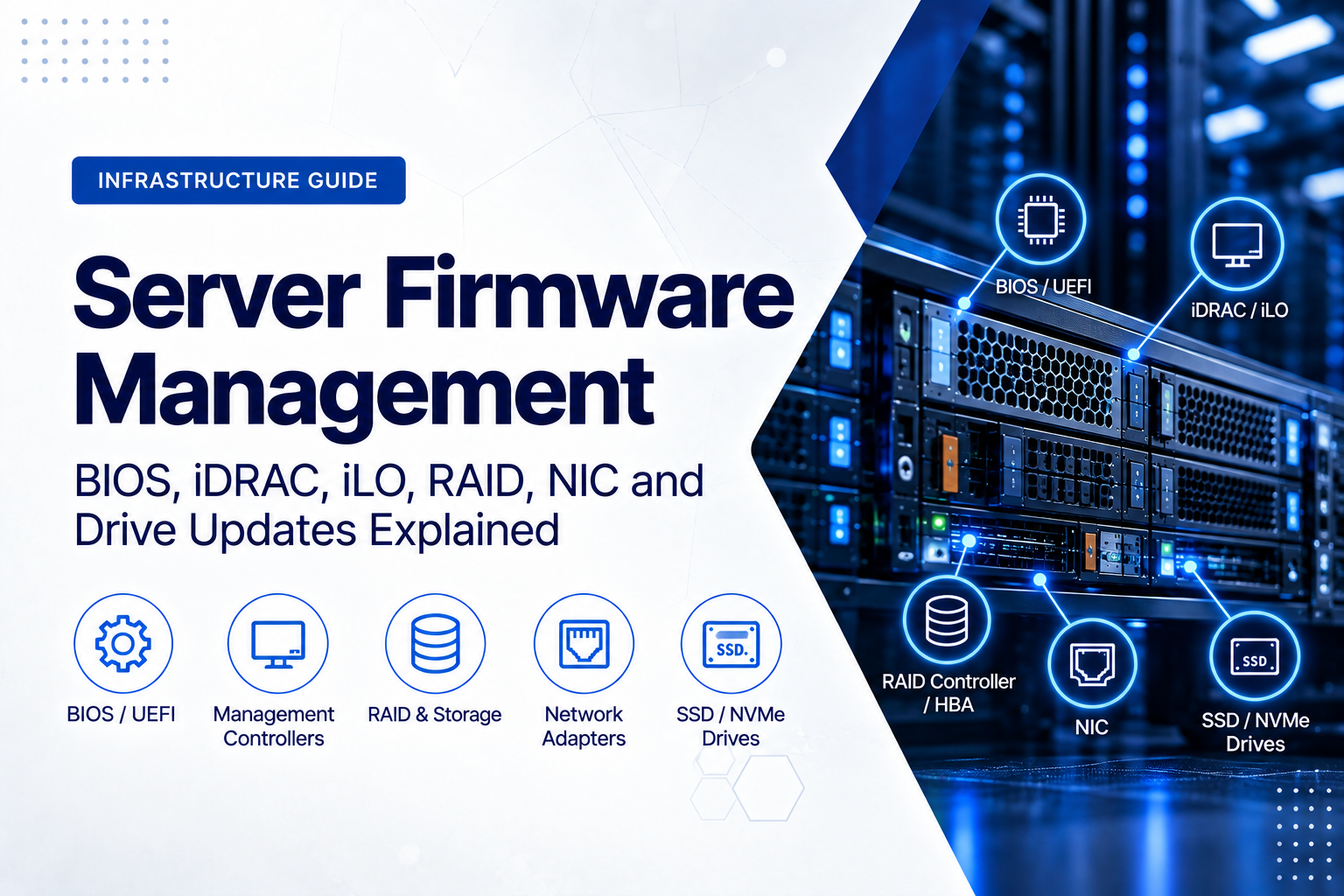
A modern enterprise server can contain separate firmware for its BIOS or UEFI, remote-management controller, RAID controller or HBA, network adapters, SSDs, NVMe drives, drive backplanes and other components. Each of those devices can have its own version, update package, compatibility requirements and activation procedure.
This creates an important distinction: a server can be fully patched at operating-system level while still running outdated firmware underneath it.
For businesses operating physical servers, virtualisation hosts, storage systems, backup appliances or private-cloud infrastructure, firmware management should therefore be treated as part of the normal hardware lifecycle rather than something considered only when a server develops a fault.
What Is Server Firmware?
Firmware is low-level software that controls a hardware component. It normally resides in non-volatile memory associated with the device and continues to exist when the server is powered off.
Depending on the platform and configuration, an enterprise server may contain firmware for:
- BIOS or UEFI;
- Dell iDRAC, HPE iLO or Lenovo XClarity Controller;
- RAID controllers;
- SAS or NVMe HBAs;
- Ethernet network adapters;
- Fibre Channel adapters;
- SAS and SATA hard drives;
- SAS, SATA and NVMe SSDs;
- drive backplanes and SAS expanders;
- power supplies;
- programmable logic and platform controllers; and
- GPUs, accelerators and other PCIe devices.
The exact list varies by server generation. The important point is that a physical server is not one firmware-controlled device. It is a collection of hardware subsystems that must operate together.
Firmware Is Not the Same as a Driver
Firmware and device drivers are related, but they perform different functions.
A driver allows the operating system or hypervisor to communicate with a hardware device. A firmware image runs on or controls the hardware itself.
Consider a 25GbE network adapter. VMware ESXi, Windows Server or Linux may use a particular driver to communicate with the card, while the NIC simultaneously runs its own firmware.
Updating the operating-system driver therefore does not necessarily update the NIC firmware.
The same principle applies to RAID controllers, HBAs, Fibre Channel adapters, GPUs and many other enterprise components.
This also explains why firmware and driver compatibility should be reviewed together. A new firmware release may require, recommend or have been validated with a particular driver version.
Why Does Server Firmware Need Updating?
Firmware updates are released for several different reasons. Understanding the reason for an update is more useful than simply assuming that every available update must be installed immediately.
Security
Firmware operates at a highly privileged level of the system. Security vulnerabilities can therefore exist below the operating system in BIOS, management controllers, network adapters, storage controllers and other hardware.
Firmware security should form part of the organisation’s vulnerability-management process, particularly for Internet-accessible or network-connected management interfaces.
Reliability and Bug Fixes
Manufacturers may release firmware to resolve problems involving:
- unexpected server resets;
- boot failures;
- storage-controller errors;
- disk timeouts;
- incorrect hardware monitoring;
- network instability;
- memory compatibility;
- power-management behaviour; and
- interoperability between components.
A hardware problem does not always mean the physical component is defective. Sometimes the hardware itself is healthy while the firmware controlling it requires correction.
Hardware Compatibility
Firmware can also determine whether a server supports newer processors, memory modules, drives, network adapters or other components.
This becomes particularly important when upgrading an existing server rather than replacing the complete system.
A component may be electrically and mechanically compatible with the server but still require a minimum BIOS, backplane, RAID-controller or management-controller firmware version.
Operating-System and Hypervisor Compatibility
Major Windows Server, Linux, VMware or other hypervisor upgrades can change supported driver and firmware combinations.
Before upgrading the operating system or virtualisation layer, check the hardware vendor’s compatibility information rather than assuming the firmware already installed several years ago remains the preferred combination.
Should You Always Install the Latest Firmware?
No.
The objective of professional firmware management is not simply to install every newest package as soon as it appears.
The better objective is to maintain a known, secure, compatible and supportable firmware baseline.
Before approving an update, consider:
- what problem or vulnerability the update addresses;
- the current firmware version;
- manufacturer release notes;
- known issues;
- dependencies and prerequisites;
- driver compatibility;
- operating-system or hypervisor compatibility;
- whether an intermediate firmware version is required;
- reboot or full power-cycle requirements;
- rollback limitations; and
- the business impact if the update causes unexpected behaviour.
A newly deployed server will often be brought to an approved current baseline before production use. A critical production host, however, may justify testing the same firmware on equivalent hardware before wider deployment.
What Is a Server Firmware Baseline?
A firmware baseline defines which firmware versions are approved for a particular server model or group of systems.
This changes the maintenance question from:
“Does this server have the newest firmware?”
to:
“Does this server match the firmware configuration we have approved for this platform?”
That distinction becomes increasingly important as the number of servers grows.
Imagine eight identical virtualisation hosts. If one runs a different BIOS version, another has older NIC firmware and several use different RAID-controller revisions, troubleshooting becomes more difficult because the servers are no longer genuinely identical.
Centralised management platforms can help maintain this consistency. Dell OpenManage Enterprise supports firmware baselines and compliance reporting. HPE OneView can associate firmware baselines with server profiles, while Lenovo XClarity Administrator can use firmware-compliance policies to identify systems that differ from the intended level.
BIOS and UEFI Firmware
BIOS or UEFI firmware is one of the most fundamental firmware layers in a server.
It initialises the platform and can control settings involving:
- processors;
- memory;
- boot configuration;
- Secure Boot;
- virtualisation extensions;
- PCI Express configuration;
- NUMA behaviour;
- power management;
- performance profiles; and
- platform security.
BIOS updates commonly require a server reboot before the new firmware becomes active.
For a standalone physical application server, that may require planned downtime. In a virtualisation cluster, workloads may instead be migrated from one host so the hosts can be serviced sequentially.
The firmware file itself may take only minutes to install. The more important operational task is making sure the workload remains available and the server can be recovered if the maintenance does not proceed as expected.
iDRAC, iLO and XClarity Controller Firmware
Enterprise servers normally contain a dedicated baseboard management controller that works independently of the production operating system.
Dell uses iDRAC, HPE uses iLO, and Lenovo ThinkSystem servers use XClarity Controller.
These controllers can provide remote console access, hardware monitoring, power control, event logs, virtual media and firmware-management functions.
For a deeper explanation of these technologies, see Remote Server Management Explained: iDRAC, iLO and XClarity for Business Servers.
The management controller itself also runs firmware.
This deserves particular attention because the BMC is both highly privileged and normally connected to a network. Updating the server operating system while ignoring an old management-controller release can therefore leave an important layer of the infrastructure outside the normal maintenance process.
The management interface should also be protected through appropriate network segmentation, access control and strong administrator credentials.
RAID Controller Firmware
A hardware RAID controller contains firmware that manages communication with storage devices and, depending on the model, functions such as RAID logic, controller cache, hot spares, disk rebuilds and failure handling.
Before updating RAID-controller firmware, confirm:
- the exact controller model;
- the installed firmware version;
- the controller driver version;
- the current RAID configuration;
- that no unexpected rebuild or recovery operation is active;
- the health of the attached drives;
- that current backups exist; and
- that the update is approved for the server and controller combination.
Do not select firmware merely because another controller has a similar name.
If you are deciding between controller-managed RAID and direct disk access, see the ILA Express guide RAID Controller vs HBA: Which Does Your Business Server Need?.
HBA Firmware
Using an HBA rather than a hardware RAID controller does not remove firmware from the storage stack.
SAS and NVMe HBAs can have firmware of their own, and that firmware may affect compatibility with drives, expanders, backplanes, drivers and storage software.
This is especially relevant for platforms using ZFS, TrueNAS, Windows Storage Spaces or other software-defined storage technologies where the operating system expects reliable direct access to individual disks.
Network Adapter Firmware
Modern enterprise NICs can perform far more than basic Ethernet connectivity.
Depending on the adapter, firmware may affect:
- physical link behaviour;
- PXE or UEFI network boot;
- hardware offloads;
- SR-IOV;
- RDMA;
- virtualisation features;
- adapter telemetry;
- transceiver operation; and
- other hardware-assisted networking functions.
When troubleshooting unusual network behaviour, checking only the switch and operating-system driver may therefore be insufficient.
This is particularly relevant after installing new network hardware or moving a server from 1GbE or 10GbE to 25GbE or faster connectivity.
For network-adapter selection and infrastructure planning, see the Server Network Adapter Buying Guide: 1GbE, 10GbE, 25GbE or Faster?.
SSD, NVMe and Hard-Drive Firmware
Storage devices themselves also contain firmware.
This applies to SAS and SATA hard drives, SAS and SATA SSDs, NVMe SSDs and some specialised server boot devices.
Drive firmware can affect reliability, error handling, compatibility and other device behaviour.
Accurate identification is essential. Two drives can both be described as “1.92 TB enterprise SSDs” while being completely different products requiring different firmware packages.
Record the exact model and current revision rather than relying only on capacity and interface type.
Do Not Forget Backplanes and Other Platform Firmware
BIOS, BMC, RAID and NIC firmware are the most obvious targets, but they may not be the only firmware-controlled components.
Depending on the system, firmware may also exist in:
- drive backplanes;
- SAS expanders;
- CPLDs and other programmable logic;
- power supplies;
- storage enclosures;
- GPUs and accelerators;
- Fibre Channel adapters;
- PCIe switches; and
- other platform controllers.
A firmware inventory should therefore be based on the hardware actually installed in the server rather than a generic checklist.
Why Firmware Update Order Matters
One of the most important mistakes to avoid is assuming that every firmware component can be updated independently and in any order.
Dependencies can exist between BIOS and BMC firmware, storage-controller firmware and drivers, NIC firmware and drivers, or several components included in a manufacturer-validated bundle.
There is therefore no universal rule such as “always update the BIOS first” that should be applied blindly to every Dell, HPE, Lenovo or other server.
Dell advises administrators to record current versions and check the documentation for the specific PowerEdge model for any required update sequence. HPE packages firmware, drivers and system software through its Service Pack for ProLiant and update-management tools. Lenovo XClarity can apply compliance policies and manage platform-specific firmware workflows.
Determine the supported update path for the exact server before the maintenance window begins.
Create an Inventory Before Updating Anything
The first stage of controlled firmware maintenance is discovery.
Record at least:
- server manufacturer and exact model;
- serial number or service tag;
- BIOS or UEFI version;
- iDRAC, iLO or XClarity Controller version;
- RAID-controller or HBA model and firmware;
- network-adapter models and firmware;
- drive models and firmware revisions;
- backplane or expander versions where available;
- operating-system version;
- hypervisor version and build where applicable;
- important storage and network driver versions; and
- existing hardware warnings or faults.
This creates a documented “before” state.
After the maintenance, collect the inventory again. If unexpected behaviour appears later, you can identify exactly what changed.
Read the Release Notes Before the Maintenance Window
Do not wait until the server is offline before researching the update.
Review the applicable documentation in advance and check for:
- supported server models;
- supported hardware revisions;
- prerequisites;
- minimum previous versions;
- required intermediate updates;
- driver dependencies;
- known issues;
- reboot requirements;
- full power-cycle requirements;
- expected update duration; and
- downgrade or rollback limitations.
This becomes especially important when a server has not received firmware maintenance for several years. A very old release may not always support a direct jump to the newest version.
In-Band, Out-of-Band and Offline Firmware Updates
Enterprise-server firmware can normally be deployed in several ways.
In-Band Updates
An update utility running inside Windows or Linux can inventory hardware and install supported packages. This can be convenient for individual systems and automation, but it depends on the installed operating system and relevant drivers.
Out-of-Band Updates
Management controllers such as iDRAC and iLO can deploy many firmware updates independently of the production operating system.
This is useful when the operating system is unavailable, when the server is remote or when infrastructure management should remain independent of the application workload.
Offline or Pre-Boot Updates
A server can also be updated through a lifecycle controller, bootable image or another pre-boot environment.
This reduces dependency on the installed operating system but generally means that the server cannot run production workloads while the update process is active.
Dell PowerEdge Firmware Management
Dell currently provides several update methods for PowerEdge servers, including catalog-driven updates through iDRAC, Dell System Update, Lifecycle Controller, Server Update Utility, Dell Repository Manager and OpenManage Enterprise.
The appropriate method depends on the scale and design of the environment.
A single remote PowerEdge server may be conveniently maintained through iDRAC or Lifecycle Controller. An organisation managing many PowerEdge systems can instead use OpenManage Enterprise to compare systems against defined firmware baselines and identify non-compliant devices.
For isolated or restricted networks, local repositories and offline media can also be useful.
HPE ProLiant Firmware Management
HPE uses the Service Pack for ProLiant (SPP) as an integrated collection of firmware, drivers and system software for supported ProLiant platforms.
HPE Smart Update Manager can inventory systems and help manage applicable updates and dependencies, while HPE OneView can associate firmware baselines with server profiles and monitor whether managed servers remain aligned with the selected baseline.
This illustrates an important principle: on an enterprise platform, a validated firmware and driver bundle is often preferable to selecting unrelated component updates individually without checking how they were tested together.
Lenovo ThinkSystem Firmware Management
Lenovo XClarity Administrator can maintain a firmware repository, define compliance policies, identify systems that differ from the intended firmware level and apply supported updates to managed hardware.
Lenovo also uses firmware repository packs, UpdateXpress System Packs and, on supported newer ThinkSystem generations, system firmware bundles.
Again, the objective is not simply to install the newest file for each component. It is to maintain a tested and supportable combination across the platform.
Firmware Management in a Virtualisation Cluster
A virtualisation cluster makes firmware maintenance easier to schedule, but only if the cluster has enough remaining capacity and redundancy to remove a host safely.
A typical workflow is:
- Confirm cluster health and available capacity.
- Verify backup and recovery status.
- Select one host for maintenance.
- Migrate or evacuate its virtual machines.
- Place the host into maintenance mode.
- Record its current firmware and driver state.
- Apply the approved firmware baseline.
- Complete required reboots or power cycles.
- Verify hardware, storage and networking.
- Return the host to service.
- Observe the host before proceeding to the next system.
This approach avoids exposing the complete cluster to the same firmware change simultaneously.
Use a Pilot Before a Fleet-Wide Update
When several servers share the same hardware standard, consider a staged deployment rather than updating the complete fleet at once.
A practical rollout might be:
Lab system → pilot server → small production group → wider production fleet
After each stage, verify:
- successful boot;
- hardware event logs;
- storage health;
- network interfaces;
- remote-management access;
- operating-system or hypervisor health;
- monitoring and alerting; and
- application behaviour.
A firmware package completing successfully does not automatically prove that the complete business workload is operating correctly.
Do Not Start Broad Firmware Maintenance on an Unhealthy Server
Before changing multiple firmware layers, establish that the server is in a reasonably known and stable condition.
Investigate existing problems such as:
- failed or predictive-failure drives;
- degraded RAID arrays;
- memory errors;
- power-supply faults;
- temperature alarms;
- unexpected resets;
- missing PCIe devices; or
- critical BMC alerts.
Updating several components on an already unstable machine can make subsequent troubleshooting considerably harder.
Backups and Firmware Rollback Are Different Things
A good backup protects business data and supports application or operating-system recovery.
It does not automatically restore a failed BIOS, BMC, storage controller or NIC firmware image.
Before major firmware maintenance, verify both the data-recovery path and the hardware-management recovery path.
Depending on the server, preparation may include:
- current backups;
- tested restore procedures;
- exported configuration where supported;
- documented RAID configuration;
- remote console access;
- physical or remote-hands access;
- previous firmware packages where supported; and
- vendor-specific firmware recovery procedures.
Do not assume that every firmware release can be downgraded. Security features or platform restrictions can deliberately prevent rollback to older vulnerable versions.
Do Not Interrupt a Firmware Flash
Some firmware updates take several minutes, involve several stages or remain pending until the next reboot.
Do not power-cycle a server simply because an update appears to be taking longer than expected unless the manufacturer-specific recovery procedure instructs you to do so.
Interrupting a low-level firmware write can leave a component unusable.
Before beginning maintenance, confirm stable power, adequate maintenance time and a recovery method. Critical infrastructure should already have appropriate UPS and redundant-power arrangements.
Firmware Security Starts With the Update Source
Use authorised manufacturer repositories, validated packages and trusted management tools.
A controlled firmware process should include:
- trusted update sources;
- package or signature verification where supported;
- controlled firmware repositories;
- restricted administrative access;
- protected management networks;
- change records; and
- post-update validation.
Firmware should not be downloaded from an unknown third-party site merely because a filename appears to match the installed controller.
Older and Refurbished Servers Need a Firmware Review
Firmware status deserves particular attention when a business purchases previous-generation, refurbished or redeployed enterprise hardware.
A server may arrive with:
- an old BIOS version;
- outdated iDRAC, iLO or XClarity firmware;
- replacement network adapters;
- different drive models from the original configuration;
- old RAID-controller firmware; or
- a mixture of component generations created during its previous service life.
Inventory what is physically installed before deployment rather than relying exclusively on the original factory specification.
Firmware availability should also form part of the wider lifecycle decision. A functioning server becomes less attractive if firmware, current operating-system support, replacement components or management tools are becoming difficult to obtain.
For a broader lifecycle approach, see Extending IT Hardware Life Without Compromising Reliability.
Include Firmware Support in Server Procurement
Firmware management begins before the server enters the rack.
When evaluating new, previous-generation or refurbished enterprise hardware, consider:
- whether the platform still receives firmware updates;
- which management-controller generation it uses;
- whether firmware packages remain readily available;
- whether the intended operating system or hypervisor is supported;
- whether the RAID controller, HBA and NICs are supported by the server;
- whether the installed drives have supported update paths;
- whether licences are required for the intended remote-management features; and
- how long the platform is expected to remain practical to maintain.
The cheapest server to purchase is not necessarily the cheapest server to operate throughout its remaining business life.
A Practical Server Firmware Maintenance Process
A repeatable process helps prevent firmware maintenance from becoming an improvised troubleshooting exercise.
1. Discover
Identify the exact server, installed components, current firmware, drivers and hardware-health state.
2. Assess
Review manufacturer documentation, release notes, security advisories, dependencies and compatibility information.
3. Define the Target Baseline
Determine which versions or validated vendor bundle should be used for that server generation and workload.
4. Prepare Recovery
Confirm backups, management access, configuration records and recovery options before making changes.
5. Test
Where practical, deploy the baseline first to representative non-production or lower-risk hardware.
6. Schedule
Allocate an appropriate maintenance window. Migrate workloads where clustering or other redundancy allows it.
7. Deploy
Use a manufacturer-supported update method and follow any platform-specific sequencing or prerequisite requirements.
8. Activate
Complete the required reboot or full power cycle. Remember that successfully uploading an update does not always mean that the new firmware is active.
9. Verify
After maintenance, check:
- reported firmware versions;
- server POST and boot;
- hardware-health status;
- RAID and drive status;
- network connectivity;
- management-controller access;
- event and system logs;
- operating-system or hypervisor health;
- monitoring;
- backup connectivity; and
- production applications.
10. Document
Record the new baseline, maintenance date, result and any exceptions so the next administrator does not have to reconstruct the server’s history.
How Often Should Server Firmware Be Reviewed?
There is no single interval that suits every business.
A practical approach combines scheduled reviews with event-driven maintenance.
Firmware should be considered during regular infrastructure reviews and also when:
- a significant security advisory is released;
- new hardware is installed;
- an operating system or hypervisor is upgraded;
- hardware instability appears;
- a server changes role;
- used or refurbished hardware enters production;
- a new corporate firmware baseline is approved; or
- the platform approaches the end of manufacturer support.
The appropriate frequency depends on the importance of the server, its exposure, vendor support, change rate and the organisation’s ability to test updates.
One Server Is an Update; Fifty Servers Are a Management Process
Manual firmware maintenance can work for a small server estate.
As the environment grows, the priority shifts toward:
- automatic hardware inventory;
- central firmware repositories;
- approved baselines;
- compliance reporting;
- staged deployment;
- maintenance scheduling;
- central logging; and
- exception management.
This is the larger purpose behind tools such as Dell OpenManage Enterprise, HPE OneView and Lenovo XClarity Administrator.
Firmware management becomes a lifecycle and compliance function rather than a collection of manual downloads.
Final Recommendation
Do not manage server firmware by asking only, “What is the newest BIOS version?”
Ask instead:
What hardware is installed, what firmware is currently running, what baseline should this system use, and how can we move to that baseline in a controlled way?
A modern enterprise server can contain independently maintained firmware in its BIOS or UEFI, iDRAC, iLO or XClarity Controller, RAID controller, HBA, network adapters, SSDs, NVMe devices, backplanes and other components.
Those layers can depend on one another.
The practical approach is therefore to inventory the server, review manufacturer guidance, define an approved baseline, check firmware and driver compatibility, prepare recovery, test where possible, perform updates during controlled maintenance and verify the complete system afterwards.
That turns firmware updating from an occasional emergency procedure into a predictable part of server lifecycle management.
Planning a server purchase, upgrade or infrastructure refresh? ILA Express supplies enterprise servers, storage, networking hardware and compatible components for business environments. Provide the server model, intended workload, operating system or hypervisor, storage design and networking requirements so the hardware can be evaluated as a complete platform rather than as isolated components.