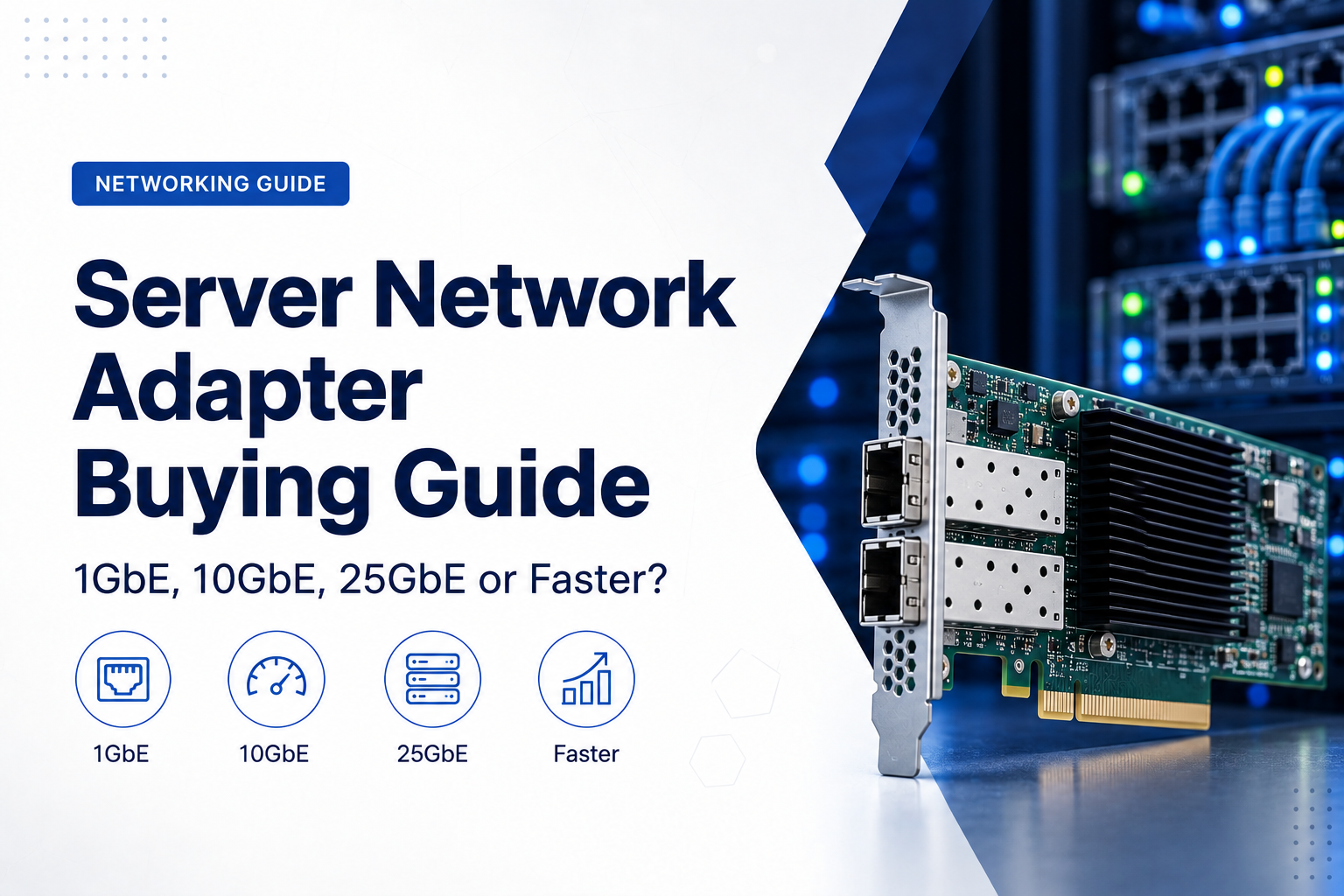
A modern server can contain dozens or even hundreds of CPU cores, hundreds of gigabytes of memory and extremely fast NVMe storage. None of that guarantees good application performance if the server is connected to the network through an undersized or incorrectly selected network adapter.
For some business servers, 1GbE remains perfectly adequate. For virtualisation hosts, backup servers, high-performance storage and larger application environments, 10GbE or 25GbE may be much more appropriate. Data-centre and AI infrastructure can require 50GbE, 100GbE or considerably faster connections.
The correct server network adapter is therefore not simply the fastest card available. It must match the workload, switch infrastructure, cabling, server expansion slots, operating system and availability requirements.
This guide explains how to choose between 1GbE, 10GbE, 25GbE and faster server networking—and what to check before ordering the adapter.
Start with the Workload, Not the Network Adapter
A network adapter should be selected according to the traffic the server is expected to handle.
Typical server network traffic can include:
- client application traffic;
- file-server access;
- database communication;
- virtual-machine traffic;
- backup transfers;
- storage traffic;
- replication;
- virtual-machine migration;
- cluster communication; and
- management traffic.
A small domain controller and a dense virtualisation host may both be called “servers,” but their networking requirements are very different.
Before selecting a NIC, determine how much traffic the machine must handle during both normal operation and peak activity.
Understanding 1GbE, 10GbE and 25GbE
Ethernet adapter speeds are normally expressed in gigabits per second.
- 1GbE = 1 gigabit per second
- 10GbE = 10 gigabits per second
- 25GbE = 25 gigabits per second
- 40GbE = 40 gigabits per second
- 50GbE = 50 gigabits per second
- 100GbE = 100 gigabits per second
These figures represent nominal line rates, not guaranteed application throughput.
Real performance is affected by protocol overhead, storage speed, processor utilisation, application behaviour, packet size, switch performance and other factors.
For reference, the theoretical raw transfer rate before overhead is approximately:
- 1GbE: 125 MB/s;
- 10GbE: 1.25 GB/s;
- 25GbE: 3.125 GB/s; and
- 100GbE: 12.5 GB/s.
The storage system must be capable of supplying or receiving data at comparable rates if the network connection is to be fully utilised.
When Is 1GbE Still Enough for a Server?
One-gigabit Ethernet is not obsolete simply because faster technologies exist.
1GbE can remain appropriate for:
- domain controllers;
- DNS and DHCP servers;
- lightweight internal applications;
- small web servers;
- management interfaces;
- monitoring systems;
- low-volume file servers; and
- servers whose internet connection is substantially slower than 1Gbps.
A lightly used application server may never come close to saturating a gigabit connection.
Replacing a functioning 1GbE adapter with 25GbE will not improve performance when the application, storage or internet connection is the actual bottleneck.
When 1GbE Becomes a Limitation
1GbE can become restrictive when several workloads share one server connection.
Common examples include:
- large backup jobs;
- network-attached storage;
- virtualisation hosts;
- large database transfers;
- high-volume file servers;
- virtual-machine migrations;
- replication between servers;
- video and media workflows; and
- many simultaneous users.
A server may also have fast NVMe storage capable of transferring several gigabytes per second while its 1GbE interface limits network transfers to roughly a fraction of that performance.
At that point, upgrading the network becomes much easier to justify.
10GbE: The Practical Enterprise Server Standard
10GbE is widely used for business servers because it provides a substantial performance increase over gigabit networking without requiring the cost and infrastructure associated with much faster data-centre technologies.
Typical 10GbE use cases include:
- virtualisation hosts;
- database servers;
- backup servers;
- NAS and SAN connectivity;
- high-performance file servers;
- application clusters;
- server-to-server replication;
- large engineering or media workloads; and
- switch uplinks.
Intel, for example, continues to offer enterprise network adapters supporting 10GbE through both SFP+ and RJ45 interfaces, while current server networking portfolios from other manufacturers extend from 10GbE into much higher speeds.
When Should You Consider 25GbE?
25GbE has become an important server-networking option for environments where 10GbE no longer provides sufficient capacity.
It can be particularly useful for:
- dense virtualisation hosts;
- private-cloud infrastructure;
- high-performance storage;
- large backup platforms;
- hyper-converged infrastructure;
- database clusters;
- high-volume server consolidation;
- data analytics; and
- larger data-centre deployments.
A 25GbE connection provides 2.5 times the nominal bandwidth of 10GbE while remaining available in compact server-friendly form factors such as SFP28.
Current Intel E810 adapters, for example, include SFP28 models supporting 25/10/1GbE, demonstrating how one adapter family can support several link speeds depending on the exact card, optics and switch configuration.
However, never assume that every SFP28 adapter or switch port supports every lower speed. Compatibility must be verified for the specific equipment.
What About 40GbE?
40GbE remains present in many established data-centre environments and can still be entirely appropriate where compatible switches, adapters and cabling are already deployed.
For new server deployments, however, 25GbE and 100GbE are also common design options.
The decision should be based on the existing network architecture rather than assuming that a numerically higher speed is automatically the better migration path.
For example, an existing 40GbE switch does not guarantee compatibility with a newer adapter designed primarily for 100/50/25/10GbE operation. Intel specifically notes that its E810 family does not provide 40GbE operation despite supporting several speeds above and below it.
When Do Servers Need 50GbE, 100GbE or Faster?
Higher network speeds increasingly appear in:
- large private and public clouds;
- high-performance computing;
- AI and machine-learning infrastructure;
- distributed storage systems;
- NVMe-over-Fabrics environments;
- large virtualisation clusters;
- high-density data centres; and
- very high-throughput application environments.
Current enterprise NIC families extend significantly beyond 100GbE. NVIDIA’s ConnectX portfolio, for example, includes Ethernet adapters ranging from 10GbE through 25, 40, 50, 100, 200 and 400GbE depending on the adapter generation and model.
These speeds should be deployed because a measured workload requires them—not simply because they are available.
RJ45 vs SFP+: Choosing 10GbE Connectivity
A 10GbE server adapter can commonly use either an RJ45 copper interface or SFP+ ports.
10GBASE-T / RJ45
10GbE over twisted-pair copper uses the familiar RJ45 connector.
Advantages can include:
- familiar cabling and connectors;
- easy connection to copper switches;
- support for structured office cabling; and
- multi-speed capability on many adapters.
Potential disadvantages include:
- higher power consumption than some SFP+ alternatives;
- additional heat;
- cable-category requirements; and
- less attractive economics for some short data-centre links.
SFP+
SFP+ ports provide a modular interface that can use different connectivity options.
Depending on the equipment, these can include:
- direct-attach copper cables;
- optical transceivers;
- active optical cables; and
- other supported modules.
This flexibility makes SFP+ particularly common in server rooms and data centres.
What Is SFP28?
SFP28 uses a compact form factor similar to SFP+ but is commonly associated with 25GbE networking.
A typical 25GbE server deployment may therefore consist of:
- a server NIC with SFP28 ports;
- a 25GbE-capable switch;
- compatible SFP28 transceivers or DAC cables; and
- appropriate fibre or copper connectivity.
Current Intel XXV710 and E810 adapters are examples of enterprise NICs offering 25GbE connectivity through SFP28 interfaces.
What Are QSFP28 Ports?
QSFP28 is widely used for higher-speed networking such as 100GbE, although supported speeds and breakout options depend on the specific adapter and switch.
Some enterprise adapters can operate at several speeds from the same physical port. Current Intel E810 QSFP28 models, for example, include configurations supporting 100/50/25/10GbE.
This does not mean every module, cable or switch combination will work automatically.
Always verify:
- adapter-supported speeds;
- switch-supported speeds;
- transceiver compatibility;
- breakout support;
- firmware requirements; and
- cable type.
DAC, AOC or Fibre?
After selecting the network speed and port type, the physical connection must also be chosen.
Direct Attach Copper (DAC)
DAC cables are commonly used for short connections inside or between nearby racks.
Potential advantages include:
- relatively low cost;
- low power consumption;
- simple installation; and
- good suitability for short server-to-switch connections.
The main limitation is distance.
Active Optical Cable (AOC)
AOCs integrate optical components with a permanently attached cable.
They can provide longer reach than passive DAC and can be easier to deploy than purchasing separate transceivers and fibre patch cables.
Optical Transceivers and Fibre
Separate optical modules provide greater flexibility and can support substantially longer distances depending on the standard used.
This approach is common for:
- connections between racks;
- larger data centres;
- connections between rooms or buildings;
- structured fibre infrastructure; and
- deployments where cable replacement must be independent of the transceiver.
Transceiver Compatibility Can Cause Expensive Mistakes
A network adapter with the correct connector does not guarantee compatibility with every transceiver.
Check:
- manufacturer support;
- speed;
- wavelength;
- single-mode or multimode fibre;
- connector type;
- maximum distance;
- switch compatibility; and
- firmware restrictions.
The same applies to DAC and AOC cables.
When purchasing server NICs and switches from different vendors, compatibility should be confirmed before ordering a large number of modules.
Single-Port, Dual-Port or Quad-Port NIC?
Network speed is only one part of the specification.
Server adapters are commonly available with one, two or four ports.
Single-Port Adapters
Suitable where one physical connection is sufficient or multiple independent NICs are installed.
Dual-Port Adapters
Dual-port adapters are common in business servers because they can support:
- redundant switch connections;
- traffic separation;
- link aggregation;
- virtualisation networks; and
- different physical networks.
Quad-Port Adapters
Four ports can be useful when a server requires several segregated networks or when high port density is important.
However, more ports do not automatically mean more useful performance. The adapter’s PCIe interface and server architecture must still support the combined traffic.
Redundancy Matters as Much as Speed
A single 25GbE connection may provide greater bandwidth than two 10GbE connections, but the single link also creates a different failure model.
Business-critical servers commonly use multiple network paths.
For example:
- Port 1 may connect to Switch A.
- Port 2 may connect to Switch B.
If one switch, cable, transceiver or port fails, the server may retain network connectivity through the other path when the network and operating system are configured appropriately.
Redundancy should therefore be considered independently from bandwidth.
A server does not necessarily need two ports merely to make the connection “twice as fast.” It may need two ports because losing all network connectivity would be unacceptable.
Does Link Aggregation Double the Speed?
Not necessarily for an individual connection.
Link aggregation can combine several physical links into one logical arrangement and may increase total available bandwidth across multiple traffic flows while providing redundancy.
However, a single TCP session or individual file transfer may still be mapped to one physical link depending on the network configuration and hashing method.
Two 10GbE ports should therefore not automatically be treated as one 20Gbps connection for every workload.
Where one workload genuinely requires more than 10Gbps, a native 25GbE connection may be more appropriate.
PCIe Bandwidth Is Easy to Overlook
A high-speed network adapter must communicate with the rest of the server through PCI Express.
Before installing a NIC, verify:
- PCIe generation;
- number of available lanes;
- physical slot size;
- electrical slot width;
- CPU-to-slot topology;
- other installed expansion cards; and
- server manufacturer support.
A powerful network adapter installed in an inadequately connected slot may not be able to deliver its intended aggregate throughput.
This becomes increasingly important with multi-port 25GbE, 100GbE and faster adapters.
PCIe NIC vs OCP NIC
Not every modern server network adapter is a conventional PCIe expansion card.
Many enterprise servers also support dedicated networking form factors such as OCP NIC 3.0.
These adapters can provide high-performance server networking while preserving conventional PCIe slots for GPUs, storage controllers or other expansion devices.
Current Intel E810 networking products, for example, are available in both conventional adapter and OCP 3.0 configurations.
When ordering a NIC, confirm whether the target server requires:
- standard PCIe;
- low-profile PCIe;
- full-height PCIe;
- OCP NIC; or
- a manufacturer-specific mezzanine or modular adapter.
Virtualisation Places Special Demands on the NIC
A virtualisation host can run dozens of workloads through a small number of physical network interfaces.
Traffic may include:
- VM client traffic;
- host management;
- storage;
- backup;
- cluster communication;
- replication; and
- live migration.
This is one reason 10GbE and 25GbE are common in virtualised server environments.
For heavily consolidated infrastructure, it may also be useful to review advanced NIC capabilities rather than considering bandwidth alone.
See our Server Consolidation Guide for more information on how network capacity influences consolidation planning.
What Is SR-IOV?
Single Root I/O Virtualization, or SR-IOV, allows supported PCIe devices to expose virtual functions that can be assigned to virtual machines.
This can reduce some of the software overhead associated with conventional virtual networking and can provide high-performance network access for appropriate workloads.
Enterprise NIC families such as NVIDIA ConnectX support SR-IOV on compatible server and hypervisor platforms.
Using it successfully requires support from several components:
- the network adapter;
- server BIOS or UEFI;
- the processor and platform;
- the hypervisor;
- drivers; and
- the guest operating system where applicable.
Do not purchase a NIC solely because “SR-IOV” appears in the specifications without verifying the complete platform.
What Are RDMA and RoCE?
RDMA stands for Remote Direct Memory Access.
It is designed to move data between systems with reduced CPU involvement and low latency compared with conventional software networking paths.
RoCE—RDMA over Converged Ethernet—is used in a range of high-performance networking and storage environments.
Current NVIDIA ConnectX adapters, for example, support RoCE for bandwidth- and latency-sensitive workloads.
Potential applications include:
- high-performance storage;
- NVMe over Fabrics;
- high-performance computing;
- clustered applications; and
- specialised virtualisation environments.
RDMA should not be treated as a feature that automatically improves every business server. It requires an appropriate end-to-end network design and workload.
Do Network Offloads Matter?
Modern server NICs may provide hardware features designed to reduce processor overhead or accelerate specific networking functions.
Depending on the adapter, these can include:
- checksum offload;
- large segmentation offload;
- receive-side scaling;
- tunnelling offloads;
- virtualisation acceleration;
- RDMA;
- traffic steering; and
- hardware-based packet processing.
These capabilities can matter in high-throughput or highly virtualised environments.
For a lightly loaded business application server, however, they may be far less important than basic compatibility, driver support and redundancy.
Network Adapter Driver and Firmware Support
A server NIC should remain supported by the operating system and server platform for the planned lifecycle of the machine.
Before purchasing new or refurbished adapters, check:
- Windows Server support;
- Linux distribution support;
- VMware or other hypervisor compatibility;
- driver availability;
- firmware availability;
- server manufacturer compatibility lists; and
- continued security updates.
This is especially important for older enterprise NICs that may offer excellent hardware performance but no longer receive current driver or firmware support for newer operating systems.
Do Not Forget Boot and Management Features
Some server adapters provide additional functionality such as:
- PXE network boot;
- UEFI network boot;
- iSCSI boot;
- Fibre Channel over Ethernet on supported platforms;
- NC-SI connectivity to the server management controller; and
- hardware monitoring.
If the server’s provisioning or management architecture depends on one of these features, include it in the purchasing specification.
Network Speed Should Match Storage Performance
A common mistake is upgrading network speed without checking whether the server can actually supply data quickly enough.
For example, a server reading data from a single mechanical hard drive will not fully utilise a 25GbE connection during sequential file transfers.
By contrast, an NVMe storage array or high-performance RAID system may generate enough throughput to expose a 10GbE link as the bottleneck.
Storage and networking should therefore be designed together.
If you are also planning server storage, see our RAID Controller vs HBA Guide.
Backups Can Justify Faster Networking
Backup infrastructure is one of the clearest examples where faster networking can produce a measurable operational benefit.
Suppose a server must transfer several terabytes of data during an overnight backup window.
The required network speed depends on:
- total protected data;
- daily change rate;
- available backup window;
- compression and deduplication;
- source storage performance;
- destination storage performance; and
- other traffic sharing the connection.
A network upgrade can shorten backup windows only when the rest of the backup system is capable of keeping up.
10GbE or 25GbE for a New Virtualisation Host?
There is no universal answer.
10GbE may be sufficient when:
- the host runs a modest number of VMs;
- storage is local;
- backup traffic is moderate;
- existing switches are already 10GbE; and
- traffic can be distributed across redundant links.
25GbE becomes more attractive when:
- VM density is high;
- shared storage generates substantial traffic;
- live migration must move large VM memory states quickly;
- backup windows are restrictive;
- the infrastructure is being built for several years of growth; or
- 25GbE switch infrastructure is already available.
The cost difference should be compared across the complete deployment—including NICs, switches, optics, cables and support—not just the adapter itself.
1GbE vs 10GbE vs 25GbE: Practical Selection Guide
| Server Requirement | Typical Starting Point |
|---|---|
| Light infrastructure services | 1GbE |
| Small business application server | 1GbE or 10GbE |
| General-purpose file server | 10GbE |
| Backup server | 10GbE or 25GbE |
| Virtualisation host | 10GbE or 25GbE |
| High-performance NAS/storage | 10GbE, 25GbE or faster |
| Dense virtualisation/private cloud | 25GbE or faster |
| Large distributed storage cluster | 25/50/100GbE or workload-specific |
| AI/HPC infrastructure | High-speed networking selected to application requirements |
These are planning references, not fixed rules. Actual requirements should be calculated from workload measurements and architecture.
Server NIC Buying Checklist
Before ordering a network adapter for a business server, confirm the following:
- What network speed does the workload actually require?
- What speed does the switch support?
- Does the adapter support the same link speed?
- Is the required interface RJ45, SFP+, SFP28, QSFP28 or another type?
- Will you use DAC, AOC or optical transceivers?
- Are the cable and transceiver combinations supported?
- How many physical ports are required?
- Is redundant connectivity required?
- Will the server connect to one switch or two independent switches?
- Does the adapter fit the physical server slot?
- Does the PCIe slot provide sufficient lanes and bandwidth?
- Does the server use PCIe or OCP networking?
- Does the operating system support the adapter?
- Are current drivers and firmware available?
- Are SR-IOV or RDMA required?
- Does the adapter support the required boot functionality?
- Is the NIC supported by the server manufacturer?
- Will the complete system still meet future growth requirements?
Common Server Network Adapter Buying Mistakes
Buying the Fastest NIC Without Checking the Switch
A 25GbE adapter connected to a switch that provides only 10GbE cannot create a 25GbE network.
Assuming the Connector Determines the Speed
Two ports that look similar may support different standards and speeds. Always check the exact adapter and switch specification.
Ignoring the Transceiver
The correct NIC and switch can still fail to establish a link if the optic or cable is incompatible.
Ignoring PCIe Bandwidth
A multi-port high-speed NIC must have sufficient PCIe connectivity to the host system.
Using One High-Speed Link Without Considering Redundancy
Bandwidth and availability are different requirements.
Replacing 10GbE with 25GbE Without Measuring Traffic
If the server rarely exceeds 2Gbps of traffic, 25GbE may not produce any meaningful application improvement.
Ignoring Driver Lifecycle
A low-cost older adapter can become expensive if it prevents an operating-system or hypervisor upgrade.
How This Fits with the Wider Network
A server NIC cannot be selected in isolation.
The complete data path may include:
- server network adapter;
- PCIe or OCP interface;
- DAC, fibre or copper cable;
- transceiver;
- top-of-rack or access switch;
- switch uplink;
- firewall or router;
- storage system; and
- the destination server or client.
The slowest important component can limit the performance of the complete path.
For a wider network-planning overview, read our 1GbE, 2.5GbE, 10GbE and Beyond: Choosing the Right Network Speed guide.
How ILA Express Can Help
ILA Express supplies enterprise servers, network adapters, switches, storage controllers, memory, SSDs and related infrastructure components for businesses, resellers, hosting providers and system integrators.
When requesting a network-adapter quotation, provide the exact server model together with:
- required network speed;
- number of ports;
- switch manufacturer and model;
- connector type;
- required cables or transceivers;
- operating system or hypervisor;
- PCIe or OCP requirement;
- virtualisation requirements;
- redundancy requirements; and
- any requirement for SR-IOV, RDMA or specialised offloads.
This allows the adapter, optics, cabling and server platform to be checked together instead of treating the NIC as an isolated component.
Learn more about our enterprise hardware distribution services or contact ILA Express with your required server and networking configuration.
Final Recommendation
Use 1GbE where workloads are light and there is no measured network bottleneck.
Use 10GbE as a practical option for many business servers, virtualisation hosts, file servers, backup platforms and storage systems that need substantially more capacity than gigabit networking.
Consider 25GbE when virtualisation density, backup volume, shared storage or consolidated server traffic can exceed what 10GbE comfortably provides.
Move to 50GbE, 100GbE or faster when workload measurements, storage architecture or specialised data-centre applications genuinely require that level of throughput.
Most importantly, do not purchase a server NIC by speed alone.
Check the port type, switch compatibility, transceivers, cabling, PCIe bandwidth, driver support, redundancy and workload requirements as one complete system.
Planning a server networking upgrade? Contact ILA Express with your server model, switch platform and required workload to compare suitable 1GbE, 10GbE, 25GbE and higher-speed enterprise network adapter options.