When a business server stops responding, the first question is often simple: can the IT administrator still reach it?
If remote administration depends only on Windows Remote Desktop, SSH or software running inside the operating system, the answer may be no. A crashed operating system, failed network configuration or unsuccessful boot can make normal remote-access tools unavailable precisely when they are needed most.
Enterprise servers solve this problem with dedicated remote-management controllers. Dell calls its technology iDRAC, HPE uses Integrated Lights-Out (iLO), and Lenovo provides XClarity Controller. Although the names and licensing models differ, their purpose is broadly similar: give administrators a management path to the physical server that operates independently of the main operating system.
This capability can allow an administrator hundreds or thousands of kilometres away to inspect hardware health, reboot a server, view the console, change firmware settings, mount installation media and troubleshoot a machine without immediately sending someone to the data centre.
What Is Out-of-Band Server Management?
Remote management systems such as iDRAC, iLO and XClarity are examples of out-of-band management.
A normal operating-system connection is considered in-band management. For example, when an administrator connects to a Linux server through SSH or to Windows Server through Remote Desktop, that connection depends on the server’s operating system, network drivers and applications functioning correctly.
Out-of-band management uses a separate management controller integrated into the server. This controller has its own firmware and network connectivity and can remain accessible even if the operating system has crashed or the server itself is powered off but still connected to power.
Think of it as having a small management computer built into the server whose job is to monitor and control the main machine.
What Can a Remote Management Controller Do?
The exact features depend on the server generation, configuration and licence level, but modern enterprise management controllers commonly provide several important capabilities.
Monitor Hardware Health
Administrators can usually inspect physical server components without logging into the operating system.
Depending on the platform, information may include:
- CPU status and temperature;
- installed memory and memory faults;
- fan speed and cooling status;
- power-supply condition;
- system temperatures;
- storage and controller information;
- network hardware;
- firmware versions;
- system inventory; and
- hardware event logs.
This is especially valuable when diagnosing an unexpected shutdown or intermittent hardware problem.
Power the Server On, Off or Restart It
An administrator can normally control server power remotely.
That can include powering the system on, requesting an orderly shutdown, performing a reset or forcing a power cycle when the server has stopped responding.
For equipment located in a colocation facility, branch office or remote data centre, this can eliminate the need for someone to physically press the power button.
Use a Remote Console
One of the most useful features of enterprise remote management is remote KVM—keyboard, video and mouse access.
The administrator sees the server’s physical console through a browser or supported remote-console interface. Unlike Remote Desktop, the connection is not limited to the operating system desktop.
Depending on the platform and licence, it can be possible to watch the complete boot process, enter BIOS or UEFI configuration, interact with boot menus, observe operating-system installation and troubleshoot failures occurring before the operating system starts.
If a server displays a boot error at 03:00 in a remote data centre, remote console access can therefore be much more valuable than conventional software-based remote access.
Mount Virtual Installation Media
Advanced remote-management licences commonly provide virtual media.
This allows an administrator to make an ISO or other supported image available to the physical server as though installation media were locally attached.
Typical uses include:
- installing an operating system;
- booting recovery environments;
- running diagnostic utilities;
- installing hypervisors;
- performing firmware maintenance; and
- recovering a system that no longer boots normally.
Remote console and virtual media together can make it possible to rebuild a server without visiting the machine physically.
Manage Firmware and Configuration
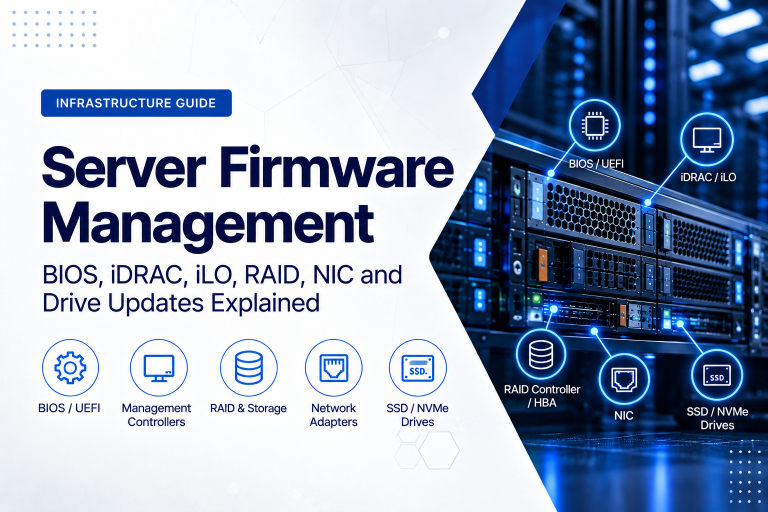
Remote-management controllers can also assist with firmware updates, hardware inventory, BIOS configuration, server deployment and lifecycle administration.
The available functions vary by vendor and generation, which is why buyers should check the management licence and controller version as carefully as CPU, RAM and storage specifications.
Dell iDRAC Explained
iDRAC stands for Integrated Dell Remote Access Controller and is Dell’s embedded management technology for PowerEdge servers.
Many currently installed and refurbished PowerEdge systems use iDRAC9, while newer Dell PowerEdge platforms are moving to iDRAC10.
Current iDRAC10 systems use several licence levels, including:
- iDRAC10 Core – provides the fundamental management interfaces and serviceability functions;
- iDRAC10 Enterprise – adds enterprise remote-management capabilities including virtual media; and
- iDRAC10 Datacenter – builds on Enterprise with additional telemetry, power, thermal and data-centre-oriented functionality.
Older PowerEdge generations may use different iDRAC licence names and feature combinations, so the exact licence should always be checked for the particular server generation.
Remote console availability is particularly important. On iDRAC generations where the function is licensed, the administrator can use virtual keyboard, video and mouse access to operate the physical server console remotely.
iDRAC also supports management interfaces intended for automation, allowing administrators and management platforms to collect information and perform supported actions without manually logging into every server.
HPE iLO Explained
HPE Integrated Lights-Out, usually abbreviated to iLO, is the embedded remote-management technology used in HPE ProLiant servers.
Several iLO generations remain common in business environments:
- HPE ProLiant Gen10 and Gen10 Plus systems commonly use iLO 5;
- Gen11 systems commonly use iLO 6; and
- current ProLiant Compute Gen12 platforms introduce iLO 7.
Basic iLO functionality is integrated into supported HPE servers, while additional functionality is available through licensing.
HPE iLO Advanced provides capabilities such as the Integrated Remote Console, virtual keyboard and mouse, virtual media, additional security functionality and enhanced management features.
The ability to access the server independently of the operating system is central to iLO. Administrators can therefore investigate hardware and boot problems even when a normal Windows or Linux connection is unavailable.
For companies buying used or previous-generation HPE servers, the installed iLO generation and licence level should be included in the purchasing specification rather than treated as an afterthought.
Lenovo XClarity Controller Explained
Lenovo uses XClarity Controller as the embedded service processor in its ThinkSystem server platforms.
Recent generations include XClarity Controller 2, while current ThinkSystem V4 systems introduce XClarity Controller 3 (XCC3).
XCC3 currently offers Standard and Premier functionality.
XClarity Controller Standard provides core remote-management functions including hardware information, health monitoring, alerts, event logging, server power control, configuration and management interfaces.
XClarity Controller Premier adds enhanced remote-presence capabilities such as remote KVM, virtual media, console collaboration, video recording and additional management and security functionality.
For organisations that need to administer equipment located remotely, the distinction between Standard and Premier can be commercially significant. Buying a server without checking the installed feature level may mean discovering later that the remote-console functionality required by the IT team is not activated.
iDRAC vs iLO vs XClarity: Are They Basically the Same?
At a high level, yes: all three technologies address the same fundamental business requirement—managing the physical server independently of the installed operating system.
The implementations are not identical, however.
Differences can include:
- web-interface design;
- licence structure;
- remote-console features;
- virtual-media capabilities;
- firmware-management tools;
- authentication options;
- hardware telemetry;
- automation interfaces;
- power-management functions; and
- integration with each vendor’s wider infrastructure-management ecosystem.
For a company with an established Dell, HPE or Lenovo environment, consistency can itself have value. Administrators already familiar with one platform may prefer to standardise on the same ecosystem.
For mixed environments, industry-standard management APIs can help reduce dependence on vendor-specific interfaces.
What Is Redfish and Why Does It Matter?
Modern server-management controllers increasingly support Redfish, an industry-standard management API maintained by the Distributed Management Task Force.
Redfish uses modern web-service concepts to allow software to retrieve server information and perform supported management actions programmatically.
This matters when an organisation manages more than a handful of servers.
Instead of manually opening twenty management interfaces to check firmware versions or hardware status, an automation or infrastructure-management platform may be able to query compatible systems programmatically.
Redfish was specifically designed to support scalable and multi-vendor infrastructure management, including standalone servers, rack systems and large data-centre environments.
Why Remote Management Matters for Business Servers
Faster Incident Response
Consider a server that stops responding outside normal working hours.
SSH fails. Remote Desktop fails. Monitoring reports that the application is offline.
Without out-of-band management, the next step may require someone to travel to the office or ask data-centre staff to inspect the machine.
With properly configured remote management, an authorised administrator may be able to:
- check whether the server still has power;
- review hardware alerts;
- open the remote console;
- see whether the system has frozen or failed to boot;
- restart the server if appropriate; and
- observe the subsequent boot process.
That can dramatically shorten the time between detecting a problem and understanding what has happened.
Reduced Data-Centre Visits
Physical access to equipment can be expensive, particularly when servers are hosted in remote colocation facilities or distributed across several offices.
Remote console, virtual media and power control reduce the number of incidents requiring hands-on intervention.
Remote management does not eliminate the need for technicians—failed drives, power supplies and other physical components still need replacement—but it can help determine what needs replacing before someone visits the site.
Better Troubleshooting Before the Operating System Loads
Normal remote administration begins after the operating system and its networking stack are running.
Many important server problems happen earlier:
- POST errors;
- memory faults;
- storage-controller problems;
- incorrect boot configuration;
- firmware errors;
- failed operating-system upgrades; and
- hypervisor boot failures.
Remote KVM provides visibility into this part of the startup process.
The Licensing Issue Buyers Often Miss
When comparing enterprise servers, purchasers frequently concentrate on specifications such as:
- CPU model;
- number of cores;
- RAM capacity;
- drive bays;
- storage controller;
- network interfaces; and
- power supplies.
Remote-management licensing can be just as important.
A server may contain the correct CPU, RAM and storage but lack the licence required for the remote-console or virtual-media functionality your administrators expect.
This is especially relevant when purchasing refurbished, open-box or previous-generation enterprise servers.
Before placing an order, establish:
- which management-controller generation is installed;
- which licence or feature level is active;
- whether remote KVM is available;
- whether virtual media is supported;
- whether the licence remains valid with that physical machine;
- whether required automation interfaces are available; and
- whether the management firmware is still supported and updateable.
A lower purchase price is less attractive if an additional licence must immediately be purchased to obtain required management functionality.
Dedicated Management Port or Shared Network Port?
Enterprise servers often provide a dedicated Ethernet interface for the management controller. Some platforms can alternatively share a physical network interface with the server’s normal production traffic.
Where practical, a dedicated management interface provides clearer separation between management and production networking.
For important infrastructure, the management network should be designed deliberately rather than simply connecting the management controller to whichever network port is convenient.
Remote Management Is Also a Security-Sensitive Interface
The capabilities that make out-of-band management valuable also make it sensitive.
An account with sufficient management privileges may be able to power-cycle the server, access its console, modify settings or mount media. Management interfaces should therefore receive strong security controls.
Good practices include:
- placing server-management interfaces on a separate management network or VLAN;
- restricting access to authorised administrators;
- using a VPN, secure jump host or other controlled access method for remote administration;
- avoiding direct exposure of management interfaces to the public internet;
- changing default or initial credentials;
- using individual administrator accounts rather than shared credentials;
- using directory integration or stronger authentication where supported;
- keeping management-controller firmware current;
- using current TLS configurations;
- disabling unused management protocols and interfaces;
- reviewing audit and event logs; and
- removing old administrator accounts promptly.
Dell, for example, explicitly recommends keeping iDRAC on a separate management network and not connecting it directly to the internet. The same principle is sensible when designing management access for other enterprise server platforms.
What to Check When Buying a Server for a Remote Location
Remote-management capabilities become especially important when a server will be installed somewhere that your IT staff cannot visit quickly.
Before purchasing equipment for a branch office, data centre, hosting facility or other remote location, check the following:
- Dedicated management interface: confirm how the controller will connect to the management network.
- Remote KVM: verify that the required licence is included.
- Virtual media: useful for remote installation and recovery.
- Remote power control: confirm the available operations.
- Hardware health monitoring: check what components can be monitored.
- Alerting: determine how hardware faults can be reported.
- Firmware management: understand how updates can be applied remotely.
- Authentication: check directory, multi-factor and role-based options where required.
- API support: particularly important for larger or automated environments.
- Licence status: confirm what is included with the exact machine.
Example: Recovering a Server Without Visiting the Data Centre
Imagine that a virtualisation server fails to come back online after scheduled maintenance.
Normal network monitoring reports that all hosted virtual machines are unavailable, and the hypervisor management interface cannot be reached.
Using the server’s out-of-band management controller, the administrator may be able to:
- confirm that the physical server is powered on;
- review the management event log for hardware faults;
- launch the remote console;
- observe a boot error or failed storage device;
- correct a boot configuration if appropriate;
- attach recovery media remotely;
- restart the server; and
- watch the entire boot process.
If a physical component has genuinely failed, the administrator can then provide the on-site technician with much more useful information about the suspected fault.
Remote management does not make hardware failures disappear. It makes them easier to diagnose and manage.
Remote Management Should Be Part of Your Server Specification
For business infrastructure, remote management should not be treated as an optional detail to investigate after the server arrives.
Include it in the original purchasing specification alongside CPU, RAM, storage and networking.
A useful RFQ might specify requirements such as:
- dedicated out-of-band management interface;
- full browser-based remote KVM;
- virtual media capability;
- remote power management;
- hardware health monitoring and logs;
- Redfish or equivalent API access;
- required authentication functionality; and
- the appropriate manufacturer management licence.
This makes quotations easier to compare and reduces the chance of purchasing a server that is technically powerful but operationally inconvenient to manage.
How ILA Express Can Help
ILA Express supplies enterprise servers and related infrastructure hardware for businesses, resellers, system integrators and IT service providers.
When requesting a server quotation, providing the required remote-management level alongside the processor, memory, storage and networking requirements helps ensure that the proposed configuration matches the way the server will actually be operated.
This is particularly important for refurbished and previous-generation enterprise hardware, where controller generations and installed management licences may differ between otherwise similar systems.
For the most accurate quotation, specify the preferred server manufacturer, expected workload, processor and memory requirements, storage configuration, network interfaces, redundancy requirements and whether advanced remote-console and virtual-media functionality is required.
Conclusion
Dell iDRAC, HPE iLO and Lenovo XClarity Controller are much more than convenient web dashboards. They provide an independent management path to the physical server and can remain useful when the operating system itself is unavailable.
For organisations operating servers in data centres, branch offices, hosting facilities or other remote locations, that capability can reduce downtime, shorten troubleshooting time and avoid unnecessary site visits.
The important purchasing lesson is simple: do not compare enterprise servers only by CPU cores, RAM and storage.
Check the remote-management controller generation, licence level, remote KVM, virtual media, security options and automation support as part of the hardware specification.
Planning a new server deployment or replacing existing enterprise hardware? Contact ILA Express with your required configuration and remote-management requirements to compare suitable server platforms and hardware options.