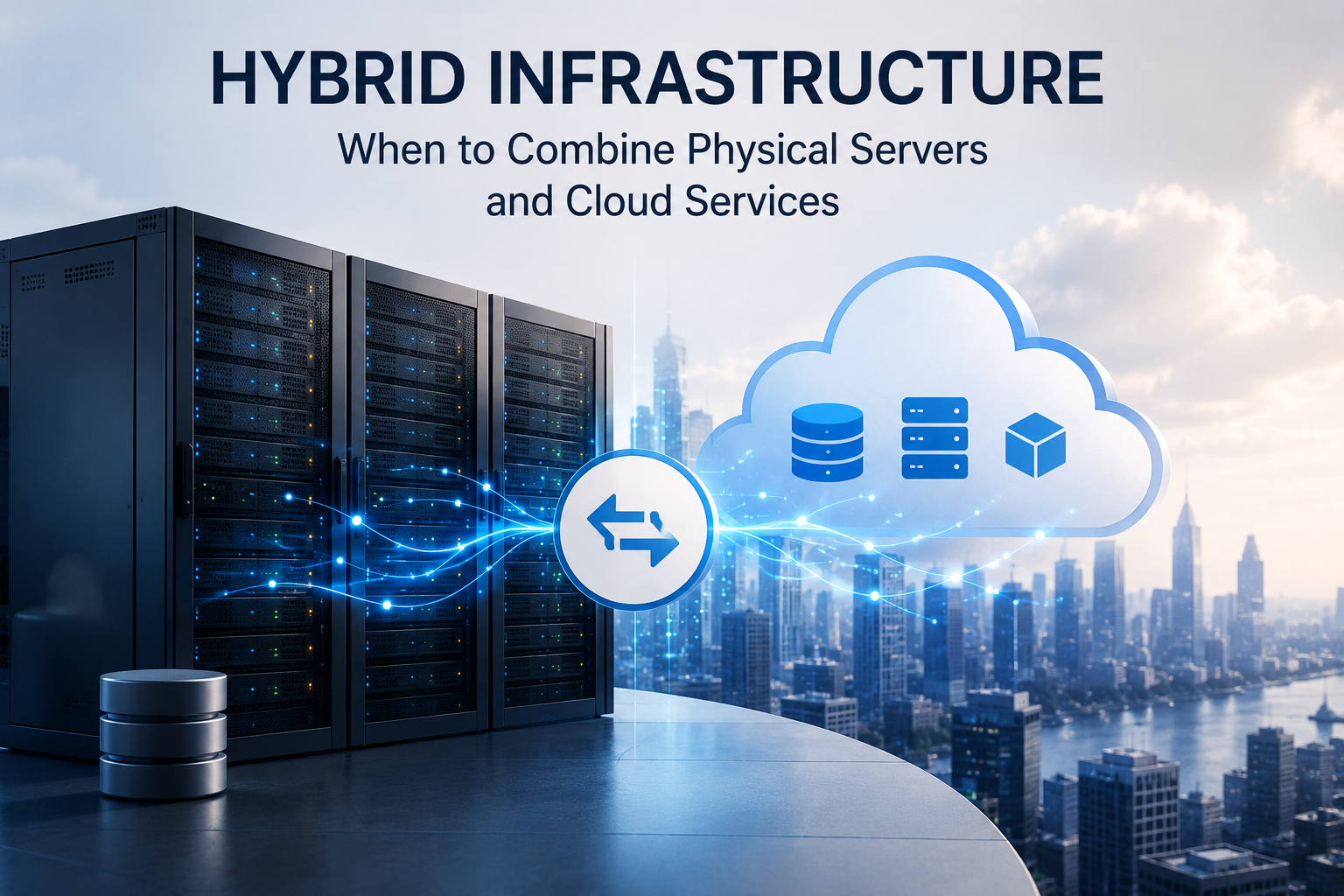
A business does not always need to choose between physical servers and cloud services.
Many organisations benefit from combining both.
A hybrid infrastructure model allows selected applications and data to remain on physical or privately controlled servers while other workloads use public cloud, managed hosting, software-as-a-service or cloud-based backup.
This approach can preserve local performance and control while adding flexibility, remote access and recovery options.
However, hybrid infrastructure also introduces more connections, suppliers and responsibilities. It should be designed around clear business requirements rather than created accidentally as systems are added over time.
What Is Hybrid Infrastructure?
Hybrid infrastructure combines two or more technology environments.
These may include:
- On-premises physical servers
- Private cloud
- Colocation
- Public cloud virtual machines
- Managed cloud hosting
- Software-as-a-service applications
- Cloud storage
- Cloud backup
- Secondary disaster-recovery infrastructure
The environments are connected so that users, applications or data can move between them where necessary.
A hybrid design may be simple.
For example, a business may keep its main file server in the office and send encrypted backups to cloud storage.
It may also be complex, with applications distributed across several locations and cloud providers.
Hybrid Infrastructure and Hybrid Cloud
The terms hybrid infrastructure and hybrid cloud are related but not always identical.
Hybrid cloud usually describes an environment combining private infrastructure with public cloud services.
Hybrid infrastructure is a broader term that can also include:
- Traditional physical servers
- Hosted dedicated servers
- Colocation
- Multiple cloud providers
- SaaS platforms
- Branch-office systems
- Edge devices
For business planning, the important issue is not the label.
It is understanding where each workload operates, how the environments connect and who manages each part.
Why Businesses Use a Hybrid Model
A hybrid approach can help when different workloads have different requirements.
Common reasons include:
- Some applications need low local latency
- Some data must remain on controlled infrastructure
- Cloud services are useful for backup or recovery
- Existing servers still have useful life
- A complete migration would be too disruptive
- Remote users need easier access
- Demand changes seasonally
- New applications are better suited to cloud platforms
- The business wants to reduce dependency on one environment
Hybrid infrastructure allows the organisation to modernise gradually instead of replacing everything at once.
Keep Stable Workloads on Physical Servers
Physical servers can remain cost-effective for stable workloads that operate continuously.
Examples include:
- File servers
- Local databases
- Manufacturing applications
- Virtualisation hosts
- Building-management systems
- Internal business applications
- Large local storage environments
If the equipment remains supported, performs well and operates in a suitable facility, moving it solely because cloud is available may not provide sufficient value.
The business can retain these systems while using cloud services where they solve a more specific problem.
Use Cloud for Variable Workloads
Cloud infrastructure is useful when capacity changes significantly.
Examples include:
- Seasonal websites
- Temporary projects
- Development and testing
- Marketing campaigns
- New applications with uncertain demand
- Data processing performed only occasionally
Purchasing physical hardware for temporary peak demand can leave expensive equipment underused for most of the year.
Cloud capacity can often be started, resized or stopped according to demand.
The application and operating process must still support this flexibility.
Use Cloud Backup for On-Premises Servers
Cloud backup is one of the simplest hybrid-infrastructure uses.
The production server remains on-premises while protected copies are stored in another location.
This can improve protection against:
- Server failure
- Theft
- Fire
- Flooding
- Office disruption
- Local ransomware
- Backup-device failure
A suitable cloud backup design should define:
- Protected systems
- Backup frequency
- Retention
- Encryption
- Storage region
- Immutability
- Restore process
- Recovery time
The cloud copy should be sufficiently separate from the production environment and should not depend on the same administrator credentials where possible.
Use Cloud for Disaster Recovery
A business may operate its main systems on physical servers while maintaining recovery capability in the cloud.
Possible approaches include:
- Replicating virtual machines
- Storing complete server images
- Maintaining a pilot-light environment
- Keeping standby cloud servers
- Using infrastructure templates
- Restoring backups into cloud capacity
This can reduce the need to operate a complete secondary physical data centre.
However, cloud recovery must be tested.
The business should know:
- How quickly replacement infrastructure can be created
- How long data restoration will take
- Which applications will start first
- How users will connect
- Who declares a disaster
- How services return to the primary environment
Cloud disaster recovery is more than keeping an off-site backup.
Use Physical Infrastructure for Low-Latency Systems
Some applications need very fast communication with local users, devices or machinery.
Examples include:
- Manufacturing control
- Warehouse systems
- Video production
- Laboratory equipment
- Medical devices
- Large engineering files
- Security-camera recording
- Local virtual desktops
Moving these workloads to a distant cloud region can introduce unacceptable delay or dependency on the internet connection.
A hybrid model can keep time-sensitive processing locally while sending selected data, reports or backups to cloud services.
Use Cloud for Remote Access
Cloud-hosted applications can be easier to access from several offices or remote locations.
A business may retain core systems locally while placing selected services in the cloud, such as:
- Customer portals
- Remote desktops
- Collaboration platforms
- Websites
- Document sharing
- Identity services
- Business email
This can reduce the need to route every remote connection through one office.
Security should include:
- Multi-factor authentication
- Role-based access
- Secure network connections
- Device controls
- Monitoring
- Session policies
Cloud access should not be made public without appropriate protection.
Keep Sensitive Data Where Required
Some data may need to remain on infrastructure controlled directly by the business or located in an approved jurisdiction.
Reasons may include:
- Customer contracts
- Industry requirements
- Data-residency rules
- Intellectual property
- Internal security policy
- Application limitations
A hybrid design can keep sensitive data on private infrastructure while using cloud services for less restricted workloads.
The organisation should confirm whether metadata, logs, backups or temporary processing also leave the local environment.
Keeping the primary database on-premises does not necessarily mean all related information remains there.
Extend Existing Hardware Life
A complete migration may not be necessary when existing servers still provide reliable service.
The business may extend their useful life by moving selected functions elsewhere.
For example:
- Move backup storage to the cloud
- Move public websites to managed hosting
- Move email to SaaS
- Move development to cloud virtual machines
- Keep the core database locally
- Add cloud disaster recovery
This can reduce load on the existing infrastructure and delay a major replacement project.
The hardware should still remain supported and capable of meeting security and performance requirements.
Hybrid infrastructure should not become an excuse to retain unreliable or unsupported equipment indefinitely.
Support Gradual Cloud Migration
A hybrid model can provide a transition period during cloud migration.
Instead of moving every system in one project, the business can migrate in stages.
A phased approach may:
- Move backups.
- Move public websites.
- Move development and testing.
- Move selected internal applications.
- Replace or modernise databases.
- Retire physical infrastructure gradually.
This can reduce operational risk and allow users to adapt.
However, temporary hybrid arrangements can become permanent by accident.
Each phase should have a defined outcome, owner and review date.
Application Dependencies Must Be Mapped
Hybrid systems often communicate across different locations.
An application may depend on:
- On-premises database
- Cloud application server
- Local identity service
- SaaS email platform
- Remote file storage
- External API
- DNS
- VPN
If these dependencies are not documented, one network or service failure can affect several systems.
Create a dependency map showing:
- Where each component operates
- Which ports and protocols it uses
- Who owns it
- What happens if the connection fails
- How it is recovered
This is essential for both troubleshooting and disaster recovery.
Network Connectivity Is Critical
A hybrid environment depends on reliable connectivity between physical and cloud infrastructure.
Connections may use:
- Site-to-site VPN
- Dedicated private connection
- Software-defined wide-area networking
- Internet-based encrypted tunnels
- Provider interconnection
- Multiple internet links
The required design depends on:
- Traffic volume
- Latency
- Security
- Availability
- Number of locations
- Recovery requirements
A single office internet connection can become a serious point of failure when local applications depend on cloud databases or services.
Critical hybrid environments may require redundant providers and automatic failover.
Consider Bandwidth Requirements
Moving data between local and cloud systems can consume substantial bandwidth.
Traffic may include:
- Backups
- Replication
- File access
- Database queries
- User sessions
- Software updates
- Monitoring logs
- Application integration
Estimate:
- Average traffic
- Peak traffic
- Daily change rate
- Backup windows
- Restore volume
- User growth
A design that works during normal use may fail when a full backup, recovery or large synchronisation is required.
Bandwidth planning should include exceptional events, not only average operation.
Consider Latency
Latency is the delay involved in sending a request and receiving a response.
Applications that make many small requests between local and cloud components can perform poorly even when bandwidth is sufficient.
For example, placing an application server in the cloud while keeping its database on-premises may create repeated network delays.
Before separating components, test:
- User response time
- Database performance
- File access
- Authentication
- Reporting
- API communication
Components that communicate frequently should usually remain close together unless the application is designed for distributed operation.
Cloud Egress Costs
Cloud providers may charge for data leaving their platform.
A hybrid design can create recurring costs when cloud applications communicate extensively with on-premises systems.
Potential chargeable traffic includes:
- Cloud-to-office transfers
- Cloud backup recovery
- Cross-region replication
- Data export
- Application responses
- Large file downloads
Estimate the direction and volume of data flows before approving the design.
A low cloud-compute price may be offset by frequent egress charges.
Identity and Access Management
Users should be able to access hybrid services through a controlled identity system.
The environment may use:
- Cloud identity provider
- On-premises directory
- Federated authentication
- Single sign-on
- Multi-factor authentication
- Role-based access
The business should avoid maintaining unrelated accounts across every system without central oversight.
Define:
- Who creates accounts
- How access is approved
- How former users are removed
- Which administrators have elevated rights
- How emergency access works
Identity integration can improve usability, but it can also create dependency on one authentication platform.
Recovery procedures should cover identity-service failure.
Security Responsibilities Become More Complex
Hybrid infrastructure can involve several providers and management teams.
The organisation should identify who manages:
- Physical server security
- Cloud account security
- Operating-system updates
- Application updates
- Network firewalls
- VPN
- User permissions
- Backups
- Monitoring
- Incident response
Responsibilities may be divided among:
- Internal IT
- Cloud provider
- Managed-service provider
- Software vendor
- Network provider
- Security provider
Use a written responsibility matrix.
A security task should never remain unassigned because each supplier assumes another party is performing it.
Keep Security Policies Consistent
Different environments should follow consistent security principles.
These may include:
- Multi-factor authentication
- Least-privilege access
- Supported software
- Encryption
- Logging
- Patch management
- Network segmentation
- Backup protection
- Incident reporting
The tools may differ between local and cloud platforms, but the required outcome should remain consistent.
For example, a cloud virtual machine should not have weaker administrator access than the physical server it replaced.
Centralised Monitoring
Hybrid environments can be difficult to manage when every platform has a separate dashboard.
Centralised monitoring can provide visibility across:
- Physical servers
- Virtual machines
- Cloud services
- Network links
- Backups
- Applications
- Security alerts
- Capacity
- Cost
The monitoring system should identify both infrastructure failure and service-level problems.
A server may appear healthy while the application is unavailable because of a failed connection to another environment.
Alerts should have named owners and escalation procedures.
Backup Across the Complete Environment
Hybrid backup should protect every location and service.
The business may need to back up:
- Physical servers
- Virtual machines
- Cloud servers
- Databases
- SaaS data
- File services
- Configuration
- Network devices
Do not assume that cloud-hosted data is automatically backed up.
Similarly, do not assume that a local backup appliance protects cloud applications unless it has been configured to do so.
Create one backup inventory showing:
- Protected systems
- Frequency
- Retention
- Location
- Recovery method
- Responsible owner
Avoid Backup Loops and Duplicate Cost
Hybrid environments can create unnecessary duplicate storage.
For example:
- Local data is backed up to cloud storage
- Cloud storage is replicated to another region
- A second backup product copies the same data again
- Old snapshots remain indefinitely
Some duplication is deliberate and valuable.
However, uncontrolled copies increase cost and make retention difficult to manage.
Document each copy and its purpose.
Remove redundant copies only after confirming that recovery and compliance requirements remain satisfied.
Plan Recovery for Both Directions
Recovery planning should cover more than cloud failure.
Consider:
- Physical server fails and workload moves to cloud
- Cloud service fails and local process continues
- Network connection fails
- Identity platform becomes unavailable
- Data becomes corrupted
- Ransomware affects one environment
- Provider account is compromised
The business should understand which functions can continue locally and which depend on cloud access.
It should also know whether cloud-hosted systems can operate when the on-premises environment is unavailable.
Test Hybrid Disaster Recovery
A recovery test should confirm:
- Backup can be restored
- Cloud infrastructure can be created
- Network connections work
- Users can authenticate
- Applications find their dependencies
- DNS can be changed
- Security controls remain active
- Performance is acceptable
Hybrid recovery often fails because one small dependency was not included.
Examples include:
- Missing certificate
- Unavailable licence server
- Incorrect firewall rule
- Hard-coded local address
- Identity-service dependency
- Insufficient bandwidth
Tests should use realistic business workflows.
High Availability Across Hybrid Environments
Some organisations use physical and cloud infrastructure together for availability.
Possible designs include:
- Local primary server with cloud standby
- Cloud primary application with local emergency service
- Active workloads in both locations
- Data replication between environments
- DNS-based failover
This can improve resilience but also increases complexity.
Active-active designs are particularly challenging because data must remain consistent across locations.
A simpler standby design may provide better value when several minutes or hours of recovery time are acceptable.
Workload Placement Decisions
Every workload should have a documented reason for its location.
Consider:
- Performance
- Latency
- Security
- Data location
- Cost
- Scalability
- Support
- Availability
- Application compatibility
- Exit requirements
A workload should not remain on-premises solely because it has always been there.
It should not move to cloud solely because cloud is newer.
Review placement regularly as technology, cost and business requirements change.
Cost Management
Hybrid infrastructure can create both capital and operating costs.
On-premises costs may include:
- Hardware
- Warranty
- Power
- Cooling
- Facilities
- Support
- Replacement
Cloud costs may include:
- Compute
- Storage
- Egress
- Backup
- Networking
- Security
- Monitoring
- Managed support
The business may continue paying for old infrastructure while also paying for new cloud services.
This can be appropriate during transition, but the overlap should be planned.
Unused cloud resources and forgotten local equipment should be reviewed regularly.
Avoid Paying Twice Indefinitely
During migration, it may be necessary to operate the old and new environments together.
However, temporary duplication can become permanent.
Set review dates for:
- Physical servers
- Cloud virtual machines
- Storage
- Backup repositories
- Network connections
- Software licences
- Support contracts
Decommission systems that are no longer required after confirming that data, recovery and retention needs are satisfied.
Hybrid infrastructure should create flexibility, not uncontrolled duplication.
Software Licensing
Licensing can become complicated when applications operate across physical and cloud environments.
Check whether licences permit:
- Virtualisation
- Cloud hosting
- Disaster-recovery copies
- Temporary failover
- Multiple active instances
- Processor or core changes
- Cross-region use
A standby server may still require a licence even when it is not actively serving users.
Ask the software vendor to confirm the rules in writing.
Hardware savings can be offset by unexpected software costs.
Data Synchronisation
Hybrid systems may need to synchronise data between locations.
Methods may include:
- File synchronisation
- Database replication
- Storage replication
- Application-level integration
- Scheduled export and import
- API communication
The design should define:
- Direction of synchronisation
- Frequency
- Conflict handling
- Encryption
- Failure alerts
- Recovery after interruption
Two-way synchronisation can create conflicts when the same data changes in both environments.
Where possible, define one authoritative source for each dataset.
Edge Computing
Some hybrid environments use local edge servers to process data close to users or equipment.
The edge system may:
- Continue operating during internet outages
- Process data locally
- Reduce latency
- Filter information before sending it to cloud
- Control local devices
Cloud services may then provide:
- Central reporting
- Long-term storage
- Analytics
- Fleet management
- Backup
- Software updates
This model can be useful in manufacturing, retail, logistics and remote-site operations.
Edge systems still require physical maintenance and security.
Multi-Cloud Considerations
Some businesses use more than one cloud provider.
This may be intended to:
- Reduce provider dependency
- Access specialist services
- Meet customer requirements
- Improve geographic coverage
- Support acquisitions
Multi-cloud can also increase:
- Management complexity
- Skill requirements
- Network costs
- Security variation
- Identity challenges
- Monitoring difficulty
Using several providers does not automatically create resilience.
Applications and recovery processes must be designed to operate across them.
For many organisations, one primary cloud provider combined with independent backup or exit capability is more practical.
Hybrid Infrastructure for Small Businesses
Hybrid infrastructure is not limited to large enterprises.
A small business may use:
- Local network storage
- Cloud email
- Cloud backup
- Hosted website
- SaaS accounting
- Local security-camera storage
- Remote cloud management
This is already a hybrid environment.
The main requirement is to document the services and avoid relying on informal knowledge.
Small organisations should know:
- Which provider operates each service
- Who owns each account
- How data is backed up
- What happens during an internet outage
- Who provides support
A simple, well-documented hybrid environment can be more reliable than a complex design with unclear responsibility.
When Hybrid Infrastructure Is a Good Fit
A hybrid model may be appropriate when:
- Existing servers remain useful
- Some applications require local performance
- Cloud backup or recovery is needed
- Migration must happen gradually
- Demand varies for selected workloads
- Remote access is important
- Data-location requirements differ
- A complete public-cloud move would be too expensive
- The business wants to reduce facility dependency without abandoning all local systems
It is especially valuable when workload requirements are genuinely different.
When Hybrid Infrastructure May Be the Wrong Choice
A hybrid design may be unnecessarily complex when:
- The business has very few systems
- One environment can meet every requirement
- Internal management capability is limited
- Applications communicate constantly across locations
- Network connectivity is unreliable
- Costs cannot be monitored effectively
- Responsibilities are unclear
A small organisation may be better served by a fully managed cloud platform or a simple local environment with cloud backup.
Hybrid should solve a specific problem rather than become the default answer.
Common Hybrid-Infrastructure Mistakes
Connecting Systems Without Mapping Dependencies
Applications fail when one overlooked local or cloud service becomes unavailable.
Keeping Databases Far From Applications
Latency can reduce performance significantly.
Depending on One Internet Connection
Cloud-connected local operations may stop during a network outage.
Assuming Every Cloud Service Is Backed Up
SaaS and cloud infrastructure still require defined recovery policies.
Using Inconsistent Security Controls
Cloud accounts may have weaker access controls than local systems.
Paying for Duplicate Environments Too Long
Temporary migration resources remain active after the project ends.
Failing to Assign Responsibilities
Different providers assume that another party manages updates, backup or monitoring.
Never Testing Recovery
A design that appears resilient may fail because of network, identity or licensing dependencies.
A Practical Hybrid-Infrastructure Checklist
Before approving a hybrid design, ask:
- Which workloads should remain on physical servers?
- Which workloads benefit from cloud services?
- What business reason supports each placement?
- Which systems depend on one another?
- What network connectivity is required?
- Is redundant internet needed?
- What bandwidth and latency are acceptable?
- Which data moves between environments?
- Will cloud egress charges apply?
- How are identities and permissions managed?
- Who secures each component?
- Are security policies consistent?
- Which systems are backed up?
- Where are backup copies stored?
- How will disaster recovery operate?
- Has the complete recovery process been tested?
- Which software licences apply?
- How are costs monitored?
- Which temporary systems should later be removed?
- Is the added complexity justified by measurable benefit?
A hybrid environment should provide clear answers to these questions.
Final Recommendation
Use hybrid infrastructure when different workloads have genuinely different requirements.
Keep physical servers for stable, latency-sensitive or locally connected applications when they remain secure, supported and cost-effective.
Use cloud services for backup, disaster recovery, remote access, temporary capacity, public applications and workloads that benefit from flexible scaling.
Connect the environments through secure and resilient networking, document every dependency and assign clear responsibility for security, monitoring, backup and recovery.
Review costs regularly so the business does not continue paying for duplicate infrastructure after a migration or transition is complete.
The best hybrid design is not the one using the most platforms. It is the one that places each workload in the environment that provides the right balance of performance, control, resilience and total cost.
Ila Express provides physical servers, private cloud, managed hosting, cloud backup, disaster recovery and hybrid-infrastructure services for business workloads.
Contact Ila Express to assess your current systems and design a practical hybrid environment that combines local infrastructure and cloud services without unnecessary complexity.