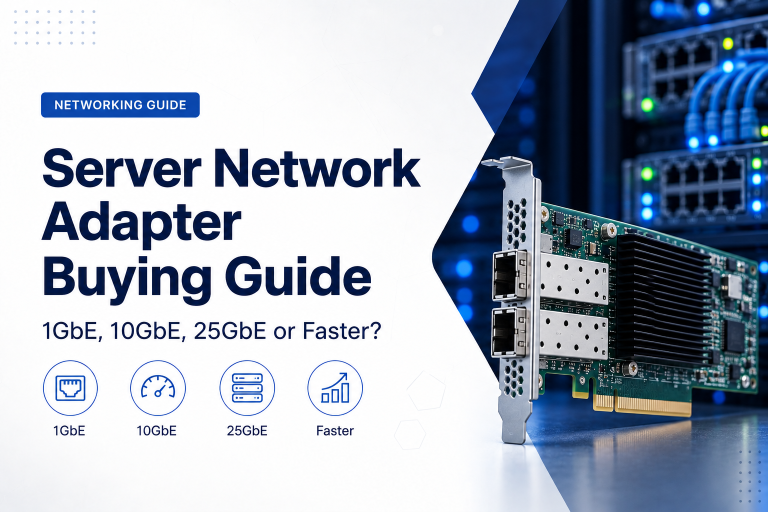
Network speed affects how quickly employees access shared files, applications communicate with servers, backups complete and data moves between systems.
For many offices, one-gigabit Ethernet remains sufficient for ordinary computers, printers and internet access. However, faster wireless access points, network storage, virtualisation and large file transfers can create requirements for 2.5GbE, 5GbE, 10GbE or higher-speed connections.
The fastest available option is not automatically the best purchase.
A suitable network normally combines different speeds according to the role of each device. Employee computers may use 1GbE, wireless access points may benefit from 2.5GbE and servers or switch uplinks may require 10GbE or more.
The objective is to remove meaningful bottlenecks without replacing equipment that already meets the business requirement.
What Does Network Speed Mean?
Ethernet speed describes the maximum theoretical rate at which data can travel across a network connection.
Common speeds include:
- 100 megabits per second
- 1 gigabit per second
- 2.5 gigabits per second
- 5 gigabits per second
- 10 gigabits per second
- 25 gigabits per second
- 40 gigabits per second
- 100 gigabits per second
The abbreviation GbE means gigabit Ethernet.
A 1GbE connection has a theoretical capacity of one gigabit per second, while a 10GbE connection can carry up to ten gigabits per second.
Real file-transfer performance will be lower because of network overhead, storage performance, application behaviour and other system limitations.
Bits and Bytes Are Different
Network speeds are normally stated in bits per second.
File sizes and storage capacity are usually stated in bytes.
Eight bits equal one byte.
This means a one-gigabit-per-second connection does not transfer a one-gigabyte file in one second.
Under ideal conditions, 1GbE has a theoretical maximum of approximately 125 megabytes per second. Practical file-transfer speeds may be closer to 100–115 megabytes per second.
Similarly, 10GbE has a theoretical maximum of approximately 1,250 megabytes per second, but the connected storage and systems must be able to process data at that rate.
Why Advertised Speed Is Not Guaranteed Performance
A network connection is only one part of the data path.
Actual performance can be limited by:
- Storage drives
- Server processor
- Available memory
- Network adapter
- Switch capacity
- Cabling
- Application design
- Security inspection
- Network congestion
- File size and quantity
- Protocol overhead
For example, upgrading a computer from 1GbE to 10GbE may provide little benefit when it reads data from a single mechanical hard drive.
The complete workflow should be reviewed before purchasing faster networking.
What Is 1GbE?
One-gigabit Ethernet has been the standard speed for business desktop networks for many years.
It is commonly supported by:
- Desktop computers
- Laptops and docking stations
- Printers
- Business switches
- Network storage
- Servers
- Internet routers
- Wireless access points
1GbE is generally sufficient for:
- Web browsing
- Cloud applications
- Office documents
- Voice calls
- Video meetings
- Printing
- Ordinary file access
For many employees, internet speed or application performance will become a limitation before the local 1GbE connection does.
When 1GbE Is Still the Right Choice
A business does not need to replace every gigabit connection simply because faster standards are available.
1GbE remains practical when:
- Users work mainly with office documents
- Applications are hosted online
- File transfers are modest
- Internet access is below one gigabit
- Computers do not support faster Ethernet
- Existing switches remain reliable
- Higher speed would not improve user experience
It is also cost-effective for printers, phones, access-control devices and other equipment that generates little traffic.
A mixed-speed network can retain 1GbE for ordinary endpoints while using faster links where demand is higher.
Limitations of 1GbE
One-gigabit connections can become restrictive when employees work with large files or several devices share one uplink.
Potential bottlenecks include:
- Large backup transfers
- Video editing
- Engineering files
- Virtual-machine images
- High-speed network storage
- Several wireless users
- Multiple servers sharing an uplink
- Large database transfers
A single user may not saturate the connection continuously, but several concurrent activities can consume its available capacity.
What Is 2.5GbE?
2.5GbE provides two and a half times the theoretical capacity of 1GbE.
It is part of the multi-gigabit Ethernet family and is often used as an intermediate upgrade between gigabit and 10-gigabit networking.
2.5GbE is increasingly useful for:
- Modern wireless access points
- High-performance workstations
- Network-attached storage
- Small servers
- Content-creation systems
- Switch uplinks in smaller networks
One important advantage is that 2.5GbE can often operate over existing suitable copper cabling that was originally installed for gigabit Ethernet.
The actual supported distance depends on cable category, condition and installation quality.
Why 2.5GbE Is Useful for Wireless Networks
Modern wireless access points can support combined traffic exceeding one gigabit per second.
An access point may serve many users simultaneously across several wireless bands.
If it connects to the switch through a 1GbE port, the wired connection can become a bottleneck even though the wireless technology supports higher aggregate capacity.
A 2.5GbE connection can provide additional bandwidth without requiring a full 10GbE deployment.
The switch must also supply the correct PoE standard and power budget for the access point.
Network speed and PoE requirements should therefore be reviewed together.
2.5GbE for Business Computers
A 2.5GbE connection may benefit employees who regularly transfer large files to local servers or network storage.
Examples include:
- Graphic designers
- Video editors
- Engineers
- Architects
- Software developers
- Data analysts
- Backup administrators
For ordinary office users, the difference may be difficult to notice.
Applications accessed through an internet connection slower than one gigabit will not become faster simply because the local network port supports 2.5GbE.
What Is 5GbE?
5GbE provides a middle option between 2.5GbE and 10GbE.
It may operate over suitable copper cabling and can provide additional performance where 2.5GbE is insufficient but a complete 10GbE upgrade is impractical.
Potential uses include:
- High-performance wireless access points
- Workstations handling large files
- Network storage
- Switch uplinks
- Servers with moderate traffic requirements
However, 5GbE equipment is less common than 1GbE, 2.5GbE and 10GbE in many business environments.
Before selecting it, confirm that network adapters, switches and management tools support the standard consistently.
What Is 10GbE?
Ten-gigabit Ethernet provides ten times the theoretical capacity of 1GbE.
It is widely used for:
- Servers
- Virtualisation hosts
- Network storage
- Backup infrastructure
- Database systems
- Switch uplinks
- Video-production workstations
- Engineering environments
- Data-centre connections
10GbE can operate over copper or fibre, depending on the selected equipment and distance.
It is often deployed in server rooms even when ordinary employee devices remain on 1GbE.
When 10GbE Makes Sense
10GbE is useful when the network must move substantial amounts of data between high-performance systems.
Examples include:
- Several virtual machines using shared storage
- Large server backups
- High-speed NAS access
- Database replication
- Media-production workflows
- Large project-file transfers
- Many users sharing one uplink
- Connections between switches
It can also reduce backup windows and make infrastructure maintenance faster.
However, the storage systems at both ends must support the required throughput.
10GbE for Network Storage
A network-attached storage system may serve several users and applications simultaneously.
A single 1GbE connection limits the combined traffic of the complete device.
Faster networking can help when the NAS contains:
- SSD storage
- Several HDDs in a high-performance array
- Cached storage
- Business backup data
- Virtual-machine files
- Large media or design files
One 10GbE connection can serve several 1GbE or 2.5GbE clients more effectively than a single gigabit link.
The NAS processor, drive array and file protocol must also be capable of delivering the required speed.
10GbE for Servers
Servers often need faster network connections because they serve many users or workloads.
A 10GbE server connection may support:
- File services
- Databases
- Virtual machines
- Application traffic
- Backup
- Replication
- Management
Some servers use several network adapters to separate traffic.
For example:
- User traffic
- Storage traffic
- Backup traffic
- Management traffic
- Virtual-machine migration
This can improve performance, resilience and troubleshooting.
The correct design depends on the workload and network architecture rather than the total number of ports alone.
Copper 10GbE
10GbE over twisted-pair copper cabling commonly uses RJ45 connectors similar to ordinary Ethernet.
Potential advantages include:
- Familiar connectors
- Compatibility with existing patching methods
- Support for several lower speeds
- Simple connection to workstations
- Broad equipment availability
Potential disadvantages include:
- Higher power consumption
- More heat
- Distance and cable-quality requirements
- Higher transceiver latency than some alternatives
- Thicker or less flexible cabling
Copper 10GbE can be practical for shorter connections inside an office or server room.
Fibre 10GbE
Fibre connections commonly use SFP+ transceivers or direct fibre interfaces.
Potential advantages include:
- Longer supported distances
- Lower electromagnetic interference
- Electrical isolation
- Lower power use in some deployments
- Suitability for building-to-building links
- High-density server-room connectivity
Fibre requires the correct:
- Transceivers
- Fibre type
- Connectors
- Patch panels
- Cleaning procedures
- Distance specification
The components at both ends must be compatible.
Fibre can be particularly valuable for switch uplinks and connections between buildings.
Direct-Attach Copper Cables
Direct-attach copper, often abbreviated DAC, is commonly used for short high-speed connections inside a rack or nearby cabinets.
A DAC cable contains fixed connectors designed for switch and server ports such as SFP+ or SFP28.
It can offer:
- Low cost
- Low power use
- Low latency
- Simple short-distance installation
DAC is often suitable for connecting:
- Servers to switches
- Storage to switches
- Adjacent switches
- Devices in the same rack
Supported distance is limited, and equipment compatibility should be confirmed before purchase.
Cabling Requirements
Faster Ethernet may require better cabling.
Common copper categories include:
- Cat 5e
- Cat 6
- Cat 6A
1GbE normally works over properly installed Cat 5e or better cabling.
2.5GbE and 5GbE may operate over suitable existing cabling, although distance and cable quality matter.
10GbE is commonly associated with Cat 6A for full-distance structured cabling. Cat 6 may support shorter connections under suitable conditions.
The entire channel matters, including:
- Permanent cable
- Patch panels
- Wall sockets
- Patch leads
- Installation quality
- Cable length
- Electrical interference
A cable label alone does not guarantee performance.
Test Existing Cabling Before Upgrading
A network upgrade should include cable testing.
Old cabling may have:
- Damaged conductors
- Poor terminations
- Excessive untwisting
- Low-quality patch leads
- Long routes
- Interference
- Incorrect labelling
A link may negotiate at a lower speed or experience errors when cabling cannot support the selected standard reliably.
Professional certification can confirm whether installed cabling meets the required performance category.
Testing may avoid unnecessary replacement or identify sections that genuinely need upgrading.
Network Adapter Requirements
Both ends of a connection must support the intended speed.
A 10GbE switch port does not make a computer faster when its network adapter supports only 1GbE.
Confirm:
- Adapter speed
- Connector type
- Driver support
- Operating-system compatibility
- Available expansion slots
- Power and cooling
- Supported cable or transceiver
Desktop computers may use PCIe network cards.
Laptops may require compatible docks or adapters, which can be limited by the speed of their USB or Thunderbolt connection.
Switch Requirements
The switch must provide suitable speeds on both access and uplink ports.
A network may use:
- 1GbE user ports
- 2.5GbE access-point ports
- 10GbE server ports
- 10GbE or faster uplinks
This mixed-port approach can provide better value than deploying the highest speed everywhere.
Also review:
- Switching capacity
- Packet-forwarding rate
- Port count
- PoE power
- VLAN support
- Link aggregation
- Management
- Redundant power options
A switch with several fast ports still needs enough internal capacity to handle simultaneous traffic.
Switching Capacity
Switching capacity describes how much traffic the switch can process across its ports.
For example, a switch may have many multi-gigabit connections, but its internal architecture must support traffic moving between them without excessive blocking.
When comparing switches, consider:
- Total switching capacity
- Forwarding rate
- Uplink capacity
- Number of high-speed ports
- Expected simultaneous use
Many reputable business switches are designed to operate all ports at their advertised rates under normal conditions.
However, very low-cost or specialised models may make design compromises that should be understood.
Uplink Speed Matters
Several user devices may share one connection from an access switch to the core network.
For example, 24 computers connected at 1GbE may all share one 1GbE uplink.
This does not mean the uplink must provide 24Gbps, because users rarely consume their maximum connection speed simultaneously.
However, a single gigabit uplink can become congested when users access:
- File servers
- Cloud backups
- Network storage
- Large software updates
- High-resolution media
- Busy wireless networks
A 10GbE uplink can provide sensible aggregation capacity for a switch serving many gigabit or multi-gigabit devices.
Link Aggregation
Link aggregation combines several physical network connections into one logical link.
For example, two 1GbE links may provide additional combined capacity and redundancy between a server and switch.
Potential benefits include:
- Higher total throughput
- Connection resilience
- Traffic distribution
- Easier use of existing ports
However, one individual file transfer may remain limited to the speed of one physical link.
The actual behaviour depends on how traffic is distributed.
Link aggregation can be useful, but it is not always equivalent to replacing two 1GbE links with one 2.5GbE or 10GbE connection.
Internet Speed and Local Network Speed
The speed of the internet connection and the speed of the local network are separate.
A business with a 500Mbps internet service can still benefit from 10GbE between servers and storage.
Similarly, installing 10GbE on every computer will not make a 200Mbps internet connection operate faster.
Local network speed affects:
- File-server access
- Internal applications
- Backups
- Storage
- Device-to-device transfers
Internet speed affects traffic leaving the organisation through its router or firewall.
Both should be sized according to their actual workloads.
Firewall and Router Throughput
Upgrading switches does not guarantee faster internet or inter-network performance.
Traffic passing between VLANs, sites or the internet may be limited by the router or firewall.
Security appliances may have different performance ratings for:
- Basic routing
- Firewall inspection
- VPN
- Intrusion prevention
- Malware scanning
- Web filtering
A firewall advertised with multi-gigabit throughput may provide a lower rate when all security functions are enabled.
The business should compare performance using the features it actually intends to use.
Wi-Fi Speed and Wired Uplinks
Wireless speeds are often advertised using the combined theoretical capacity of several channels, bands or streams.
Actual performance per user is lower.
Even so, one access point can serve many users and may generate more than one gigabit of aggregate traffic.
For modern wireless deployments, consider:
- 2.5GbE or faster switch ports
- Suitable PoE
- Faster switch uplinks
- Firewall capacity
- Internet bandwidth
- Cabling support
A Wi-Fi upgrade should be planned as part of the complete network rather than as an isolated replacement of access points.
Storage Performance Can Limit Transfers
A network can move data only as quickly as the source and destination can process it.
Approximate storage limitations may come from:
- Single HDD performance
- RAID configuration
- SATA SSD
- NVMe SSD
- Storage controller
- File system
- Encryption
- Backup software
A 10GbE connection may be underused when copying data from one mechanical disk.
It may be fully justified when several disks, SSDs or multiple users operate concurrently.
Measure storage throughput before assuming the network is the bottleneck.
Small Files and Large Files Behave Differently
A large sequential file can often transfer efficiently.
Thousands of small files may transfer much more slowly because each file requires separate operations, metadata and permissions.
Performance can also be affected by:
- Antivirus scanning
- File-system checks
- Network latency
- Application protocol
- Storage response time
Upgrading from 1GbE to 10GbE may greatly improve large-file transfers while producing a smaller improvement for workloads containing many small files.
Testing should reflect real business data.
Latency and Bandwidth Are Different
Bandwidth describes how much data can be transferred during a period.
Latency describes how long it takes for data to travel and receive a response.
Faster Ethernet can improve transfer capacity, but it does not automatically remove latency caused by:
- Distant cloud regions
- Slow applications
- Database processing
- Security inspection
- Internet routing
- Storage delays
Interactive applications may be more sensitive to latency than to maximum bandwidth.
The network-speed decision should therefore consider both response time and total data volume.
Backup and Replication Requirements
Backups can consume substantial network capacity.
The required speed depends on:
- Amount of protected data
- Backup window
- Daily change rate
- Compression
- Storage performance
- Off-site connectivity
A faster local network may reduce the time required to move backups from servers to a storage appliance.
However, off-site backup may still be limited by internet upload speed.
Replication between servers or storage systems may also benefit from dedicated or higher-speed connections.
Virtualisation and Network Speed
A virtualisation host may run many servers that share the same physical network adapter.
Traffic can include:
- Application access
- Storage communication
- Backup
- Virtual-machine migration
- Management
- Replication
One gigabit connection may be adequate for a small host with light workloads.
Larger environments commonly use 10GbE or faster networking to reduce contention and simplify traffic separation.
Redundant adapters may also be used so one link can fail without disconnecting every virtual machine.
25GbE and Faster Networking
Speeds such as 25GbE, 40GbE and 100GbE are generally used in data centres, high-performance storage and larger server environments.
They may support:
- Dense virtualisation
- High-speed storage clusters
- Large backup platforms
- Data analytics
- Artificial-intelligence workloads
- Connections between core switches
- Large private clouds
25GbE has become a practical server connection in environments where 10GbE is insufficient.
These speeds require suitable switches, adapters, cabling, optics and system architecture.
They are rarely necessary for ordinary employee computers.
Plan for Growth Without Overbuying
Network infrastructure often remains in service for several years.
Allow for:
- More employees
- Faster internet
- New wireless standards
- Additional cameras
- Larger backups
- Storage growth
- New servers
- Cloud connectivity
This does not mean every port must support the fastest available speed.
A practical approach may include:
- 1GbE for ordinary endpoints
- 2.5GbE for wireless access points and selected workstations
- 10GbE for servers, storage and uplinks
- Modular or faster core switches for future expansion
This provides room for growth while controlling cost.
Consider Power, Heat and Noise
Faster network equipment can consume more electricity and produce more heat.
This is particularly relevant for:
- 10GbE copper switches
- High-port-density equipment
- PoE switches
- Large server adapters
- Data-centre switches
Review:
- Power consumption
- Cooling requirements
- Fan noise
- Rack space
- UPS capacity
- Operating temperature
A high-performance switch designed for a server room may be unsuitable for installation near employees.
Consider Transceiver and Cabling Costs
The switch price is only part of the upgrade cost.
Additional costs may include:
- Network adapters
- Transceivers
- Fibre modules
- DAC cables
- Structured cabling
- Patch panels
- Installation
- Cable testing
- Management licences
- Support contracts
Some switches accept only approved or compatible transceivers.
Confirm component compatibility and total project cost before purchase.
Test Before a Large Deployment
Where possible, test the proposed speed using representative equipment and workloads.
Measure:
- File-transfer performance
- Backup duration
- Application response
- Storage throughput
- CPU utilisation
- Network errors
- Performance with several users
Testing can reveal that:
- 1GbE is already sufficient
- Storage is the actual bottleneck
- Existing cabling supports 2.5GbE
- A firewall limits traffic
- 10GbE provides significant value only for selected systems
A small pilot can prevent unnecessary organisation-wide replacement.
When to Choose 1GbE
Choose 1GbE when:
- Workloads are primarily office-based
- Internet and cloud applications dominate
- Local file transfers are modest
- Existing equipment performs adequately
- Devices cannot use faster connections
- Budget is limited
It remains suitable for most printers, phones, ordinary computers and low-bandwidth network devices.
When to Choose 2.5GbE
Choose 2.5GbE when:
- Modern wireless access points need more than 1GbE
- Selected workstations handle larger files
- Existing cabling may support a faster connection
- A moderate upgrade is needed
- 10GbE would add unnecessary cost
It is a useful transitional speed for many growing business networks.
When to Choose 10GbE
Choose 10GbE when:
- Servers serve many users
- Network storage must deliver high performance
- Backups exceed the available window
- Virtualisation creates substantial traffic
- Switch uplinks are congested
- Media or engineering teams transfer large files
- Infrastructure needs room for future growth
10GbE is often most valuable in the server room and network core rather than at every desk.
Common Network-Speed Mistakes
Upgrading Every Device to the Same Speed
Printers and ordinary office computers may not benefit from 10GbE.
Ignoring Storage Performance
A slow disk cannot fill a high-speed network connection.
Reusing Untested Cabling
Old or poorly installed cable may produce errors or negotiate at a lower speed.
Forgetting the Switch Uplink
Fast endpoint ports may still share one slow connection to the server network.
Ignoring the Firewall
Inter-network or internet traffic may remain limited by security-appliance throughput.
Comparing Only Theoretical Speeds
Real performance depends on the complete system and workload.
Overlooking Power and Cooling
High-speed switches and adapters may generate significant heat.
A Practical Network-Speed Checklist
Before upgrading, ask:
- Which applications are currently slow?
- Is the network proven to be the bottleneck?
- What speed do existing devices support?
- How much traffic do users generate?
- Are large files transferred regularly?
- Do wireless access points need multi-gigabit ports?
- What speed do servers and storage require?
- Is the switch uplink congested?
- Can the firewall process the planned traffic?
- Does existing cabling support the target speed?
- Are suitable adapters and transceivers available?
- Does the switch have enough internal capacity?
- How much future growth should be allowed?
- What are the power and cooling requirements?
- What is the complete upgrade cost?
- Can the design be tested before full deployment?
These questions help identify where faster networking will create a real business benefit.
Final Recommendation
Retain 1GbE for ordinary computers, printers and devices where current performance is adequate.
Use 2.5GbE for modern wireless access points, selected workstations and network storage that needs more capacity without the cost of a complete 10GbE deployment.
Use 10GbE for servers, virtualisation, high-performance storage, backups and switch uplinks where several workloads share the connection or large files must move quickly.
Consider 25GbE and faster networking for data-cententre, storage-cluster and high-density server environments with measured requirements beyond 10GbE.
Do not select network speed in isolation. Review storage, cabling, switches, firewalls, applications and actual traffic together.
The most cost-effective network is usually a mixed-speed design that places faster connections only where they remove a meaningful bottleneck.
Ila Express supplies business switches, network adapters, fibre modules, structured cabling and multi-gigabit infrastructure for offices, server rooms and data-centre environments.
Contact Ila Express to assess your current network and design a practical upgrade using the right combination of 1GbE, 2.5GbE, 10GbE and faster connections.