When businesses purchase SSDs for servers, storage arrays or virtualisation platforms, capacity and performance are usually the first specifications they compare.
However, two SSDs with the same capacity and interface can have very different write endurance, reliability characteristics and expected operating costs.
A 1.92 TB SSD designed for read-intensive workloads may be suitable for a web server or a largely static dataset. Another SSD with a similar capacity but substantially higher endurance may be more appropriate for a busy transactional database, logging platform or write-heavy virtualisation host.
The difference is not simply speed. It is how much writing the drive is designed to sustain throughout its intended operating life.
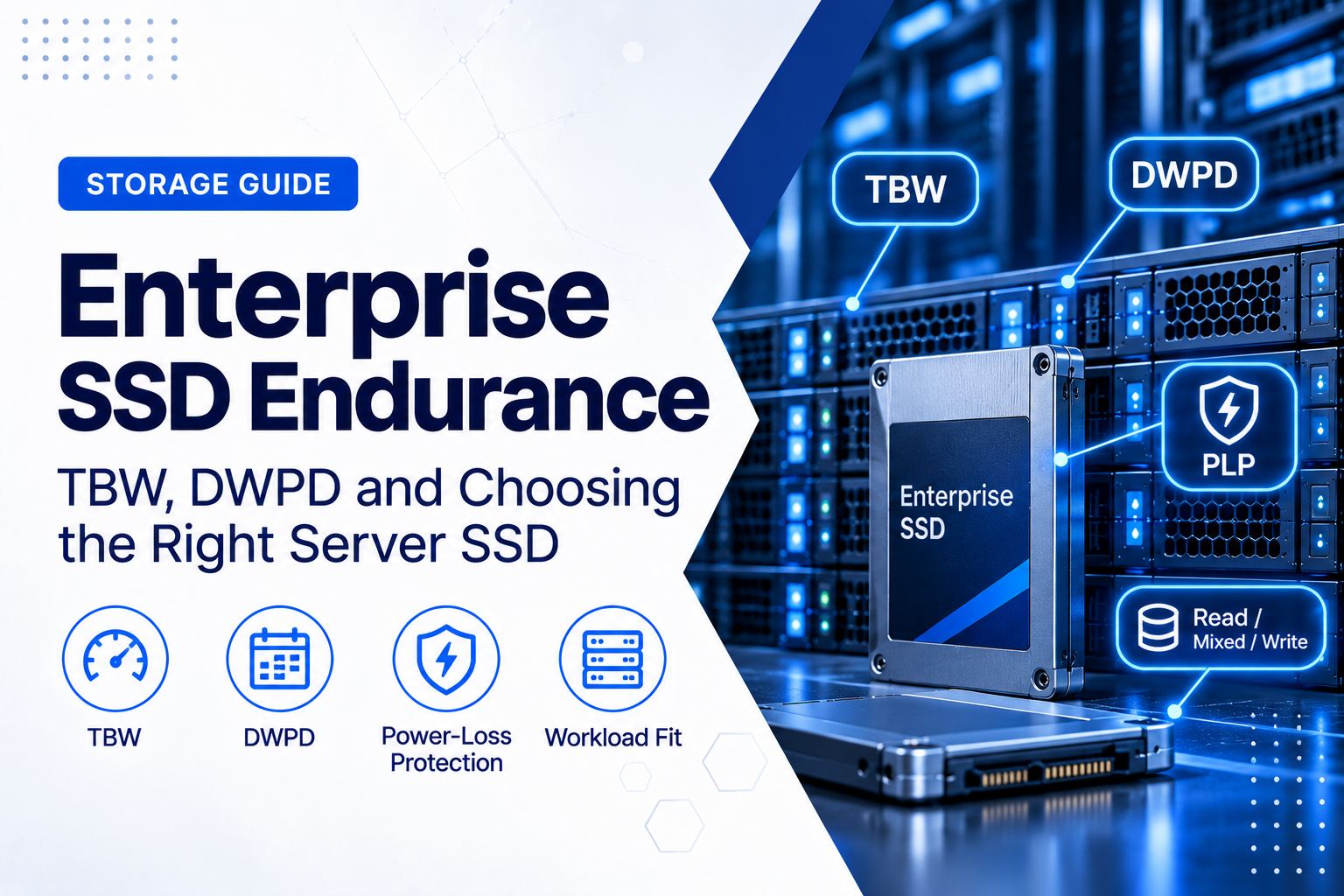
Enterprise SSD manufacturers express this using endurance ratings such as TBW (Terabytes Written) and DWPD (Drive Writes Per Day).
Understanding these figures helps businesses avoid two expensive mistakes: purchasing low-endurance storage for demanding workloads and overpaying for high-endurance drives that their applications do not require.
What Is SSD Endurance?
SSD endurance describes the amount of writing a solid-state drive is designed to tolerate before reaching its specified endurance limit under defined operating conditions.
Unlike hard disk drives, which store information magnetically on rotating disks, SSDs use NAND flash memory.
NAND flash cells have a finite number of program/erase cycles. As data is written, erased and rewritten, the underlying flash memory experiences wear.
Modern SSD controllers manage this process using technologies such as:
- Wear levelling;
- Bad-block management;
- Error correction;
- Garbage collection;
- Overprovisioning;
- Flash translation layers; and
- Data integrity monitoring.
These mechanisms allow enterprise SSDs to support substantial write volumes over many years.
However, they do not eliminate flash wear entirely.
SSD endurance is therefore a workload-sizing specification, not simply a prediction of the exact day when a drive will fail.
What Is TBW (Terabytes Written)?
TBW represents the cumulative amount of data that an SSD is rated to accept as writes over its specified endurance life.
For example, consider an SSD rated for 3,500 TBW.
This means its specified endurance is approximately 3,500 terabytes of cumulative host writes under the manufacturer’s stated rating conditions.
TBW is useful because it expresses endurance as an absolute quantity.
It allows buyers to compare the expected lifetime writing capacity of different drives, provided the underlying ratings are based on comparable conditions.
TBW Is Not Storage Capacity
Storage capacity describes how much data a drive can hold at one time.
TBW describes how much data can be written to it cumulatively.
A 1.92 TB SSD might store approximately 1.92 TB of data, but the drive can be overwritten repeatedly throughout its operating life.
Its endurance rating might therefore be thousands of terabytes.
These two numbers should not be confused.
Does Reaching the TBW Rating Mean the SSD Immediately Fails?
Not necessarily.
TBW is an endurance rating, not a built-in failure switch.
A drive may remain operational after exceeding its specified endurance. Another drive can experience a hardware failure before reaching its rated TBW.
The rating should therefore be used for capacity planning and warranty evaluation rather than as a guarantee of actual lifetime.
Operating conditions, temperature, workload characteristics and the condition of the flash memory all matter.
What Is DWPD (Drive Writes Per Day)?
DWPD describes how many times the SSD’s usable capacity can be written per day, on average, during a specified endurance period.
DWPD is particularly common in enterprise SSD specifications.
For example:
- 0.3 DWPD: approximately 30% of the drive’s capacity can be written per day on average;
- 1 DWPD: approximately one complete drive-capacity equivalent per day;
- 3 DWPD: approximately three complete drive-capacity equivalents per day; and
- 10 DWPD: approximately ten complete drive-capacity equivalents per day.
The relevant period is normally stated in the product specification, often five years for enterprise drives.
DWPD does not mean the drive will stop accepting writes if that volume is exceeded on one particular day. It describes a sustained average endurance budget across the specified period.
How to Calculate TBW from DWPD
The relationship between DWPD and TBW is straightforward.
TBW = Drive Capacity (TB) × DWPD × 365 × Number of Years
Consider a 1.92 TB enterprise SSD with an endurance rating of 1 DWPD over five years.
The calculation is:
1.92 × 1 × 365 × 5 = 3,504 TBW
That is approximately 3.5 petabytes of cumulative writes.
Now consider a 1.92 TB drive rated at 3 DWPD for the same five-year period.
1.92 × 3 × 365 × 5 = 10,512 TBW
The higher-endurance model has approximately three times the nominal lifetime write budget.
These are mathematical examples. Actual manufacturer specifications may use different tested workloads, rounding conventions or endurance conditions, so the published drive datasheet should remain authoritative.
TBW vs DWPD: Which Is More Useful?
Both ratings describe write endurance, but they answer slightly different questions.
TBW answers: How much data can be written to this drive cumulatively?
DWPD answers: How much of the drive’s capacity can be written each day on average during the specified endurance period?
TBW is especially useful when estimating the total amount of data a workload will write over several years.
DWPD is convenient when comparing SSDs with different endurance classifications.
However, DWPD should never be considered without capacity.
A 3.84 TB SSD rated at 1 DWPD can support more absolute daily writing than a 1.92 TB SSD also rated at 1 DWPD.
The larger drive has twice the nominal daily write allowance, assuming comparable rating conditions.
Enterprise SSD Endurance Classes Explained
Enterprise SSDs are commonly marketed using workload classifications such as read-intensive, mixed-use and write-intensive.
These labels help buyers identify suitable products, but they are not universal technical standards with identical thresholds across every manufacturer.
Read-Intensive SSDs
Read-intensive SSDs are designed for workloads where reading is substantially more common than writing.
Typical examples include:
- Web servers;
- Content delivery;
- Read-heavy databases;
- Application hosting;
- Data warehouses;
- Search indexes;
- Reference datasets; and
- Read-oriented virtualisation workloads.
Many enterprise read-intensive products are rated around 1 DWPD, although lower-endurance capacity-optimised models also exist.
For example, KIOXIA markets read-intensive enterprise SSD families with 1 DWPD ratings over five years.
Read-intensive drives can be an economical choice when the workload does not generate large sustained write volumes.
Mixed-Use SSDs
Mixed-use SSDs are designed for applications that perform meaningful amounts of both reading and writing.
Typical workloads include:
- Transactional databases;
- Business application servers;
- Virtualisation clusters;
- Software-defined storage;
- Content management systems;
- Analytics platforms; and
- Multi-tenant hosting environments.
Many mixed-use enterprise SSD families offer approximately 3 DWPD endurance.
For example, KIOXIA’s CM7 enterprise NVMe family includes both 1 DWPD read-intensive and 3 DWPD mixed-use models.
However, a mixed-use SSD is not automatically necessary for every database or virtualisation platform.
The real decision should be based on measured write activity, application latency requirements and the expected service life.
Write-Intensive SSDs
Write-intensive drives are intended for workloads with unusually high sustained write volumes.
Examples may include:
- High-volume transaction processing;
- Heavy write caching;
- Continuous data ingestion;
- High-frequency logging;
- Write-heavy database systems;
- Specialised analytics pipelines; and
- Other applications that repeatedly rewrite substantial amounts of data.
Higher-endurance SSD families may provide ratings well above 3 DWPD.
However, these products often carry a higher acquisition cost and may be available in different capacity configurations from read-intensive models.
Buying the highest-endurance SSD available is therefore not automatically the best purchasing decision.
Practical Example: How Much SSD Endurance Does a Server Need?
Consider a business planning a server storage upgrade.
The administrator measures approximately 750 GB of writes per day to one SSD.
The business expects to operate the drive for five years.
Estimated cumulative writes would be:
0.75 TB × 365 × 5 = 1,368.75 TB
Now consider a 1.92 TB SSD.
The workload’s approximate daily drive-write requirement is:
0.75 ÷ 1.92 = 0.39 DWPD
Compare two hypothetical products:
- Option A: 1.92 TB, 0.3 DWPD, five-year endurance of approximately 1,051 TBW;
- Option B: 1.92 TB, 1 DWPD, five-year endurance of approximately 3,504 TBW.
Option A would have a lower nominal write budget than the projected workload requires.
Option B would provide substantially more headroom.
That makes Option B the more reasonable endurance choice under these assumptions.
However, the assessment is not finished.
The administrator should also consider peak writing periods, future workload growth, write patterns, temperature and the manufacturer’s specified endurance-test conditions.
The goal is to avoid selecting a drive that only just meets the expected average workload.
Measure Actual Writes Before Selecting an SSD
One of the most common procurement mistakes is estimating write endurance from the application name alone.
Not every database is write-intensive.
Not every virtualisation server creates heavy storage writes.
Even a backup platform can have very different write patterns depending on whether it performs continuous ingestion, deduplication, compression or occasional full backups.
Before purchasing enterprise SSDs, measure:
- Daily data written;
- Peak write volume;
- Read/write ratio;
- Random versus sequential operations;
- Average block size;
- Write IOPS;
- Storage latency;
- Drive utilisation; and
- Expected workload growth.
Where possible, collect representative data over several weeks rather than relying on a single unusually quiet or busy day.
For shared storage arrays, measure the write volume reaching individual physical drives, not only the data written by applications.
Why Write Amplification Matters
Write amplification occurs when an SSD writes more data internally to its NAND flash than the host originally requested.
For example, the operating system may request a relatively small write, while the SSD controller must also move existing data, update mapping information or perform garbage collection.
The relationship is commonly expressed as the Write Amplification Factor (WAF).
A simplified formula is:
WAF = NAND Writes ÷ Host Writes
A WAF greater than 1 indicates that the flash memory is receiving more writes than the host is directly issuing.
Write amplification can be influenced by:
- Random versus sequential access;
- Write-block size;
- Available free space;
- Garbage collection;
- Overprovisioning;
- TRIM or deallocation support;
- Controller algorithms; and
- Workload intensity.
Higher write amplification can increase flash wear and affect sustained write performance.
This is why two workloads producing the same amount of host writes may not produce identical SSD wear.
Manufacturers may also use specific workload profiles when determining endurance ratings. Compare published specifications carefully and avoid assuming that every TBW figure was measured under identical conditions.
What Is SSD Overprovisioning?
Overprovisioning reserves additional flash capacity for internal SSD management rather than making all physical NAND available for user data.
This additional space helps the controller perform operations such as:
- Garbage collection;
- Wear levelling;
- Bad-block replacement; and
- Maintaining performance under sustained writing.
Depending on the drive and workload, additional overprovisioning can reduce write amplification and improve sustained performance.
However, not all overprovisioning methods are equivalent.
Leaving unused filesystem space may help when the drive receives appropriate deallocation information, but it should not automatically be treated as identical to manufacturer-configured spare area.
Businesses should follow the SSD manufacturer’s guidance and evaluate the impact on usable capacity.
Does NAND Type Affect Endurance?
Enterprise SSDs may use different NAND technologies and configurations.
Common terms include:
- TLC: Triple-Level Cell, storing three bits per cell;
- QLC: Quad-Level Cell, storing four bits per cell; and
- SLC: Single-Level Cell, storing one bit per cell, commonly associated with specialised high-endurance applications.
As a general principle, storing more bits per flash cell increases storage density but can introduce additional endurance and performance trade-offs.
However, NAND type alone does not determine the endurance of a complete SSD.
Controller design, firmware, overprovisioning, NAND generation, error correction and the manufacturer’s workload testing all influence the final result.
A properly designed enterprise QLC SSD may be suitable for large read-intensive datasets, while TLC or more specialised technology may be preferable for demanding write workloads.
Compare the complete drive specification rather than assuming that every TLC product is automatically better than every QLC product.
Power-Loss Protection: Why It Matters in Enterprise SSDs
Write endurance is important, but it is not the only reliability characteristic businesses should evaluate.
Power-Loss Protection (PLP) is particularly relevant for servers and business-critical storage.
When a server unexpectedly loses power, some data may still be held in volatile buffers or involved in internal SSD operations.
Enterprise SSDs with suitable hardware-based PLP can use temporary stored energy to complete essential operations and protect data that has already been acknowledged to the host, according to the drive’s design.
PLP can also help protect internal mapping information needed for the drive to operate correctly.
Not every SSD provides the same level of protection.
For example, Kingston’s comparison of enterprise and client SSDs explains how enterprise-grade protection can differ from the more limited power-loss behaviour found in many client devices.
A UPS helps protect the server against power interruptions, but it does not replace drive-level power-loss protection.
Similarly, PLP does not replace backup, RAID protection or a complete data-integrity strategy.
Data Integrity and Reliability: Look Beyond DWPD
Two SSDs with the same DWPD rating may still differ in important reliability features.
Depending on the product, enterprise drives may include:
- End-to-end data-path protection;
- Advanced error correction;
- Hardware-based power-loss protection;
- Enterprise SMART monitoring;
- Enhanced telemetry;
- Secure firmware updates;
- Encryption and secure erase capabilities;
- Dual-port connectivity on supported models; and
- Additional platform-validation features.
For mission-critical systems, these capabilities may matter as much as headline write endurance.
A drive intended for a transactional database should be evaluated differently from an SSD used to store replaceable read-cache data.
SSD Performance and Endurance Are Not the Same Thing
A high-endurance SSD is not automatically the fastest SSD.
Likewise, a drive advertising very high sequential bandwidth is not necessarily the best choice for a workload involving small random writes.
When evaluating server SSD performance, consider:
- Sequential read and write throughput;
- Random read and write IOPS;
- Latency;
- Performance consistency;
- Quality of Service under load;
- Steady-state performance;
- Thermal throttling; and
- Performance at high capacity utilisation.
For transactional workloads, predictable latency may be more important than the highest advertised sequential transfer rate.
For large backup or media-processing jobs, sustained sequential writing may be more important than peak random IOPS.
Benchmark results should reflect the application’s real operating conditions.
Does NVMe Have Better Endurance Than SATA or SAS?
Not automatically.
SATA, SAS and NVMe describe interfaces or storage communication technologies. They do not directly determine the NAND’s write endurance.
An enterprise SATA SSD may provide higher DWPD than a capacity-optimised NVMe SSD.
Similarly, a high-endurance SAS SSD may be designed for workloads with substantially more writing than a lower-endurance NVMe model.
NVMe offers significant performance advantages in suitable environments, but endurance must still be evaluated separately.
For a broader explanation of these technologies, see SSD, HDD, SATA and NVMe: A Business Storage Buyer’s Guide.
Check Server Compatibility Before Buying
Even if an SSD has the correct endurance and performance specifications, it must also be compatible with the server.
Check:
- Supported storage interface;
- Drive form factor;
- Drive thickness;
- U.2, U.3 or EDSFF support where applicable;
- PCIe generation and lane configuration;
- SAS or SATA controller compatibility;
- Backplane compatibility;
- Drive carrier or tray;
- Hot-swap support;
- 512e or 4Kn sector format requirements;
- Operating-system and hypervisor support;
- Drive firmware;
- Power and cooling requirements; and
- Manufacturer-approved drive configurations.
A physically compatible SSD is not necessarily fully supported by the server platform.
Unsupported drives may cause management warnings or limit health reporting, firmware coordination or manufacturer support.
For business-critical infrastructure, compatibility should be confirmed before ordering.
How RAID and Storage Architecture Affect SSD Endurance
In a storage array, the amount of writing reaching an individual SSD may differ from the amount of data originally written by an application.
For example:
- A mirrored configuration writes data to multiple drives;
- Parity-based RAID can introduce additional write operations;
- Snapshots and replication may create additional storage activity;
- Deduplication and compression may reduce some physical writes;
- Write caching can change when and how data reaches SSDs; and
- Software-defined storage may perform additional metadata operations.
As a result, a storage array should not be sized for endurance solely by dividing total application writes by the number of SSDs.
The actual distribution depends on the RAID level, filesystem, controller behaviour and workload.
Measure per-drive writing where possible.
For the underlying storage architecture, see RAID Controller vs HBA: Which Does Your Business Server Need?.
How to Monitor Enterprise SSD Wear
SSD endurance planning should continue after deployment.
Many enterprise SSDs provide health and lifetime information through SMART, NVMe health logs or manufacturer-specific management tools.
Useful indicators may include:
- Total data written;
- Percentage Used or estimated lifetime consumption;
- Available spare capacity;
- Drive temperature;
- Media and data-integrity errors;
- Critical warnings;
- Unsafe shutdowns;
- Power-on hours; and
- Controller or firmware warnings.
For NVMe drives, the standard health information commonly includes Data Units Written and Percentage Used fields.
These values can help administrators identify drives experiencing heavier writes than expected.
However, health indicators are estimates and diagnostic information, not guarantees of remaining lifetime.
A drive can fail before its estimated endurance is exhausted.
Monitoring should therefore support proactive replacement planning rather than replace redundancy or backup.
SSD Warranty and Endurance Limits
Warranty conditions are another important part of the enterprise SSD purchasing decision.
Some SSD warranties are limited by both time and endurance consumption.
For example, a warranty may end when either the specified number of years has elapsed or the drive has exceeded its defined useful-life threshold, whichever happens first.
Micron’s enterprise SSD warranty terms illustrate how useful-life limits can affect coverage.
Do not assume that a drive advertised with a five-year warranty will necessarily retain full coverage after substantially exceeding its specified write endurance.
Before purchasing, confirm:
- Warranty duration;
- Endurance-related warranty limitations;
- Manufacturer versus reseller warranty;
- Replacement procedures;
- Warranty validity in the destination country;
- Firmware and management support;
- Support for refurbished or previous-generation drives; and
- Availability of compatible replacements.
This is particularly important for international hardware procurement.
How to Choose the Right Enterprise SSD for Your Workload
A practical enterprise SSD selection process should follow several steps.
1. Identify the Workload
Determine whether the drive will support:
- A database;
- Virtual machines;
- A web or application server;
- A backup system;
- A storage cache;
- A shared file service;
- A logging platform; or
- Another specialised workload.
2. Estimate Daily Writes
Use measured workload data where possible.
Calculate the average daily writes reaching each physical SSD and review peak periods.
3. Calculate Required Endurance
Convert the expected write activity into DWPD and cumulative TBW over the planned operating period.
Allow room for workload growth and variation.
4. Check Performance Requirements
Compare random and sequential performance, latency, sustained throughput and performance consistency.
5. Verify Reliability Features
Review PLP, data-integrity features, monitoring and the drive’s suitability for continuous enterprise operation.
6. Confirm Compatibility
Check the server model, backplane, controller, interface, drive carrier and firmware requirements.
7. Compare Lifecycle Cost
Consider purchase price alongside endurance, power, support, replacement frequency and expected operating life.
The lowest purchase price is not necessarily the lowest cost of ownership.
Enterprise SSD Recommendations by Workload
Web Servers and Content Delivery
Read-intensive SSDs are often appropriate when files are accessed frequently but updated relatively infrequently.
Prioritise capacity, read performance, reliability and suitable endurance.
Virtualisation Hosts
Virtualisation can generate a combination of reads, writes, snapshots, logs and background operations.
Measure actual write activity before deciding between read-intensive and mixed-use SSDs.
Some virtualisation platforms operate comfortably within a 1 DWPD endurance budget, while others require significantly more.
Transactional Databases
Databases with sustained write activity may benefit from mixed-use or higher-endurance SSDs.
Consider write latency, sustained random performance, PLP and data integrity alongside endurance.
Backup Servers
Backup workloads often involve substantial sequential writing, but their endurance requirements vary.
A backup repository receiving large amounts of data every day may consume considerable TBW even if its write pattern is relatively sequential.
Estimate daily ingestion, retention changes and background maintenance writes before selecting the drive.
Operating-System and Boot Drives
Boot drives may have relatively modest write requirements, although operating-system logs, updates and temporary files can increase activity.
High-endurance SSDs may be unnecessary when writing is limited and the platform has appropriate redundancy and recovery arrangements.
Logging and Data-Ingestion Platforms
Systems continuously ingesting large volumes of events, telemetry or logs can generate heavy sustained writes.
These workloads deserve careful endurance calculations and monitoring.
Common Enterprise SSD Purchasing Mistakes
Choosing Based Only on Capacity
Two SSDs with identical capacity can have very different endurance and reliability characteristics.
Assuming NVMe Means Higher Endurance
NVMe is a high-performance storage protocol, not an endurance classification.
Overbuying DWPD
High-endurance drives can be unnecessarily expensive for genuinely read-heavy workloads.
Ignoring Power-Loss Protection
Critical storage systems should be evaluated for appropriate drive-level protection against unexpected power failures.
Using Average Writes Without Considering Peaks
Unusual write spikes, batch jobs and future growth can change the required endurance headroom.
Ignoring Warranty Conditions
The specified endurance limit may affect warranty eligibility.
Failing to Check Server Compatibility
The correct interface does not guarantee that a drive is approved for the installed server.
Not Monitoring Wear After Deployment
Storage workloads can change over time. Regular health monitoring helps identify unexpected endurance consumption.
Frequently Asked Questions About SSD Endurance
What Does 1 DWPD Mean on an Enterprise SSD?
It means the drive is rated for an average of one complete capacity-equivalent write per day during the specified endurance period. For a 1.92 TB SSD over five years, this corresponds to approximately 3,504 TBW using the standard calculation.
Is 3 DWPD Better Than 1 DWPD?
3 DWPD provides a larger nominal endurance budget for the same capacity and rating period. However, it is not automatically better value. A business with a workload well below 1 DWPD may gain little practical benefit from paying for 3 DWPD.
Can an SSD Last Longer Than Its TBW Rating?
Yes. TBW is a specified endurance rating rather than an automatic failure threshold. However, exceeding the rating may affect warranty coverage, and continued operation should not be assumed to be risk-free.
Does a Larger SSD Have Higher Endurance?
Within the same product family and technology, larger-capacity models often provide higher absolute TBW because they contain more flash capacity. However, this relationship should be verified in the manufacturer’s datasheet.
Is a Consumer SSD Suitable for a Server?
It can be suitable for some non-critical or light-duty workloads, but enterprise environments may require stronger endurance, PLP, monitoring, firmware support and manufacturer validation than a consumer model provides.
Does RAID Increase SSD Endurance?
RAID does not increase the endurance rating of an individual SSD. Depending on the configuration, it distributes or duplicates writes across drives and can change the actual write volume reaching each device.
Should Businesses Replace an SSD at 100% Lifetime Used?
The Percentage Used value is an endurance estimate, not a precise failure timer. A drive approaching or exceeding its rated endurance should be evaluated for proactive replacement according to workload importance, warranty status, health indicators and the organisation’s availability requirements.
Final Recommendation
Enterprise SSD endurance should be treated as a practical purchasing and lifecycle-management requirement, not simply another technical specification on a product datasheet.
TBW helps businesses understand the cumulative amount of writing an SSD is rated to handle.
DWPD makes it easier to compare how much daily writing different SSDs can sustain over a defined period.
But neither number tells the complete story.
The right server SSD must also match the application’s performance requirements, write patterns, power-loss protection needs, server compatibility, warranty conditions and expected operating life.
For read-heavy workloads, a lower-endurance enterprise SSD may provide the best balance of capacity, performance and price.
For transactional databases, write-heavy virtualisation or continuous data ingestion, higher-endurance models may be justified.
The strongest purchasing decision is therefore based on measured workload requirements rather than selecting the cheapest SSD or automatically choosing the highest DWPD rating.
Planning a server storage upgrade or purchasing enterprise SSDs? ILA Express helps businesses source enterprise servers, storage hardware and compatible infrastructure components for professional IT environments.
When requesting a quotation, provide the server model, required capacity, storage interface, intended workload, estimated daily write volume and expected service life.
This information helps identify enterprise SSD options that balance endurance, reliability, compatibility and total cost of ownership.