Cloud storage can become unnecessarily expensive when every piece of business data is treated as though it needs the same level of access.
A database export created this morning has very different requirements from a seven-year-old accounting record that may never be opened again. Keeping both in a high-access storage tier can waste money. Moving both into deep archive can create the opposite problem when somebody suddenly needs the data.
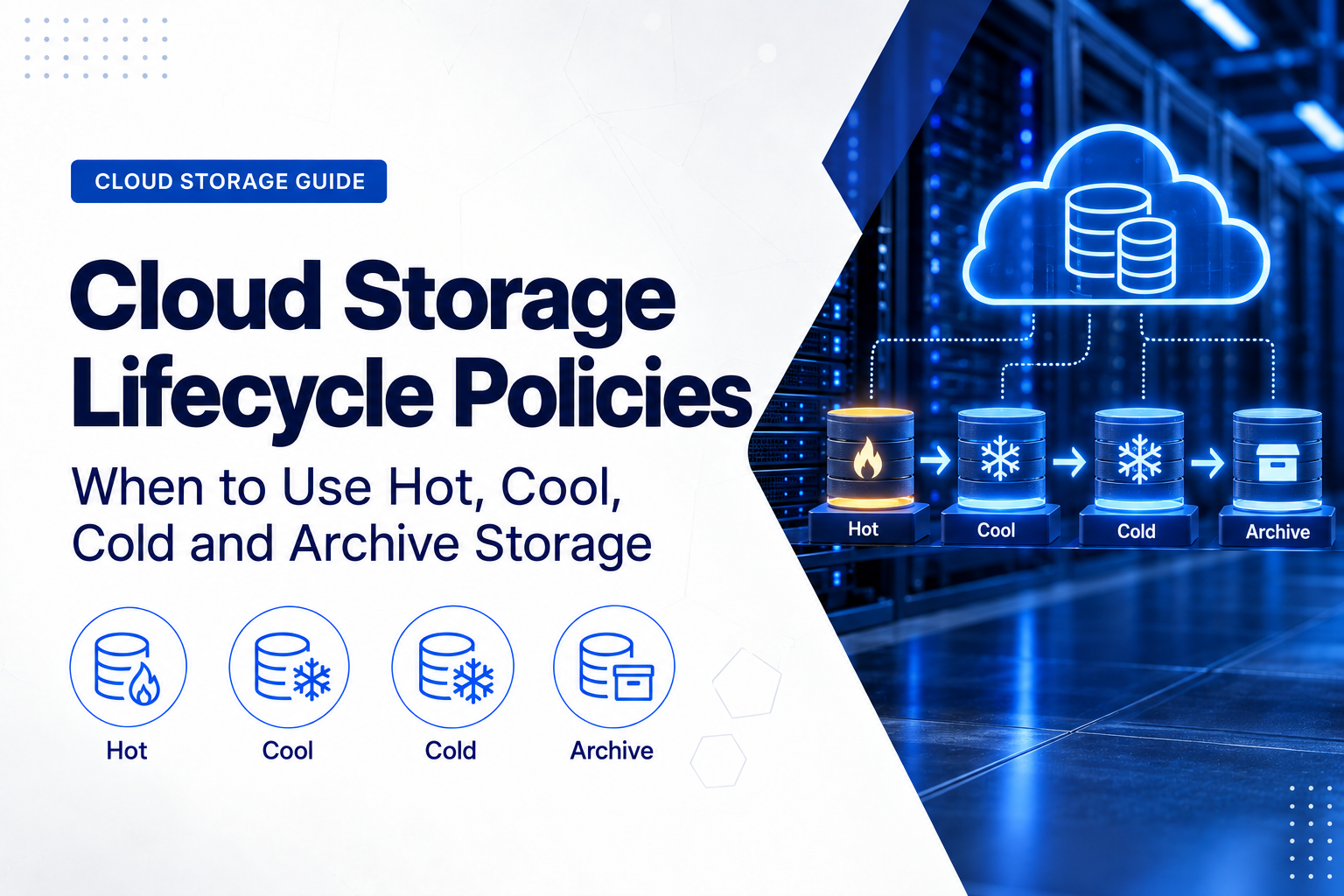
Cloud storage lifecycle policies address this by automatically moving data between storage tiers as its age, access frequency and business value change.
A typical policy might keep new data in fast online storage, move it to a lower-cost tier when activity declines, archive it after a longer period and eventually delete it when its approved retention period ends.
The principle is simple, but storage price alone should never determine the policy. Retrieval time, access charges, minimum storage periods, backup requirements, compliance rules and the possibility of an emergency restore all matter.
What Is a Cloud Storage Lifecycle Policy?
A cloud storage lifecycle policy is a set of automated rules that determines what happens to stored data over time.
Depending on the provider and storage service, lifecycle rules can:
- move objects from frequently accessed storage to lower-cost tiers;
- archive old data automatically;
- manage older versions of objects;
- delete temporary data after a defined period;
- expire data when its retention period ends;
- apply different rules to particular folders, prefixes, tags or object groups; and
- use object age or access patterns to determine the appropriate storage class.
Lifecycle management is particularly useful with object storage, where a business may accumulate millions of backups, documents, media files, logs and application objects.
If you are still deciding which storage architecture fits a workload, see Block, File and Object Storage: Which Type Does Your Workload Need?.
Why Cloud Providers Offer Different Storage Tiers
Cloud providers can charge less for data that customers rarely access because the service can be optimised differently from storage designed for active workloads.
The trade-off is that lower-cost tiers may introduce:
- higher data-retrieval charges;
- higher transaction charges;
- minimum storage periods;
- early deletion charges;
- different availability commitments;
- longer retrieval times; or
- a restore or rehydration process before archived data can be read.
This creates a general progression from hot storage for active information toward archive storage for information expected to remain untouched for long periods.
The names are not standard across providers. Microsoft Azure explicitly uses Hot, Cool, Cold and Archive terminology. Amazon Web Services and Google Cloud use different names for comparable access patterns.
The important decision is therefore not what the provider calls the tier. It is whether the tier’s access frequency, retrieval time, retention rules and total cost match the workload.
Hot Storage: For Active Data
Hot storage is designed for data that applications or users access frequently.
Typical examples include:
- active website content;
- current application data;
- frequently downloaded documents;
- recent customer uploads;
- active analytics datasets;
- media currently being processed or published; and
- recent backups that may require rapid recovery.
Hot storage normally has a higher capacity cost than colder tiers, but accessing the data is inexpensive and immediate.
For information that is read or modified frequently, hot storage can therefore be cheaper overall than a lower-capacity-cost tier that charges more every time the data is accessed.
When Hot Storage Makes Sense
Use hot storage when access is frequent, unpredictable or operationally important.
It can also be useful during the early life of data when the business does not yet know whether it will remain active.
For example, customer files might remain in hot storage for the first 30 days because recent uploads are opened frequently. Once access falls significantly, a lifecycle rule can move them automatically to a lower-cost tier.
When Hot Storage Becomes Wasteful
Hot storage becomes inefficient when large amounts of inactive information remain there simply because no lifecycle policy exists.
Common examples include:
- old server backups;
- completed project files;
- historical application logs;
- previous software releases;
- old CCTV recordings;
- completed media projects; and
- records retained mainly for compliance.
If several terabytes of inactive data remain in a high-access tier for years, the business can end up paying for performance it rarely uses.
Cool Storage: For Infrequently Accessed but Online Data
Cool storage is intended for data that remains useful but is accessed considerably less often.
The information normally stays online, which means applications or administrators can retrieve it directly without first restoring it from an offline archive.
Typical examples include:
- older business documents;
- monthly or quarterly reports;
- previous project material;
- older application exports;
- secondary data copies;
- medium-term backups; and
- datasets that remain useful but are no longer part of daily operations.
The trade-off is usually lower storage cost combined with higher access or transaction costs.
Why Minimum Storage Duration Matters
Lower-cost tiers often assume that data will remain there for a minimum period.
For example, several major cloud platforms use approximately 30 days as the minimum storage duration for their first infrequent-access class.
This means there is little benefit in moving an object into such a tier if it will be deleted or moved again only a few days later.
A lifecycle policy should therefore consider how long information is likely to remain inactive, not merely how old it is today.
Cold Storage: For Rarely Accessed Data
Cold storage is intended for information that is rarely accessed but must still remain economically available.
Typical uses include:
- older backup sets;
- disaster-recovery copies;
- historical project files;
- long-term logs;
- older customer records;
- extended-retention security footage; and
- information kept for occasional audits or investigations.
Storage cost normally falls further, while retrieval and transaction costs become more significant.
A 90-day minimum storage period is common among several cold-storage services, although exact rules vary by provider.
Cold Does Not Necessarily Mean Slow
One important misconception is that every low-cost storage tier requires hours to retrieve data.
That is not the case.
Some cold or rarely accessed storage classes still provide millisecond access. The customer pays less to store the data because retrieval is uncommon, while higher access charges compensate when the data is actually read.
This makes cold online storage useful when data is unlikely to be required but an unexpected business event could make immediate access important.
An organisation might, for example, keep older recovery points in cold online storage because restores are uncommon but an urgent recovery cannot wait several hours for archive rehydration.
Archive Storage: For Long-Term Retention
Archive storage is designed for data that must be retained for long periods but is expected to be accessed exceptionally rarely.
Common use cases include:
- long-term backup retention;
- regulatory records;
- legal archives;
- historical accounting information;
- completed project archives;
- raw media footage;
- scientific or engineering datasets; and
- disaster-recovery copies that are unlikely to be needed.
Archive storage can reduce capacity costs substantially when the workload genuinely fits the model.
However, choosing archive simply because its price per gigabyte is the lowest is a common cloud-storage mistake.
Archive Retrieval Is Different Between Providers
The word archive does not describe one universal technical behaviour.
Microsoft Azure Archive is an offline storage tier. Data must be rehydrated into an online tier before normal access, and that process can take hours.
Amazon S3 Glacier Flexible Retrieval and S3 Glacier Deep Archive also use archival restore processes rather than providing normal immediate access to the archived object.
Google Cloud Archive behaves differently. Objects remain available online with low-latency access, although retrieval charges and a long minimum storage duration apply.
This difference is important when comparing cloud providers.
Never assume that two services described as archive storage provide the same recovery time.
How Hot, Cool, Cold and Archive Storage Compare
A practical way to think about the four levels is:
- Hot: frequently accessed data where immediate access and low retrieval cost matter most.
- Cool: less frequently accessed information that still needs straightforward online availability.
- Cold: rarely accessed data where lower storage cost matters but retrieval may still need to be fast.
- Archive: long-term data where storage cost is prioritised and access is exceptional.
Cloud-provider products do not map perfectly to these four labels.
For example, Amazon S3 provides S3 Standard, Standard-IA, Glacier Instant Retrieval, Glacier Flexible Retrieval and Glacier Deep Archive. Google Cloud uses Standard, Nearline, Coldline and Archive. Azure uses Hot, Cool, Cold and Archive.
Compare the actual service characteristics rather than selecting products purely by name.
Minimum Storage Periods Can Change the Economics
One of the easiest cloud-storage costs to overlook is the minimum storage duration.
Current examples from major public-cloud platforms include:
- Azure Cool: commonly 30 days for applicable account types;
- Azure Cold: commonly 90 days for applicable account types;
- Azure Archive: 180 days;
- Amazon S3 Standard-IA: 30 days;
- S3 Glacier Instant Retrieval: 90 days;
- S3 Glacier Flexible Retrieval: 90 days;
- S3 Glacier Deep Archive: 180 days;
- Google Cloud Nearline: 30 days;
- Google Cloud Coldline: 90 days; and
- Google Cloud Archive: 365 days.
If an object is removed or moved before the applicable period ends, the provider may still charge for part or all of the remaining minimum duration.
This is why a lifecycle policy should not automatically move every file into the cheapest tier as quickly as possible.
Storage Price Is Only One Part of Cloud Storage Cost
Cloud buyers often focus on the monthly cost per gigabyte or terabyte.
A more complete lifecycle calculation should consider:
- capacity charges;
- read and write requests;
- retrieval charges;
- lifecycle transition operations;
- minimum-duration charges;
- early deletion;
- replication;
- data transfer between regions; and
- Internet egress.
This becomes particularly important for backups.
Storing 50 TB cheaply in archive may look attractive during normal months when almost nothing is restored.
A serious incident requiring all 50 TB may suddenly introduce retrieval charges, transfer costs and recovery delays at exactly the moment when time matters most.
For more information about transfer-related costs, see Bandwidth, Traffic and Egress Charges: Cloud Hosting Costs Buyers Often Miss.
Small Files Can Change the Calculation
Storage lifecycle economics also depend on object count.
Moving an object between storage classes can generate a transition request. When an environment contains millions of very small files, those operation costs can become significant relative to the storage saving.
AWS, for example, specifically advises customers to consider transition-request costs and the overhead associated with very small archived objects.
This is particularly relevant to workloads containing:
- small log files;
- thumbnails;
- email objects;
- telemetry;
- metadata files; and
- large numbers of small application objects.
Model object count and average object size, not only total storage capacity.
Lifecycle Policies Should Match Real Access Patterns
A simple age-based lifecycle might look like this:
- Days 0–30: hot storage;
- Days 31–90: cool storage;
- Days 91–365: cold storage;
- After one year: archive storage;
- After the required retention period: delete.
This is easy to understand, but it should not be copied blindly.
An accounting document, database backup, video file, application log and customer upload can all require different rules.
Use Different Policies for Different Types of Data
Website and Application Content
Keep frequently requested files in hot storage. Move older user content into cool storage where access declines significantly. Archive only data that the application can tolerate retrieving more slowly.
Backup Data
Recent backup recovery points may need fast storage because operational restores are most likely to use recent copies.
Older backup sets can move to cool or cold storage, while monthly or annual retention copies may be candidates for archive.
The decision should always respect the required recovery time.
For the relationship between recovery requirements and retention, see RPO, RTO and Backup Retention: A Simple Guide for Business Owners.
Application and Security Logs
Recent logs may remain hot while administrators actively search them.
Older logs can move to lower-cost storage once the normal troubleshooting window has passed. Logs required for audit or compliance may eventually move to archive before final deletion.
Media and Project Files
Keep files being edited or published in hot storage. Move completed projects into cool or cold storage. Archive original footage or source material that needs to be retained but is rarely reopened.
Age-Based Tiering vs Access-Based Tiering
Age is not always a reliable indicator of future use.
A five-year-old contract may suddenly become important. A file created yesterday may never be opened again.
Major cloud platforms therefore offer both rule-based lifecycle policies and, in some cases, automated services that evaluate changing access patterns.
Amazon S3 Intelligent-Tiering is designed for workloads with uncertain or changing access patterns. Google Cloud offers Autoclass for automatic storage-class management. Azure provides automated tiering options alongside rule-based Blob lifecycle management.
Automatic tiering is useful when access is difficult to predict.
Explicit lifecycle rules remain valuable when the business already knows that particular datasets should change state after specific periods.
Lifecycle Management Is Not Backup Protection
A lifecycle policy decides when information moves between storage tiers or when it expires.
It does not automatically protect the information against deletion, ransomware or compromised administrator credentials.
Separate data-protection controls may include:
- object versioning;
- soft delete;
- immutable retention;
- object lock;
- legal holds;
- separate backup accounts;
- restricted deletion permissions;
- multi-factor authentication; and
- independent backup copies.
This distinction is especially important for cloud backup.
Efficiently moving a production object into cheaper storage does not create another independent copy of that object.
For more information, see Cloud Backup Is Not the Same as Cloud Hosting: Understanding the Difference.
Archive Is Not Automatically the Right Place for Every Backup
Archive tiers are attractive for backup because storage capacity can be inexpensive.
But recovery time changes the decision.
Consider two businesses.
Business A needs to recover a critical 10 TB virtual environment within two hours.
Business B keeps annual accounting records for seven years and can tolerate a day or more before those records are retrieved.
The two businesses should not automatically use the same storage tier.
Business A may require recent recovery points in immediately accessible storage even if the monthly cost is higher. Business B may be an excellent candidate for low-cost archival storage.
Cloud storage architecture should therefore follow the required RTO rather than treating the cheapest capacity price as the primary objective.
Be Careful With Automated Deletion
Lifecycle systems can normally do more than transition objects. They can also delete them.
Automatic deletion can prevent unlimited storage growth, but it deserves stricter controls than ordinary cost optimisation.
Before activating an expiration rule, verify:
- the approved retention period;
- legal and contractual requirements;
- whether a legal hold may apply;
- backup requirements;
- whether previous object versions are affected;
- which buckets, prefixes or tags the rule matches;
- whether immutable data is involved; and
- whether the rule has been tested using non-critical information.
A rule intended to delete temporary logs after 30 days should never accidentally match customer records or long-term backups.
Test Retrieval Before Depending on Archive Storage
A lifecycle policy is not proven merely because data successfully moved into an archive tier.
The business should test the recovery path.
An archive-retrieval test should answer:
- Who is authorised to request the data?
- How is retrieval started?
- Does the data require rehydration?
- How long does retrieval actually take?
- What retrieval charges apply?
- Where does the recovered information become available?
- Can the application read it immediately?
- Are encryption keys available?
- Can a large-scale recovery meet the required RTO?
This is especially important when archive forms part of a disaster-recovery plan.
See Cloud Disaster Recovery: How Quickly Could Your Business Recover? for a wider discussion of recovery planning.
Consider Egress and Cloud Exit Costs
Businesses should also consider what happens if the data eventually has to leave the cloud platform.
Large-scale retrieval may be required during:
- a provider migration;
- a cloud exit;
- a company acquisition;
- a major recovery event;
- a compliance export; or
- a move back to on-premises infrastructure.
Storage that is extremely inexpensive to retain can still take significant time and money to retrieve and transfer elsewhere.
This means the complete data lifecycle should include an exit plan, not only a storage plan.
A Practical Backup Lifecycle Example
Consider a business creating several terabytes of backup data every month while retaining monthly recovery points for multiple years.
Keeping every recovery point in fast storage would provide excellent access but could be unnecessarily expensive.
A more balanced policy could:
- keep recent backups in fast online storage for routine operational restores;
- move older recovery points into cool storage as restore probability declines;
- move longer-term copies into cold storage;
- place selected monthly or annual retention copies in archive storage;
- apply appropriate immutable retention separately from lifecycle tiering;
- delete recovery points only when their approved retention period expires; and
- perform periodic restore tests from every relevant storage tier.
The exact timing should be based on the organisation’s RPO, RTO, regulatory requirements and actual restore history.
It should not be copied from a generic 30-, 90- or 365-day template simply because those numbers match provider storage classes.
Questions to Answer Before Creating a Lifecycle Policy
- What kind of data is being stored?
- How frequently is it accessed when new?
- How quickly does access decline?
- How often is older data actually retrieved?
- How quickly must it be available when requested?
- How much data could need to be retrieved at once?
- What minimum storage duration applies?
- What retrieval charges apply?
- What request and transition charges apply?
- How many individual objects are involved?
- Could small objects make transitions uneconomical?
- What transfer or egress charges apply?
- How long must the data be retained?
- Is retention driven by business policy, contract or regulation?
- Does the data require immutability?
- Should previous versions also be retained?
- What happens when the business leaves the provider?
If these questions cannot be answered, the business is not yet ready to automate deep archival or deletion.
Common Cloud Storage Lifecycle Mistakes
Choosing the Lowest Storage Price
The cheapest capacity rate can be offset by retrieval, transition, request and egress costs.
Moving Data Too Soon
Moving information into a minimum-duration tier and then deleting or moving it shortly afterwards can reduce or eliminate the expected saving.
Assuming Every Archive Tier Is Slow
Some archive services provide immediate online access. Others require hours of restoration. The word “archive” alone does not tell you which behaviour applies.
Assuming Every Archive Tier Is Immediately Accessible
The opposite assumption is equally risky. A recovery plan can fail if data requires rehydration and nobody included that delay in the RTO.
Using One Policy for Every Dataset
Backups, application data, media, logs and legal records rarely have identical access and retention requirements.
Ignoring Retrieval Volume
Occasionally downloading one archived document is very different from restoring 100 TB after a major incident.
Ignoring Small Objects
Millions of small objects can create transition and request costs disproportionate to the storage capacity saved.
Confusing Lifecycle Management With Backup
Tiering the original data does not automatically create an independent recovery copy.
Automating Deletion Without Governance
A cost-saving rule should never silently override legal, contractual, backup or recovery requirements.
How to Choose Between Hot, Cool, Cold and Archive Storage
Use hot storage when data is accessed frequently, modified regularly or must remain immediately available with low access costs.
Use cool storage when access has declined substantially but the information still needs convenient online retrieval.
Use cold storage when access is rare and reducing capacity cost is important, while the business still needs an acceptable retrieval path.
Use archive storage when information must remain available for a long period, retrieval is exceptional and the organisation understands the access time and retrieval charges of the selected service.
Do not select the tier based only on the age of the data.
Select it according to how often the data is used, how quickly it may be needed again, how long it must remain available and what the complete storage-and-retrieval cost will be.
Final Recommendation
An effective cloud storage lifecycle policy balances four main factors:
- access frequency;
- recovery time;
- retention requirements; and
- total cost.
Hot, cool, cold and archive tiers should not be viewed simply as increasingly cheaper places to store increasingly old files.
Each represents a different operational trade-off.
Classify the data first. Determine how often it is likely to be used, how long it must remain available, how quickly it may need to be recovered and what retrieval or transfer charges could apply.
Only then should lifecycle rules automate movement between storage tiers.
Used correctly, lifecycle automation can reduce long-term storage costs without weakening availability, backup or recovery objectives.
Planning cloud storage, backup or archive infrastructure? ILA Express provides cloud, hosting, storage, backup and infrastructure solutions for business environments. Storage architecture can be evaluated around data volume, access patterns, retention, recovery requirements, security and long-term operating cost rather than capacity price alone.