Moving servers, applications or data to the cloud changes how infrastructure is operated, but it does not transfer every security responsibility to the provider.
The cloud provider normally protects the physical data centre, hardware, networking and virtualisation platform. The customer remains responsible for how cloud services are configured, who can access them and how applications and data are protected.
The exact division depends on the service being purchased.
A business renting an unmanaged cloud virtual machine usually carries more responsibility than one using a managed application platform. Understanding this boundary is essential because security incidents often occur in areas the customer assumed the provider was managing.
What Is the Shared-Responsibility Model?
The shared-responsibility model divides security tasks between the cloud provider and the customer.
The provider is generally responsible for securing the underlying cloud infrastructure.
The customer is generally responsible for securing what it deploys and stores within that infrastructure.
A simple way to describe the distinction is:
- The provider secures the cloud platform.
- The customer secures its use of the cloud platform.
This division is not identical across every service. Responsibilities change depending on whether the business uses infrastructure, a managed platform or a complete software service.
What the Cloud Provider Usually Manages
Cloud providers normally protect the physical and technical foundation on which services operate.
This may include:
- Data-centre buildings
- Physical access controls
- Power and cooling
- Physical servers
- Storage hardware
- Core network infrastructure
- Virtualisation platform
- Hardware maintenance
- Replacement of failed components
- Platform-level monitoring
The provider may also offer redundancy across servers, storage systems or availability zones.
These protections reduce the need for customers to operate their own data-centre facilities. However, they do not automatically secure the customer’s applications, accounts or data.
Physical Data-Centre Security
The provider is usually responsible for controlling physical access to its facilities.
Controls may include:
- Security personnel
- Access cards
- Visitor procedures
- Video monitoring
- Locked equipment areas
- Environmental monitoring
- Fire detection
- Backup power
Customers using public cloud services normally do not have direct access to the physical servers.
When dedicated hardware or colocation is involved, physical-access responsibilities may differ and should be confirmed in the service agreement.
Hardware and Virtualisation Security
The provider normally maintains the physical servers and the virtualisation layer that separates customer workloads.
This may include:
- Firmware maintenance
- Hardware replacement
- Hypervisor security
- Isolation between virtual machines
- Host-level monitoring
- Platform vulnerability remediation
The customer usually does not manage these systems directly.
However, the provider’s responsibility for the hypervisor does not extend automatically to the operating system running inside the customer’s virtual machine.
What the Customer Usually Manages
The customer remains responsible for the security of its cloud account, operating systems, applications, users and data.
Typical customer responsibilities include:
- User identities
- Passwords
- Multi-factor authentication
- Administrative permissions
- Operating-system updates
- Application updates
- Firewall rules
- Data encryption
- Backup policies
- Security monitoring
- Incident response
- Regulatory compliance
These responsibilities may be performed internally or delegated to a managed-service provider.
Delegating the work does not remove the business’s need to confirm that the tasks are being completed.
Identity and Access Management
Poorly controlled access is one of the most serious risks in cloud environments.
The customer should manage:
- Individual user accounts
- Administrative roles
- Multi-factor authentication
- Password policies
- Access reviews
- Former employee accounts
- Supplier access
- Service accounts
- Encryption keys
Avoid sharing one administrator account between several employees or suppliers.
Users should receive only the permissions required for their role. Administrative access should be limited, monitored and reviewed regularly.
The business should also maintain an emergency-access process in case the primary administrator becomes unavailable.
Cloud Account Protection
The main cloud account can control servers, storage, backups, networking and billing.
If this account is compromised, an attacker may be able to:
- Start or delete servers
- Access stored data
- Disable security controls
- Remove backups
- Create expensive resources
- Change network settings
- Lock out legitimate administrators
Protect the account with multi-factor authentication and separate everyday user access from high-level administrative access.
Billing and resource-usage alerts can also help identify suspicious activity.
Operating-System Security
With an unmanaged cloud server, the customer normally manages the operating system.
Responsibilities may include:
- Security updates
- Service configuration
- User accounts
- Antivirus or malware protection
- Remote-access settings
- Log review
- Removal of unnecessary software
- Vulnerability remediation
- Scheduled restarts
A cloud virtual machine can remain online while running an unsupported or insecure operating system.
The provider may keep the physical host functioning, but it will not necessarily update the customer’s Windows or Linux installation.
Application Security
The customer or application supplier normally manages the software running on the cloud server.
This can include:
- Content-management systems
- E-commerce platforms
- Databases
- Business applications
- Plugins
- Themes
- Custom software
- Application programming interfaces
Application vulnerabilities are not usually corrected by the cloud infrastructure provider.
The business should define who installs updates, tests changes and responds when a security issue is discovered.
This responsibility may belong to an internal team, software vendor, website developer or managed hosting provider.
Network Security
The provider operates the core cloud network, while the customer normally controls how its own resources are exposed.
Customer-managed settings may include:
- Firewall rules
- Security groups
- Public IP addresses
- Private networks
- VPN connections
- Allowed ports
- Administrative access
- Network segmentation
A common mistake is exposing management services directly to the internet.
Remote administration should be restricted through secure methods such as a VPN, controlled gateway or approved network addresses.
Only services that must be publicly accessible should receive public exposure.
Data Protection and Encryption
The customer decides which data is stored in the cloud and who may access it.
Responsibilities can include:
- Data classification
- Access permissions
- Encryption settings
- Encryption-key management
- Retention policies
- Data deletion
- Export controls
- Secure disposal
Providers may offer encryption for storage and network traffic, but customers must enable and configure the appropriate services.
Encryption is also less effective when permissions are overly broad or encryption keys are poorly protected.
Sensitive data should be handled according to business, contractual and regulatory requirements.
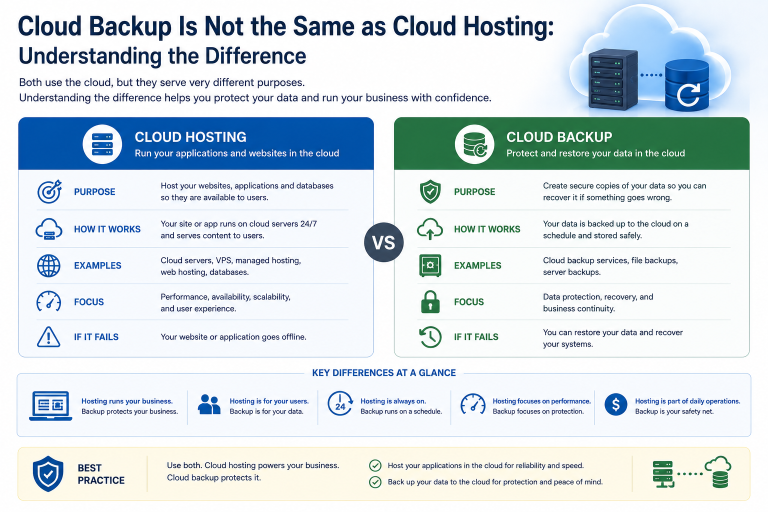
Backup Is Usually a Customer Decision
Cloud providers may offer snapshots, replicated storage and backup services, but customers normally decide what is protected and how long copies are retained.
The customer should define:
- Which systems require backup
- Backup frequency
- Retention period
- Backup location
- Immutability
- Restore procedures
- Recovery testing
- Backup-access permissions
A cloud server does not automatically include a complete backup strategy.
Replicated storage may protect against hardware failure while still copying deletion, corruption or ransomware to the replica.
Backups should be sufficiently separate from the production environment and tested regularly.
Monitoring and Alert Response
The provider monitors the health of the cloud platform.
The customer must usually monitor its own workloads.
Customer-level monitoring may cover:
- Server availability
- CPU and memory usage
- Storage capacity
- Application response
- Failed logins
- Security events
- Backup completion
- Configuration changes
- Unusual network traffic
Monitoring is useful only when alerts have a responsible owner.
The service agreement should state who investigates problems, which support hours apply and how urgent incidents are escalated.
Compliance Remains a Business Responsibility
A provider may hold security certifications and offer compliant infrastructure, but the customer remains responsible for using the service appropriately.
The business must consider:
- Data location
- Access controls
- Retention
- Encryption
- Customer contracts
- Industry requirements
- Audit records
- Incident reporting
Using a certified cloud platform does not automatically make the customer’s application compliant.
Configuration, operating procedures and user behaviour remain important.
How Responsibilities Change by Service Type
The division of responsibility changes as more of the technology stack is managed by the provider.
| Service type | Provider typically manages | Customer typically manages |
|---|---|---|
| Cloud virtual machine | Hardware, network and virtualisation | Operating system, applications, accounts and data |
| Managed cloud server | Infrastructure and agreed server tasks | Applications, users, data and excluded tasks |
| Managed platform | Infrastructure, operating system and platform | Application configuration, users and data |
| Software as a service | Complete application platform | Users, permissions, data usage and account security |
Businesses should not assume that two services described as “cloud hosting” include the same management scope.
Managed Hosting Does Not Remove Every Responsibility
A managed service may include:
- Operating-system patching
- Security hardening
- Monitoring
- Backup management
- Firewall configuration
- Technical support
It may exclude:
- Application updates
- Database administration
- User management
- Security policy decisions
- Software licences
- Data classification
- Compliance management
The term “fully managed” should be supported by a written list of included and excluded tasks.
The business should also confirm whether support is proactive or available only after a ticket is opened.
Create a Responsibility Matrix
A responsibility matrix prevents important tasks from being overlooked.
For each activity, identify whether it belongs to the cloud provider, managed-service provider, application supplier or customer.
| Security task | Cloud provider | Managed provider | Customer |
|---|---|---|---|
| Physical data-centre security | Yes | No | No |
| Hypervisor maintenance | Yes | No | No |
| Operating-system updates | No | If included | Otherwise yes |
| Application updates | No | If included | Otherwise yes |
| User permissions | No | May assist | Yes |
| Backup configuration | Service available | If included | Approves requirements |
| Data classification | No | No | Yes |
| Incident response | Platform incidents | Managed scope | Business coordination |
The final matrix should reflect the actual contract rather than a general industry model.
Common Cloud Security Mistakes
Assuming the Provider Secures Everything
The provider may protect the platform while leaving the customer responsible for the virtual machine and applications.
Leaving Excessive Administrator Access
Too many privileged accounts increase the impact of compromised credentials.
Exposing Services Publicly
Open management ports and unrestricted firewall rules create avoidable risk.
Delaying Operating-System Updates
A cloud server can run unsupported software just like an on-premises server.
Treating Replication as Backup
Replicated data may contain the same deletion or corruption as production.
Failing to Review Managed-Service Exclusions
A task may remain unperformed because both parties assume the other is responsible.
Ignoring Cloud Cost and Activity Alerts
Compromised accounts can create resources or generate network traffic that increases costs.
A Practical Responsibility Checklist
Before deploying a cloud workload, ask:
- Who owns the cloud account?
- Is multi-factor authentication required?
- Who can create or delete resources?
- Who applies operating-system updates?
- Who maintains the application?
- Who controls firewall rules?
- Who manages encryption keys?
- Which data is stored in the cloud?
- Who configures and monitors backups?
- How long are backups retained?
- Who reviews security logs?
- Who responds outside business hours?
- Which compliance requirements apply?
- What does the managed service exclude?
- Who coordinates incident response?
- How is supplier access removed?
- How often are permissions reviewed?
- Is the responsibility matrix documented?
Every important task should have a named and capable owner.
Final Recommendation
Treat cloud security as a shared responsibility rather than a service transferred entirely to the provider.
The provider normally manages the physical data centre, hardware, core network and virtualisation platform. The customer must manage identities, permissions, operating systems, applications, data protection and recovery unless these tasks are explicitly included in a managed service.
Use multi-factor authentication, restrict administrative access, keep systems updated and protect backups separately from production.
Most importantly, document who is responsible for every security activity. Unclear ownership is itself a security risk.
Ila Express provides managed cloud servers, security configuration, monitoring, backups and ongoing infrastructure administration for business workloads.
Contact Ila Express to review your current cloud environment and create a clear responsibility model covering infrastructure, access, applications, data protection and incident response.