RAID can help a server continue operating when a drive fails, but it does not provide a complete backup of business data.
This distinction is important because businesses sometimes invest in mirrored or redundant drives and assume their files are protected against every form of loss.
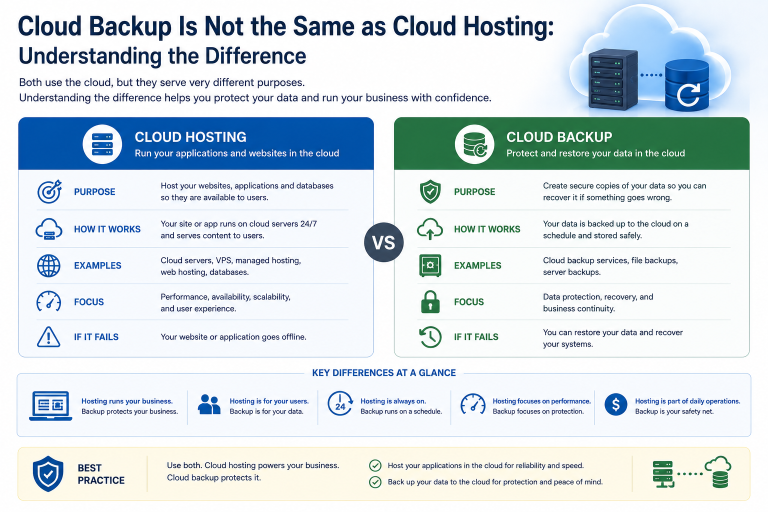
RAID primarily protects service availability against certain storage hardware failures. Backup preserves separate recovery copies that can be restored after deletion, corruption, ransomware, server failure or a wider incident.
A reliable data-protection strategy often uses both, but they serve different purposes.
What Is RAID?
RAID stands for Redundant Array of Independent Disks.
It combines several physical drives into one logical storage system.
Depending on the RAID level, the array may be designed to provide:
- Drive-failure tolerance
- Improved read performance
- Improved write performance
- Greater combined capacity
- A balance of resilience and performance
RAID is commonly used in:
- File servers
- Application servers
- Database servers
- Network-attached storage
- Virtualisation hosts
- Backup storage systems
The operating system or application normally sees the RAID array as one storage volume rather than several separate drives.
What RAID Is Designed to Do
The main purpose of most redundant RAID configurations is to reduce downtime after a drive failure.
For example, when one drive in a mirrored pair fails, the remaining drive may continue serving data.
This allows the business to:
- Keep the server operating
- Replace the failed drive
- Rebuild the array
- Avoid restoring the complete system immediately
RAID can therefore be an important availability feature.
However, the information in the array remains one live dataset. Changes made to that data are applied across the array.
Why RAID Is Not Backup
A backup is a separate copy of data that can be used to recover an earlier state.
RAID does not normally preserve historical versions.
If a user deletes a folder, RAID processes the deletion correctly.
If ransomware encrypts files, the encrypted data is stored across the array.
If an application corrupts a database, the corruption affects the live RAID volume.
RAID may keep the damaged system available, but it cannot automatically return the data to its previous condition.
What RAID Can Protect Against
Depending on the configuration, RAID may protect against:
- Failure of one drive
- Failure of several drives in some arrays
- Short-term interruption during drive replacement
- Reduced storage performance after some failures
- Loss of service caused by a single disk fault
The exact protection depends on the RAID level, controller, number of drives and condition of the remaining disks.
Not every RAID configuration provides redundancy.
RAID 0, for example, distributes data for performance or capacity but offers no drive-failure protection. If one drive fails, the complete array may be lost.
What RAID Does Not Protect Against
RAID does not normally protect against:
- Accidental file deletion
- Ransomware
- Malware
- Database corruption
- Application errors
- Operating-system failure
- Administrator mistakes
- Theft
- Fire or flooding
- Server loss
- RAID controller failure
- Multiple drive failures beyond the array’s tolerance
It also does not provide long-term retention or historical recovery points.
A business needs independent backup to address these risks.
Mirroring Copies Mistakes Too
RAID 1 mirrors data between two or more drives.
Every normal change made on one side is applied to the other.
This includes:
- Creating files
- Editing files
- Deleting files
- Encrypting files
- Corrupting data
The mirror is useful when one drive fails physically. It is not a protected historical copy.
The same principle applies to many forms of storage replication. Replication improves availability, but it can reproduce unwanted changes quickly.
RAID 5 and RAID 6 Are Still Not Backup
RAID 5 distributes data and parity across several drives and can normally tolerate one drive failure.
RAID 6 uses additional parity and can normally tolerate two drive failures.
These configurations can provide useful capacity efficiency and resilience, but they still contain one active dataset.
They do not protect against deletion, ransomware or application corruption.
They also introduce rebuild risk when a failed drive is replaced.
During rebuilding, the remaining drives must read and reconstruct large amounts of data. A second fault or unreadable sector may cause additional problems, particularly in large or ageing arrays.
RAID 10 and Business Workloads
RAID 10 combines mirroring and striping.
It is often selected for workloads requiring both performance and drive redundancy, such as:
- Databases
- Virtual machines
- Transactional applications
- Busy file servers
RAID 10 can provide faster rebuilds and strong performance compared with some parity-based arrays.
However, it still does not preserve previous versions of data.
A ransomware attack or incorrect database operation can affect every mirrored copy.
Hot Spare Drives
A hot spare is an unused drive installed in the system and ready to replace a failed member of the array automatically.
When a drive fails, the controller may begin rebuilding onto the spare without waiting for manual replacement.
This can reduce the time the array operates in a degraded state.
A hot spare is useful, but it is not backup.
It does not store a separate version of the business data and cannot recover deleted or corrupted information.
Rebuilds Can Create Additional Risk
After a drive failure, the RAID array must reconstruct data onto a replacement drive.
The rebuild may take hours or longer, depending on:
- Drive capacity
- Array type
- Storage workload
- Controller performance
- Drive condition
- Number of disks
During this period:
- Performance may decrease
- Redundancy may be reduced
- Remaining drives experience heavy activity
- Another drive problem may threaten the array
Large HDD arrays can take particularly long to rebuild.
A current backup is important before and during storage maintenance because RAID resilience is not unlimited.
The RAID Controller Can Fail
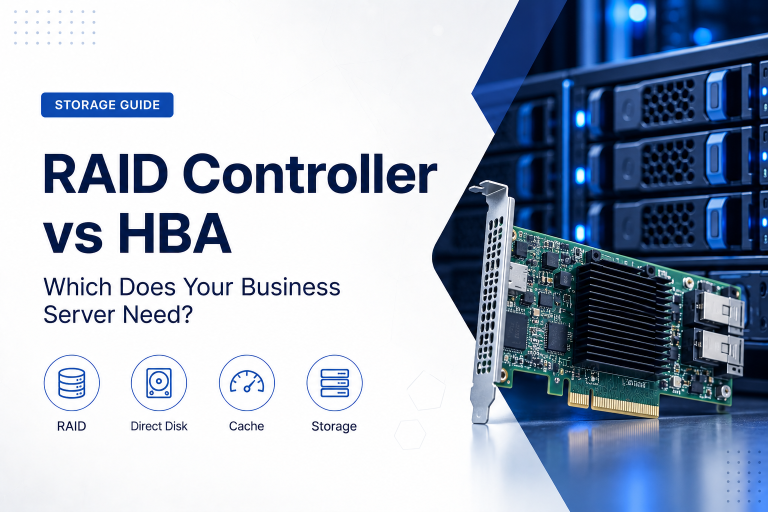
Hardware RAID arrays may depend on a dedicated controller.
If the controller fails, recovery may require:
- A compatible replacement controller
- Correct firmware
- Existing configuration information
- Specialist recovery work
The drives themselves may still contain data, but the array may not be immediately accessible.
Businesses should document the RAID configuration and consider the availability of compatible replacement parts.
This is another reason not to treat the array as the only copy of important information.
Complete Server Failure
RAID cannot protect the business if the entire server is lost.
Possible causes include:
- Motherboard failure
- Power-supply fault
- Fire
- Flood
- Theft
- Electrical damage
- Physical impact
- Major cooling failure
The drives may survive some incidents, but the business should not depend on removing them and rebuilding the server during an emergency.
Backup copies should be stored separately from the production system.
Ransomware and RAID
Ransomware usually attacks accessible files rather than individual drives.
If the server can read and write the RAID volume, ransomware may be able to encrypt it.
The redundancy continues functioning while encrypted data is written across the array.
Ransomware may also attempt to delete:
- Connected backups
- Snapshots
- Recovery partitions
- Backup catalogues
Effective protection requires backup copies that are sufficiently isolated and protected from alteration or deletion.
Accidental Deletion
A user may delete:
- Customer records
- Financial documents
- Shared folders
- Application files
- Email exports
- Project data
RAID does not recognise the deletion as a mistake.
The storage system simply applies the requested change.
Recovery requires a backup, snapshot or versioning system that retains an earlier copy.
The retention period must be long enough for the error to be discovered.
Data Corruption
Data can become corrupted because of:
- Software bugs
- Failed updates
- Database errors
- File-system problems
- Memory faults
- Incorrect shutdown
- Storage-controller issues
RAID may continue storing and serving corrupted information.
Some storage systems include checksums or integrity features that can detect certain errors, but these technologies still do not replace independent recovery copies.
A backup from before the corruption occurred may be required.
What a Proper Backup Should Provide
A suitable business backup system should create separate recovery copies and retain them according to an agreed policy.
It may include:
- File-level backup
- Database backup
- Complete server images
- Virtual-machine backup
- Application-aware backup
- Cloud backup
- Offline or immutable copies
The appropriate method depends on what must be restored.
Recovering one deleted document requires different capabilities from rebuilding a complete server after ransomware.
Apply the 3-2-1 Principle
A widely used backup approach is the 3-2-1 principle:
- Maintain at least three copies of important data.
- Store them on at least two different types of media or systems.
- Keep at least one copy off-site.
For example, a business might have:
- Production data on a RAID-protected server.
- A local backup appliance.
- An encrypted cloud backup in another location.
The exact design can vary, but the objective is to prevent one incident from affecting every copy.
For important systems, the off-site copy may also need immutability or separate administrative credentials.
Keep Backup Separate From Production
A backup connected continuously to the production server may be vulnerable to the same attack or administrator error.
Separation can include:
- Different user accounts
- Separate administrative credentials
- Multi-factor authentication
- Restricted deletion permissions
- Another network segment
- Another data centre
- Another cloud account
- Immutable storage
- Offline media
The greater the business impact of data loss, the stronger the separation should be.
Use Immutable Backup Where Appropriate
An immutable backup cannot be changed or deleted during a defined retention period.
This can help protect against:
- Ransomware
- Malicious administrators
- Compromised backup accounts
- Accidental deletion
Immutability should not be viewed as the only security control.
It should be combined with:
- Strong authentication
- Access restrictions
- Monitoring
- Encryption
- Recovery testing
The retention period must also be chosen carefully because immutable copies cannot normally be removed early.
Back Up Databases Correctly
Copying database files while the application remains active may not produce a usable backup.
Databases often require application-aware backup methods that ensure transactions and data structures remain consistent.
A suitable process may include:
- Native database backup
- Transaction-log backup
- Application-consistent snapshots
- Backup-agent integration
- Controlled database export
The business should confirm that the backup system supports the actual database platform and recovery requirements.
A backup that contains files but cannot restore a working database provides limited protection.
Back Up Configuration as Well as Data
Business recovery may require more than user files.
Protect:
- Operating-system configuration
- Application settings
- Database configuration
- User permissions
- Network settings
- Security certificates
- Scheduled tasks
- Licence information
- Documentation
Without this information, the business may recover the data but still need significant time to rebuild the service.
Complete server images can help, but they should be combined with application-aware protection where necessary.
Backup Frequency and Data Loss
Backup frequency should reflect how much recent data the business can afford to lose.
If backups run once per day, the organisation may lose almost one day of changes after an incident.
More frequent backups may be required for:
- Transaction systems
- Customer databases
- Order processing
- Financial applications
- Shared project data
The appropriate interval is defined through the recovery point objective.
The business should set this requirement before choosing a backup schedule.
Retention Determines How Far Back You Can Recover
Retention defines how long backup versions remain available.
A policy may preserve:
- Hourly copies
- Daily copies
- Weekly copies
- Monthly copies
- Annual archives
Short retention can be inadequate when corruption, ransomware or accidental deletion remains unnoticed.
For example, keeping only seven days of backups may not help if a damaged file is discovered after two weeks.
Retention should reflect operational, contractual and legal requirements.
Backup Success Does Not Prove Recoverability
Backup software can report successful completion while recovery remains incomplete.
Problems may include:
- Missing application components
- Unreadable media
- Incorrect encryption keys
- Incomplete databases
- Insufficient permissions
- Outdated documentation
- Very slow restore times
Regular restore testing is therefore essential.
Testing should confirm not only that data can be extracted but that the application or server can return to useful operation.
Test Different Recovery Scenarios
A complete backup strategy should support several types of restore.
Test scenarios may include:
- One deleted file
- One deleted folder
- An earlier file version
- A database
- A virtual machine
- A complete server
- Recovery to alternative hardware
- Recovery to a cloud environment
Record how long each restore takes and who performs it.
This helps the business understand whether the backup design meets its recovery time objective.
Monitor RAID and Backup Separately
RAID health and backup health are different operational responsibilities.
RAID monitoring should detect:
- Failed drives
- Predictive drive warnings
- Degraded arrays
- Rebuild progress
- Controller faults
- Cache battery problems
Backup monitoring should detect:
- Failed jobs
- Missed schedules
- Capacity limits
- Retention errors
- Repository problems
- Unusual deletion
- Restore failures
Both areas require alerts and a named person responsible for responding.
What Happens After a RAID Drive Fails?
A failed drive should be replaced promptly with a compatible model.
The procedure should include:
- Confirm which drive failed.
- Verify that a current backup exists.
- Check the condition of the remaining drives.
- Use the correct replacement drive.
- Begin and monitor the rebuild.
- Avoid unnecessary heavy workloads.
- Confirm that the array returns to a healthy state.
- Review why the failure occurred.
Do not remove drives based only on their physical position unless the server or management interface identifies them clearly.
Removing the wrong drive from a degraded array can create a more serious failure.
Should You Back Up a RAID-Protected Server?
Yes.
RAID may reduce interruption after a drive failure, while backup protects against a much broader set of risks.
A RAID-protected server should normally have:
- Local or rapid-recovery backup
- Off-site backup
- Defined retention
- Protected credentials
- Restore testing
- Documented recovery procedures
The appropriate combination depends on the importance and size of the workload.
Common Data-Protection Mistakes
Treating a Mirror as a Second Copy
Both drives contain the same live data and the same deletions.
Keeping Backup on the Same Server
A server failure or ransomware incident may affect production and backup together.
Using RAID 0 for Important Data
RAID 0 offers performance and capacity but no drive-failure protection.
Ignoring Array Warnings
A degraded array may remain operational until another fault causes major data loss.
Assuming Cloud Storage Is Automatically Backed Up
Cloud storage may be replicated for availability without preserving sufficient historical versions.
Never Testing a Restore
A backup should be considered unproven until recovery has been tested.
Retaining Too Few Recovery Points
Problems may be discovered after the available clean copies have expired.
A Practical Data-Protection Checklist
Before relying on a storage system, ask:
- Which RAID level is being used?
- How many drive failures can it tolerate?
- Is the array monitored?
- Who responds to drive warnings?
- Are replacement drives readily available?
- Which business data is backed up?
- Are databases backed up consistently?
- How frequently do backups run?
- How long are they retained?
- Is at least one copy stored off-site?
- Are any copies immutable or offline?
- Are backup credentials separate?
- Can individual files be restored?
- Can the complete server be restored?
- When was recovery last tested?
- How long does a full restore take?
- Who coordinates recovery?
- Is the procedure documented?
RAID and backup should be reviewed as separate but complementary controls.
Final Recommendation
Use RAID to reduce downtime caused by certain drive failures.
Use backup to recover data after deletion, ransomware, corruption, server loss and other incidents that RAID cannot address.
For important business systems, maintain several data copies, keep at least one copy away from the production environment and use immutable or offline protection where the risk justifies it.
Define backup frequency and retention according to the amount of data the business can afford to lose. Test both file-level and complete-system recovery regularly.
RAID is valuable, but it is only one layer of a complete data-protection strategy.
Ila Express supplies RAID storage systems, server drives, backup appliances, cloud backup and managed data-protection services for business environments.
Contact Ila Express to review your current storage and backup arrangements and build a recovery strategy that protects against both hardware failure and data loss.