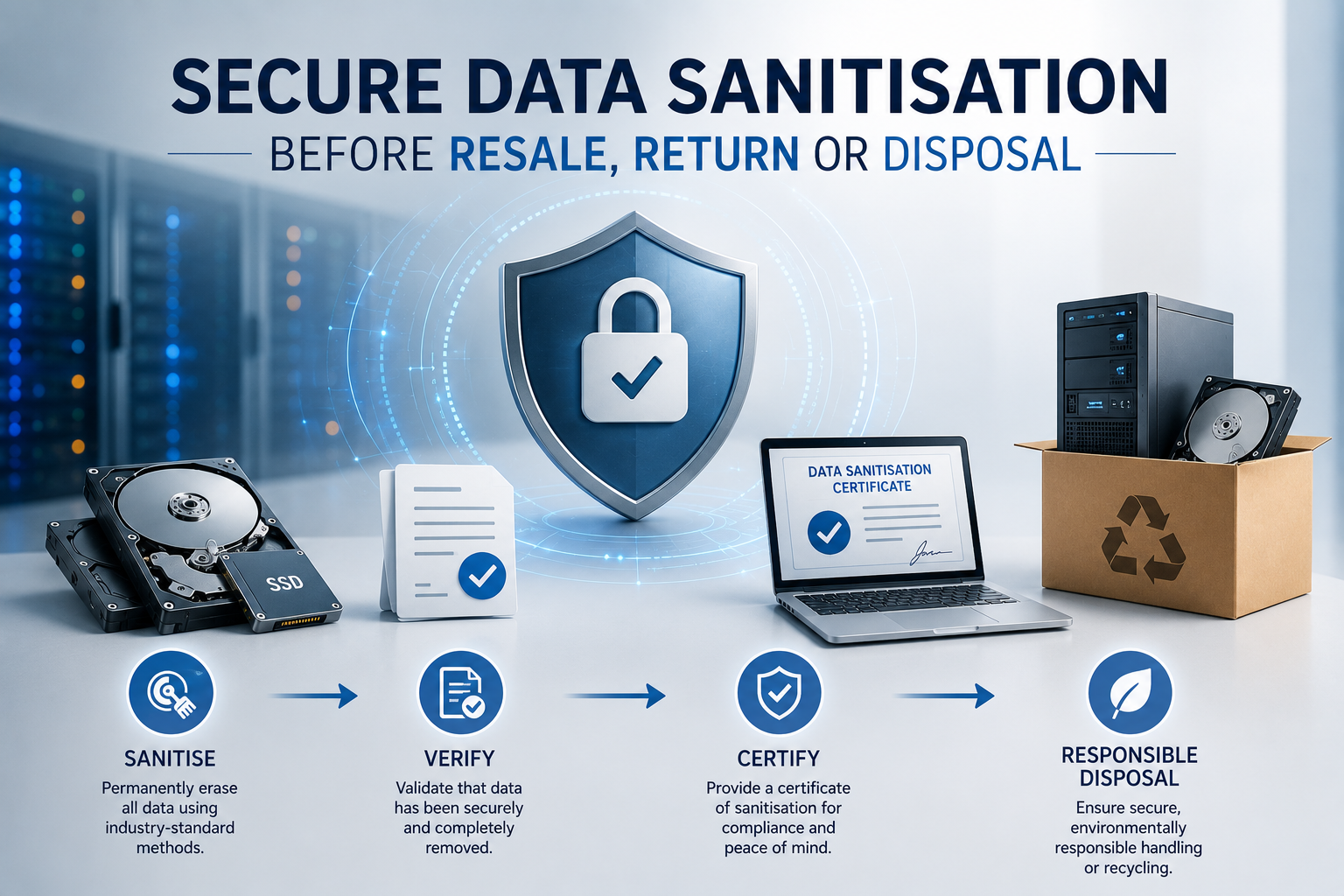
Business computers, servers, storage systems and mobile devices can retain sensitive information long after users have deleted files or stopped using the equipment.
Before technology is sold, returned to a leasing company, recycled, donated or discarded, the organisation should ensure that its data cannot be recovered by the next owner or an unauthorised third party.
Deleting files, formatting a drive or reinstalling the operating system may not be sufficient.
Secure data sanitisation uses an appropriate erasure, cryptographic or physical-destruction method according to the storage technology, sensitivity of the information and future destination of the equipment.
A documented process protects customer information, employee records, credentials, intellectual property and the organisation’s reputation.
What Is Data Sanitisation?
Data sanitisation is the process of making information on a storage device inaccessible and impractical to recover.
It can be applied to:
- Desktop computers
- Laptops
- Servers
- Hard disk drives
- Solid-state drives
- Storage arrays
- Network-attached storage
- Backup appliances
- USB drives
- Mobile devices
- Printers and multifunction devices
- Network equipment with internal storage
The correct method depends on the device and whether it will be reused.
A server intended for resale may need verified software-based erasure. A damaged drive containing highly sensitive information may require physical destruction.
Why Ordinary File Deletion Is Not Enough
Deleting a file normally removes its reference from the file system.
The underlying data may remain on the storage medium until the space is overwritten.
Recovery software may still locate:
- Documents
- Images
- Databases
- Email archives
- Browser data
- Credentials
- Configuration files
- Deleted partitions
Emptying the recycle bin does not normally remove the underlying content securely.
The same applies when user accounts or folders are deleted before equipment is returned.
Formatting May Not Remove All Data
Formatting prepares a storage device for use by creating or replacing file-system structures.
A quick format may leave most previous data intact.
Even a more complete format may not provide sufficient assurance for every device or risk level.
Formatting can also miss:
- Hidden areas
- Recovery partitions
- Remapped sectors
- Spare flash-memory cells
- Storage-controller caches
- Secondary drives
- Embedded storage
The organisation should use a sanitisation method designed for the actual storage technology rather than relying on an ordinary operating-system format.
Reinstalling the Operating System Is Not Sanitisation
Reinstalling Windows, Linux or another operating system may overwrite some storage areas while leaving substantial previous information recoverable.
An operating-system reset can be useful when preparing a device for another employee inside the same controlled organisation.
It should not automatically be treated as sufficient before external resale, return or disposal.
The business should separate two activities:
- Preparing a computer for reuse
- Sanitising storage so previous data cannot be recovered
They may require different procedures.
Identify Every Storage Device
Before sanitisation, create an inventory of all storage contained in the equipment.
A server may include:
- Several internal drives
- RAID cache
- Boot modules
- Removable media
- Backup cartridges
- NVMe devices
- Storage-controller memory
A laptop may contain:
- Internal SSD
- Secondary drive
- Memory card
- Embedded recovery storage
Other business devices may contain storage that is easily overlooked.
Examples include:
- Printers storing scanned documents
- Firewalls retaining configuration and logs
- Network switches storing credentials
- Cameras containing memory cards
- Phones containing local files
- Copiers retaining printed or scanned images
The sanitisation process should account for every component that can store business information.
Classify the Data Before Choosing a Method
Not every device carries the same risk.
Consider whether it contains:
- Public information
- Internal business documents
- Personal data
- Financial records
- Customer information
- Health information
- Authentication credentials
- Encryption keys
- Source code
- Trade secrets
- Regulated data
The more sensitive the information, the stronger the sanitisation assurance should be.
A device used for general reception work may require a different process from a database server or executive laptop.
The organisation’s security or data-retention policy should define the required treatment for each classification.
Consider the Destination of the Equipment
The future use of the equipment affects the appropriate sanitisation method.
Possible destinations include:
- Reassignment within the business
- Return to a leasing company
- Trade-in
- Resale
- Donation
- Recycling
- Manufacturer warranty return
- Physical destruction
Equipment remaining under the organisation’s control may sometimes be securely reimaged according to internal policy.
Equipment leaving organisational control should normally receive stronger, verified sanitisation.
For leased equipment, review the return conditions before removing drives or physically damaging components.
Data Erasure, Cryptographic Erasure and Destruction
Data sanitisation can be achieved through several approaches.
Software-Based Erasure
Software writes data across accessible storage locations or uses supported device commands to remove stored information.
This method can preserve the hardware for reuse or resale.
Cryptographic Erasure
When data has been encrypted correctly, destroying or securely replacing the encryption key can make the stored information unreadable.
This can be fast and effective when encryption was implemented properly throughout the device’s use.
Physical Destruction
The storage medium is damaged so that it cannot be used or read through ordinary methods.
This may include shredding, crushing or specialist destruction.
Physical destruction prevents resale of the storage device and may not be necessary when verified erasure is sufficient.
Secure Erasure of Hard Disk Drives
Hard disk drives store data magnetically on rotating platters.
Suitable sanitisation methods may include:
- Verified overwrite
- Device-supported secure erase
- Degaussing
- Physical destruction
Software overwrite can be appropriate when the drive is functioning and will be reused.
The process should cover the complete accessible capacity and should produce a verification result.
Repeated overwriting is not always necessary on modern functioning drives. The required method should follow the organisation’s policy and recognised sanitisation guidance.
Secure Erasure of SSDs
Solid-state drives require different treatment from HDDs.
SSDs use flash memory and internal controllers that distribute data across physical cells.
Features such as wear levelling, spare capacity and remapped blocks can prevent ordinary overwrite software from reaching every location.
Appropriate methods may include:
- Manufacturer-supported secure erase
- NVMe sanitise command
- Cryptographic erase
- Physical destruction where assurance cannot be obtained
Using a traditional multi-pass HDD overwrite process on an SSD may be ineffective and can cause unnecessary wear.
The erasure tool should support the specific drive interface and report whether the command completed successfully.
Cryptographic Erasure
Cryptographic erasure can be effective when all sensitive data on the device has been encrypted using strong encryption.
The method removes or replaces the encryption key so the remaining data cannot be interpreted.
Its advantages can include:
- Fast completion
- Minimal drive wear
- Suitability for large storage systems
- Ability to sanitise inaccessible flash locations
However, the organisation must confirm that:
- Encryption covered the full storage device
- The encryption method was appropriate
- Keys were not stored elsewhere on the device
- Recovery keys were removed
- The key-destruction process was successful
Encrypting a drive immediately before disposal does not necessarily protect data that was previously stored unencrypted.
Physical Destruction
Physical destruction may be suitable when:
- The drive is faulty
- Secure erasure cannot be verified
- Data sensitivity is very high
- The storage device will not be reused
- Organisational policy requires destruction
- Equipment cannot be powered on safely
Methods can include:
- Industrial shredding
- Crushing
- Disintegration
- Approved degaussing for magnetic media
Drilling one or two holes in a drive may damage it but does not necessarily destroy every data-bearing area.
Breaking a circuit board may also leave storage chips or magnetic platters recoverable.
Sensitive media should be destroyed using a controlled process designed for the storage technology.
Degaussing
Degaussing applies a strong magnetic field to disrupt information stored on magnetic media.
It may be used for:
- Magnetic hard drives
- Backup tapes
- Certain magnetic media
Degaussing does not work on SSDs because flash memory is not magnetic.
It may also make an HDD permanently unusable by damaging its internal calibration information.
The degausser must be appropriately rated for the media being processed.
A weak or unsuitable device may not sanitise modern high-density drives reliably.
RAID and Storage Arrays
Enterprise servers and storage systems may present several physical drives as one logical volume.
Sanitising only the logical volume may not address every underlying device or storage area.
The process should consider:
- Each physical drive
- Hot-spare drives
- Failed drives
- Cache modules
- Boot devices
- Controller configuration
- Snapshots
- Replicas
- Expansion shelves
If drives will be removed and sold individually, each one should receive its own sanitisation and verification record.
The organisation should also remove configuration, account and network information from the storage system itself.
Cloud and Hosted Infrastructure
Physical data sanitisation is not limited to equipment located in the office.
Businesses leaving a cloud or hosted service should understand how data is removed from:
- Virtual machines
- Storage volumes
- Snapshots
- Backups
- Object storage
- Logs
- Replicas
- Temporary data
- Provider-managed databases
Deleting a cloud server does not always delete every backup or retained copy immediately.
Review:
- Provider deletion process
- Retention periods
- Backup lifecycle
- Account closure
- Encryption-key management
- Data-export confirmation
- Contractual deletion commitments
The provider normally controls physical media sanitisation, while the customer remains responsible for deleting its logical resources and managing retained copies.
Printers and Multifunction Devices
Modern printers and copiers may contain internal storage.
They can retain:
- Print jobs
- Scanned documents
- Address books
- Email settings
- Network credentials
- User codes
- Fax records
Before resale or return:
- Use the manufacturer’s secure reset function
- Remove stored addresses and credentials
- Clear internal job storage
- Remove any installed drives where required
- Reset network and administrator settings
- Verify that optional storage modules are included in the process
A basic factory reset may not securely erase all document data.
Review the manufacturer’s disposal or sanitisation instructions.
Mobile Phones and Tablets
Business mobile devices may contain:
- Documents
- Customer data
- Authentication applications
- Saved passwords
- Photos
- Messaging history
- Remote-access credentials
Before disposal or reassignment:
- Confirm required data is backed up.
- Remove the device from management platforms.
- Sign out of business and personal accounts.
- Remove activation locks.
- Remove SIM and memory cards.
- Perform the approved secure reset.
- Verify that the device returns to its initial setup state.
Modern encrypted mobile devices can often be sanitised effectively through a properly completed factory-reset process, provided encryption and account removal have been handled correctly.
Network Equipment
Routers, firewalls, switches and wireless controllers may retain:
- Administrator credentials
- VPN keys
- Network addresses
- Wi-Fi passwords
- Certificates
- Configuration backups
- Logs
- Customer information
Before equipment leaves the business:
- Export any required configuration
- Remove licences where transferable
- Delete certificates and keys
- Perform a factory reset
- Confirm management accounts are removed
- Verify that startup does not restore an old cloud configuration
Cloud-managed equipment should also be removed from the provider’s management portal.
A physical reset alone may not remove it from an organisational account.
Backup Media
Backup media can contain some of the organisation’s most complete and sensitive datasets.
Media may include:
- External hard drives
- Tape cartridges
- Removable disks
- USB storage
- Backup appliances
Before reuse or disposal, confirm:
- Retention requirements have expired
- No legal hold applies
- Required archives exist elsewhere
- Media has been sanitised appropriately
- Serial numbers are recorded
- Destruction is witnessed where necessary
Backup media should not enter ordinary recycling streams without controlled handling.
Check Data-Retention Requirements First
Data should not be destroyed simply because the hardware is being retired.
Before sanitisation, confirm whether information must be retained for:
- Legal obligations
- Tax and financial records
- Customer contracts
- Regulatory requirements
- Litigation holds
- Internal investigations
- Warranty or service history
- Business continuity
Required data should be transferred to an approved system and verified before the original storage is erased.
The process should involve the relevant business, legal or compliance owner where necessary.
Back Up Required Data
Before sanitising a device, determine whether it contains information that must be preserved.
The backup or migration should include:
- User files
- Databases
- Application settings
- Licence information
- Certificates
- Configuration
- Audit records
- Recovery keys
Confirm that the copied information is readable and complete.
Do not begin irreversible sanitisation based only on an unverified backup job.
A responsible owner should approve the device for erasure.
Remove the Device From Management Systems
Retired equipment may remain registered in:
- Device-management platforms
- Antivirus consoles
- Monitoring tools
- Backup systems
- Cloud portals
- Identity services
- Warranty databases
- Asset-management systems
Remove or update these records so that:
- Licences can be reassigned
- Alerts do not continue
- Old credentials are revoked
- Inventory remains accurate
- Remote commands cannot target the wrong device
This administrative step is separate from data sanitisation but forms part of a controlled retirement process.
Remove Accounts, Keys and Certificates
Sensitive access information may exist outside ordinary user files.
Before resale or return, remove:
- Local administrator accounts
- Service accounts
- SSH keys
- VPN certificates
- Wi-Fi credentials
- API keys
- Browser passwords
- Remote-management credentials
- Encryption recovery keys
A securely erased drive may not be enough if the device has separate embedded management storage or configuration memory.
Review the complete system.
Verify the Sanitisation Result
A sanitisation process should produce evidence that it completed successfully.
Verification may include:
- Tool completion report
- Drive serial number
- Sanitisation method
- Date and time
- Operator
- Verification scan
- Error log
- Final device status
If the process reports errors, the device should not be released for resale or return until the problem is resolved.
A failed drive that cannot be erased may need physical destruction.
Verification is essential because starting an erasure process does not prove that every device completed it successfully.
Maintain a Chain of Custody
Chain of custody records who handled the equipment from collection through erasure, transport, resale or destruction.
A record may include:
- Asset tag
- Serial number
- Device type
- Storage-device serial numbers
- Collection date
- Storage location
- Person responsible
- Sanitisation result
- Final destination
This reduces the risk of devices being lost or substituted during the disposal process.
It is especially important when equipment is handled by an external recycler or logistics provider.
Use a Secure Holding Area
Retired equipment often waits before sanitisation or collection.
It should not be left:
- In open office areas
- Beside ordinary waste
- In unsecured loading areas
- In accessible storage rooms
- With an unverified courier
Use a controlled holding area with restricted access and inventory tracking.
Devices should remain treated as containing sensitive data until sanitisation has been completed and verified.
Certificates of Erasure and Destruction
A service provider may issue a certificate confirming that media was erased or destroyed.
The certificate should identify:
- Customer
- Asset or drive serial number
- Sanitisation or destruction method
- Completion date
- Service provider
- Verification result
A generic statement that “equipment was recycled securely” may provide insufficient evidence.
The certificate should be traceable to the actual storage devices.
Keep records according to the organisation’s audit and retention requirements.
Evaluate the Disposal Provider
An external IT asset disposition provider may perform:
- Collection
- Inventory
- Data erasure
- Physical destruction
- Refurbishment
- Resale
- Recycling
- Reporting
Before appointment, ask:
- How is equipment transported?
- Where is it stored?
- Who can access it?
- Which sanitisation methods are used?
- How are failures handled?
- Are serial numbers recorded?
- Are certificates issued?
- Is downstream recycling documented?
- Is insurance available?
- Can the process be audited?
The provider should be able to explain the complete chain from collection to final destination.
On-Site Versus Off-Site Sanitisation
Data sanitisation may occur at the customer’s site or at the provider’s facility.
On-Site Sanitisation
Potential advantages include:
- Data does not leave the premises before erasure
- Business staff can witness the process
- Chain-of-custody risk is reduced
- High-risk devices can be destroyed immediately
Off-Site Sanitisation
Potential advantages include:
- Specialist equipment
- Greater processing capacity
- Integrated testing and resale
- Lower cost for larger volumes
When sanitisation occurs off-site, transport and storage controls become especially important.
The business should choose the method according to data sensitivity, equipment volume and operational requirements.
Resale After Sanitisation
Secure sanitisation can allow usable equipment to be resold rather than destroyed.
This may provide:
- Residual financial value
- Reduced electronic waste
- Lower environmental impact
- Extended hardware life
- More affordable equipment for another user
Before resale, the business should also remove:
- Asset labels
- Company branding
- Support identifiers
- Inventory markings
- Configuration records
- Internal documentation
Only devices that have passed sanitisation and functional assessment should be approved for resale.
Equipment Returned Under Lease
Leased hardware normally remains the property of the financing or leasing provider.
The organisation should review return requirements covering:
- Device condition
- Accessories
- Storage devices
- Data erasure
- Packaging
- Collection
- Deadline
- Missing-equipment charges
Do not remove or destroy leased drives without confirming that the agreement permits it.
Where the lessor requires the original storage to be returned, use an approved non-destructive sanitisation method and retain evidence.
Warranty Returns and Failed Drives
Warranty replacement can create a difficult security decision.
A failed drive may contain sensitive data but be required for return to the manufacturer.
Options may include:
- Retain-your-drive warranty
- Secure erase if the drive remains operational
- Manufacturer-approved destruction
- Contractual data-handling assurance
- Replacement without drive return
For sensitive systems, purchasing a retain-your-drive service can prevent failed media from leaving the organisation.
This option should be considered when procuring servers, storage and employee devices—not only after failure occurs.
Environmental Responsibility
Electronic equipment contains materials that should not enter ordinary waste streams.
A responsible disposal process should:
- Reuse functioning equipment where appropriate
- Recover usable components
- Recycle materials through approved channels
- Handle batteries safely
- Avoid uncontrolled export or dumping
- Provide disposal records
Data security and environmental responsibility should be managed together.
Physical destruction of storage does not mean the remaining device should be discarded without proper recycling.
Create a Formal Asset-Retirement Process
A documented process can include:
- Identify equipment for retirement.
- Record assets and storage devices.
- Confirm data-retention requirements.
- Back up required information.
- Remove devices from management systems.
- Select the sanitisation method.
- Complete and verify sanitisation.
- Record the result.
- Prepare equipment for resale, return or recycling.
- Obtain final certificates.
- Update the asset register.
- Review financial and environmental outcomes.
The process should define which person can approve each stage.
Assign Clear Responsibilities
Data sanitisation may involve:
- IT team
- Information-security team
- Asset manager
- Finance
- Legal or compliance staff
- Leasing provider
- Recycler
- Resale partner
Clarify who:
- Approves retirement
- Confirms retention
- Performs backup
- Sanitises data
- Verifies results
- Controls transport
- Updates records
- Approves final release
A device should not leave the organisation merely because one employee believes it has been reset.
Common Data-Sanitisation Mistakes
Deleting Files and Emptying the Recycle Bin
The underlying data may remain recoverable.
Using the Same Method for HDDs and SSDs
Flash storage requires device-appropriate commands or destruction.
Forgetting Secondary Drives
A device may contain several internal or removable storage components.
Returning Equipment Before Verification
A started erasure job may fail without anyone noticing.
Ignoring Printers and Network Devices
These systems may retain documents, passwords and certificates.
Destroying Data Before Checking Retention
Required records may be lost permanently.
Allowing Unsecured Transport
Unsanitised devices can be lost between the office and disposal provider.
Accepting Generic Certificates
Records should identify the actual asset or storage-device serial number.
A Practical Data-Sanitisation Checklist
Before equipment leaves the organisation, confirm:
- Has the asset been recorded?
- Have all storage devices been identified?
- Has the data been classified?
- Do any retention or legal-hold requirements apply?
- Has required information been backed up and verified?
- Has the device been removed from management systems?
- Have accounts, keys and certificates been removed?
- Is the chosen method suitable for HDD, SSD or other media?
- Will the hardware be reused or destroyed?
- Has the sanitisation process completed successfully?
- Has the result been verified?
- Are failed devices handled separately?
- Is chain of custody documented?
- Is transport secure?
- Does the provider identify each serial number?
- Has a certificate of erasure or destruction been obtained?
- Has the asset register been updated?
- Is the remaining equipment being reused or recycled responsibly?
Every device should have a documented outcome.
Final Recommendation
Treat every retired business device as if it still contains sensitive information until sanitisation has been completed and verified.
Do not rely only on file deletion, operating-system reset or quick formatting. Select a method appropriate to the storage technology and the sensitivity of the data.
Use verified erasure or cryptographic erasure when equipment will be reused, returned or resold. Use controlled physical destruction when a device is faulty, cannot be sanitised reliably or contains information requiring the highest level of assurance.
Document asset serial numbers, sanitisation results, chain of custody and final destination. Confirm data-retention requirements before any irreversible action.
A secure retirement process protects business information while allowing suitable equipment to be reused, resold or recycled responsibly.
Ila Express provides IT asset collection, secure data erasure, storage replacement, equipment resale support and responsible lifecycle services for business computers, servers and storage systems.
Contact Ila Express to plan a documented asset-retirement process covering inventory, sanitisation, resale, return and responsible disposal.