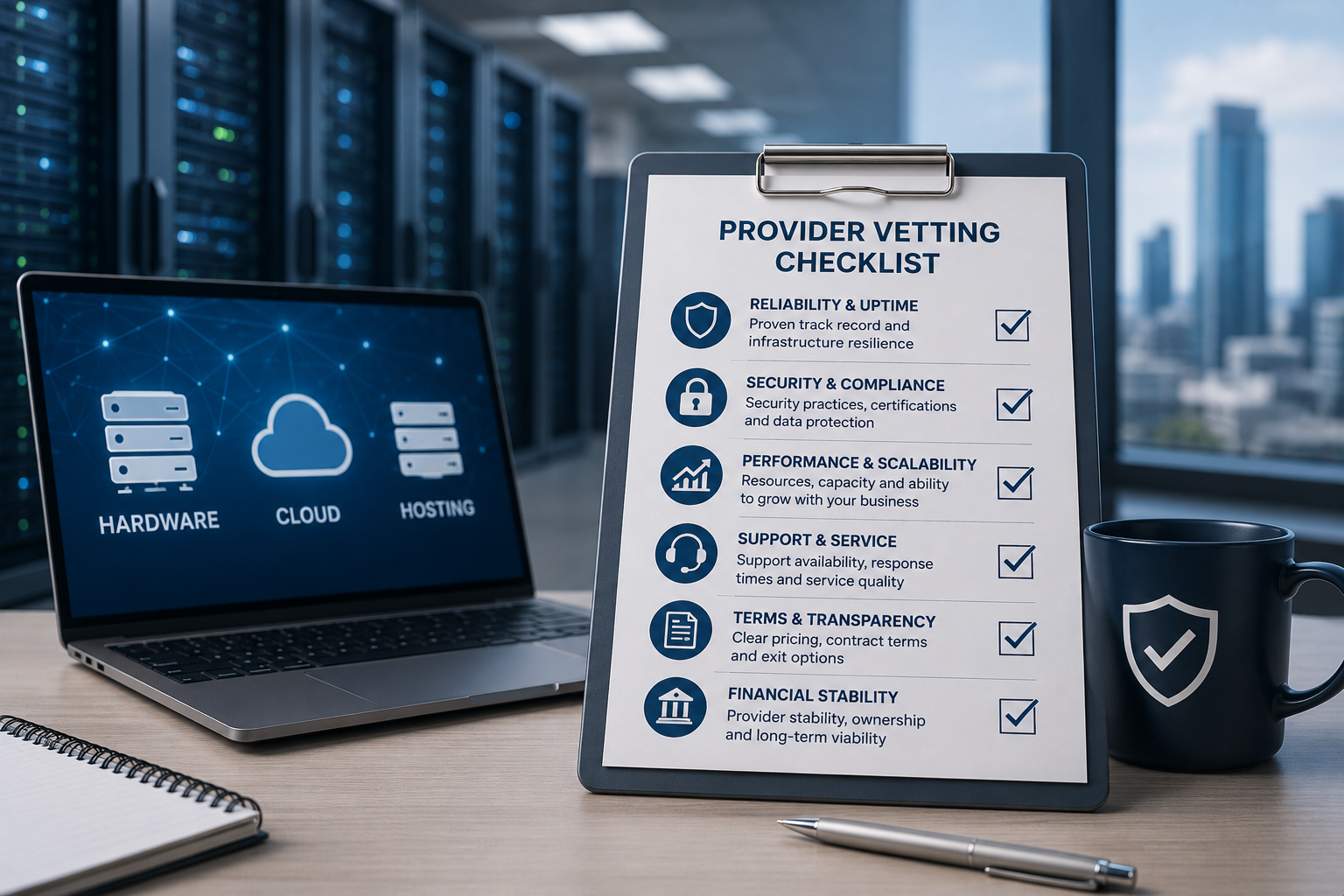
Choosing a hardware, cloud or hosting provider is not only a purchasing decision.
The provider may become responsible for supplying critical equipment, operating business systems, storing data, responding to incidents or supporting recovery after failure.
A competitive quotation and professional website are useful starting points, but they do not prove that the provider can deliver the required service consistently.
Before signing a contract, the business should assess the provider’s technical capability, financial stability, support model, security practices, commercial terms and ability to resolve problems.
The depth of the review should reflect the importance of the service.
A supplier providing a small number of office computers may require a lighter assessment than a provider hosting a revenue-generating application or managing business-critical servers.
Begin With a Clear Requirement
It is difficult to evaluate a provider when the business has not defined what it needs.
Before requesting proposals, document:
- Required equipment or service
- Number of users
- Performance requirements
- Storage capacity
- Availability requirements
- Support hours
- Security requirements
- Backup requirements
- Recovery objectives
- Expected growth
- Contract period
- Budget range
A clear requirement allows several providers to quote on a comparable basis.
Without it, each supplier may propose a different service, making price comparisons misleading.
Separate Provider Types
Hardware suppliers, cloud providers, hosting companies and managed-service providers may offer overlapping services, but their responsibilities differ.
A hardware supplier may provide:
- Servers
- Computers
- Storage
- Network equipment
- Configuration
- Warranty
- Delivery
A cloud or hosting provider may provide:
- Virtual servers
- Storage
- Network services
- Backup
- Security controls
- Monitoring
- Availability commitments
A managed-service provider may also perform:
- Administration
- Patching
- Support
- Recovery
- Security monitoring
- User assistance
The evaluation should reflect the actual service being purchased.
Confirm the Legal Business Identity
Verify the provider’s legal identity before entering a significant contract.
Check:
- Registered company name
- Registration number
- Registered address
- Trading address
- Tax registration
- Bank-account name
- Contracting entity
- Years in operation
The company issuing the invoice should match the entity named in the contract unless the relationship is explained clearly.
Be cautious when:
- Payment is requested to an unrelated account
- Company details change unexpectedly
- The contract uses a different entity from the quotation
- No physical or registered address is available
Verification reduces fraud and contract-enforcement risk.
Review the Provider’s Trading History
A longer operating history does not guarantee good service, but it can provide useful evidence.
Ask:
- How long has the company supplied this service?
- Has the business changed ownership?
- Has it changed trading names?
- Has it delivered similar projects?
- Does it have experience in your industry?
- Does it support customers of a similar size?
A newly established provider may still be capable and innovative.
However, the customer may require stronger financial protection, shorter commitments or clearer exit arrangements.
Assess Financial Stability
A provider supporting critical systems should be capable of continuing operations throughout the contract.
Possible checks include:
- Published financial statements
- Credit reports
- Funding history
- Ownership
- Insurance
- Customer concentration
- Recent restructuring
- Public legal filings
Warning signs may include:
- Repeated late accounts
- Sudden changes in ownership
- Frequent supplier disputes
- Unusually large advance-payment demands
- Prices substantially below sustainable market levels
The purpose is not to eliminate every financial risk.
It is to avoid becoming dependent on a provider whose ability to deliver is uncertain.
Request Customer References
Ask for references from customers using similar products or services.
Useful questions include:
- Was the project delivered as promised?
- How responsive is support?
- Were unexpected charges common?
- How did the provider handle a serious problem?
- Was communication clear?
- Would the customer renew the contract?
- Was migration or onboarding managed effectively?
References selected by the provider will normally be positive.
Their value comes from asking detailed operational questions rather than requesting only a general endorsement.
Review Independent Reputation
Independent reviews can reveal recurring themes.
Look for patterns involving:
- Delivery delays
- Poor communication
- Billing disputes
- Unresolved support tickets
- Frequent outages
- Warranty problems
- Difficult cancellation
Individual reviews may be incomplete or unfair.
Repeated similar complaints across several sources deserve closer investigation.
The provider should be given an opportunity to explain significant concerns.
Evaluate Technical Expertise
The provider should understand the proposed solution in sufficient detail.
During discussions, assess whether it can explain:
- Why the proposed design fits the workload
- Capacity assumptions
- Compatibility
- Security responsibilities
- Backup and recovery
- Performance limitations
- Upgrade path
- Support boundaries
- Known risks
A capable provider should be willing to discuss trade-offs.
Be cautious when every answer suggests that the proposed service is perfect, unlimited or risk-free.
Ask Who Will Deliver the Service
The sales representative may not be the person responsible for implementation or support.
Ask:
- Who designs the solution?
- Who configures it?
- Who handles migration?
- Who provides ongoing support?
- Are engineers employees or subcontractors?
- Where are support teams located?
- What experience do they have?
- Who owns the customer relationship after signing?
Request access to a technical representative before approving an important contract.
The provider’s ability to sell the service and ability to operate it may differ.
Check Relevant Certifications Carefully
Certifications can support a provider’s claims, but they should not be treated as complete proof of quality.
Possible areas include:
- Information-security management
- Quality management
- Data-centre operations
- Cloud-platform expertise
- Vendor-authorised status
- Technical qualifications
- Environmental management
Confirm:
- Which legal entity is certified
- Which locations are covered
- Which services are in scope
- Whether the certificate is current
- Whether it was issued by a credible body
A certification covering one office may not apply to every data centre, subcontractor or service.
Verify Vendor Partnerships
A provider may describe itself as a partner of a hardware or cloud vendor.
Ask for the exact partnership level and what it means.
A partnership may provide:
- Training
- Product access
- Technical escalation
- Licence capability
- Support entitlement
- Specialist accreditation
It does not automatically guarantee service quality.
Confirm that the partnership applies to the specific product or platform being proposed.
Assess the Hardware Supply Chain
For physical hardware, ask where equipment is sourced.
Relevant questions include:
- Is equipment new, refurbished or used?
- Is it manufacturer authorised?
- Are serial numbers traceable?
- Is the warranty valid in the destination country?
- Are components genuine and compatible?
- Has refurbished equipment been tested?
- How are drives sanitised?
- Are replacement parts available?
The quotation should describe condition clearly.
Terms such as refurbished, recertified, open-box and used may represent different standards.
Confirm the Exact Hardware Configuration
For servers, storage and networking equipment, request a complete specification.
This may include:
- Model and generation
- Processor model and quantity
- Memory capacity and layout
- Storage type and condition
- RAID controller
- Network interfaces
- Power supplies
- Remote-management licence
- Rails and accessories
- Warranty
- Firmware status
A server model name alone is not enough.
Different configurations of the same chassis can have very different performance, value and support life.
Review Hardware Testing Procedures
For refurbished or configured equipment, ask what testing is performed.
Testing may include:
- Processor diagnostics
- Memory test
- Drive-health review
- RAID validation
- Network-port test
- Power-supply test
- Fan and temperature monitoring
- Remote-management test
- Full-load stability test
Ask whether:
- Testing is documented
- Failed components are replaced
- Hardware event logs are reviewed
- A test report is available
- Drives are new or used
- SSD endurance is checked
A power-on test is not the same as a complete refurbishment process.
Review Warranty Terms
Hardware warranty should state:
- Duration
- Parts covered
- Labour covered
- Response time
- Return-to-base or on-site service
- Shipping responsibility
- Advance replacement
- Geographic coverage
- Exclusions
For business-critical equipment, ask how quickly common replacement parts can be supplied.
A long warranty has limited value when the process requires lengthy international return shipping.
Check Product Lifecycle and Support
A discounted product may be approaching the end of vendor support.
Before buying, confirm:
- Manufacturer support period
- Firmware availability
- Operating-system compatibility
- Replacement-part availability
- Security-update status
- Expected useful life
A slightly newer generation may provide better long-term value.
The provider should disclose known lifecycle limitations rather than focus only on the initial price.
Assess Cloud and Hosting Architecture
For cloud or hosting services, ask where and how the service operates.
Review:
- Physical or virtual infrastructure
- Data-centre locations
- Availability zones
- Regions
- Redundant power
- Network connectivity
- Storage design
- Hardware redundancy
- Capacity management
The term cloud does not automatically mean that the service is distributed, redundant or highly available.
A cloud server may still operate on one physical host in one location.
Identify the Underlying Platform
Some providers operate their own infrastructure.
Others resell or manage services from a larger cloud platform.
Ask:
- Which underlying platform is used?
- Who owns the physical infrastructure?
- Which data centres are involved?
- Which subcontractors provide network or backup?
- Who is responsible after an outage?
- Can the customer contact the underlying provider?
- What happens if the reseller relationship ends?
The contracted provider should remain accountable for the complete service it sells.
Review Availability Commitments
Availability should be defined in a service-level agreement.
Confirm:
- Percentage commitment
- Measurement period
- Definition of downtime
- Monitoring method
- Planned-maintenance exclusions
- Emergency-maintenance exclusions
- Customer-caused exclusions
- Remedy after failure
A high percentage may be less valuable when most incidents are excluded.
The architecture should also be capable of meeting the stated target.
Review Support Coverage
Ask when support is available.
Possible arrangements include:
- Business hours
- Extended hours
- 24 hours on weekdays
- 24 hours a day, seven days a week
- Emergency-only out-of-hours support
Confirm:
- Time zone
- Public holiday coverage
- Contact methods
- Emergency telephone number
- Response times
- Escalation procedure
- Additional charges
A provider hosting a continuous online service should have a support model appropriate to that responsibility.
Response Time and Resolution Time
Providers often guarantee a response rather than a resolution.
A 15-minute response may mean only that the ticket was acknowledged.
Ask for clarity on:
- Initial acknowledgement
- Technical engagement
- Workaround target
- Restoration target
- Update frequency
- Final resolution
Resolution times are difficult to guarantee for every issue, but the incident-management process should be clear.
Review Incident Priority Definitions
The provider should define what constitutes:
- Critical incident
- High-priority incident
- Medium-priority incident
- Low-priority request
A complete outage of one customer’s main application should not be treated as low priority simply because other customers remain unaffected.
Confirm who can set or change priority and how disputes are handled.
Examine Escalation Procedures
The provider should have a documented escalation path.
It may include:
- First-line support
- Senior engineer
- Duty manager
- Service manager
- Security team
- Executive contact
The customer should know when escalation is appropriate and how to request it.
For critical incidents, communication responsibilities should be defined before the contract begins.
Review Monitoring Scope
Ask what the provider monitors.
Possible items include:
- Server availability
- Processor use
- Memory
- Storage capacity
- Disk health
- Network
- Operating-system services
- Website response
- Database
- Backup
- Security events
- Certificate expiry
Monitoring should have an operational response.
A dashboard showing that a server failed is not enough if no one is responsible for acting.
Confirm Managed-Service Boundaries
The word managed can mean different things.
Ask whether the service includes:
- Operating-system installation
- Security updates
- Routine patching
- Monitoring
- Antivirus
- Firewall configuration
- Backup
- Restore
- Capacity planning
- Performance tuning
- Application support
- Incident response
Request a written service description.
Anything not listed should be treated as excluded.
Build a Responsibility Matrix
A responsibility matrix helps prevent support gaps.
It should show who manages:
- Hardware
- Cloud platform
- Operating system
- Database
- Application
- User accounts
- Firewall
- Backup
- Monitoring
- Security incidents
- Recovery
- Software licences
Responsibilities may be assigned to:
- Customer
- Provider
- Software vendor
- Another managed-service company
Every important task should have one clear owner.
Assess Security Governance
Ask how the provider manages its own security.
Relevant controls may include:
- Security policies
- Staff background checks
- Access reviews
- Multi-factor authentication
- Privileged-access management
- Vulnerability management
- Security monitoring
- Incident response
- Employee training
- Secure development
The provider should be able to explain its controls at an appropriate level without exposing sensitive operational detail.
Ask How Provider Staff Access Customer Systems
Support access creates risk.
Confirm:
- Who can access systems
- How access is approved
- Whether individual accounts are used
- Whether multi-factor authentication is required
- Whether sessions are logged
- Whether access is time limited
- How former employees are removed
- Whether subcontractors have access
Shared administrator accounts make accountability difficult.
Privileged access should be restricted and reviewed.
Review Security Incident Notification
The contract should define what happens when the provider identifies a security incident.
Confirm:
- What qualifies as an incident
- How quickly the customer is notified
- Which contact method is used
- What information is provided
- How investigation is coordinated
- Whether evidence is preserved
- Whether a final report is issued
The provider should not wait until every detail is known before notifying the customer of a material incident.
Review Vulnerability and Patch Management
For managed services, ask:
- Which systems are patched?
- How frequently are routine updates applied?
- How are critical vulnerabilities handled?
- Are reboots included?
- Who approves changes?
- How is application compatibility checked?
- What happens when a patch fails?
A provider that manages only infrastructure may not patch the application.
The boundaries must be clear.
Review Data Encryption
Ask whether data is encrypted:
- During transfer
- At rest
- In backup
- Between data centres
- During support access
Also confirm:
- Who manages encryption keys
- Whether customer-managed keys are available
- How keys are backed up
- What happens when the contract ends
Encryption is valuable only when key management is reliable.
Review Identity and Access Controls
For cloud services, assess:
- Multi-factor authentication
- Role-based permissions
- Individual administrator accounts
- Single sign-on
- Access logging
- Emergency accounts
- Password policy
- Account recovery
The provider should support least-privilege administration.
Avoid platforms that require several staff members to share one unrestricted account.
Review Network Security
The service may require:
- Firewalls
- Network segmentation
- Private subnets
- VPN
- DDoS protection
- Web application firewall
- Restricted management access
- Intrusion detection
Ask which controls are:
- Included
- Optional
- Customer managed
- Provider managed
- Charged separately
A public IP address should not automatically expose every service to the internet.
Review Backup Scope
Do not assume backup is included.
Ask:
- Which systems are backed up?
- How frequently?
- How long are copies retained?
- Where are they stored?
- Are backups encrypted?
- Are they immutable?
- Are they separated from production?
- Who monitors failures?
- Who performs restores?
The answers should be documented in the service description or SLA.
Confirm Recovery Objectives
Define required:
- Recovery point objective
- Recovery time objective
- Backup retention
Ask whether the provider’s design can meet those targets.
A daily backup does not meet a one-hour RPO.
A backup stored in another location does not automatically provide a two-hour RTO.
Recovery requirements should be tested, not only discussed.
Ask for Recovery-Test Evidence
A provider should be able to describe how recovery is tested.
Ask:
- How often are tests performed?
- Are customer systems included?
- Is the complete application tested?
- Are databases checked?
- Is the actual recovery time recorded?
- Are results provided to customers?
- Are problems corrected?
A successful backup report does not prove that the service can be restored.
Review Data Location
Confirm where:
- Production data is stored
- Backups are stored
- Logs are stored
- Support teams access data
- Disaster recovery operates
The answer may affect:
- Customer contracts
- Data-protection obligations
- Industry requirements
- Cross-border transfers
- Legal jurisdiction
The provider should disclose relevant locations and subprocessors.
Review Privacy and Data-Processing Terms
When the provider processes personal data, review:
- Data-processing agreement
- Roles of each party
- Security commitments
- Subprocessors
- Incident notification
- Data-subject requests
- International transfers
- Deletion after termination
- Audit rights
Legal or privacy advisers should review important processing arrangements.
Technical security and contractual data protection should align.
Assess Subcontractor Risk
Providers may rely on:
- Data centres
- Public cloud platforms
- Network carriers
- Backup vendors
- Security vendors
- Remote support teams
- Logistics partners
Ask:
- Which subcontractors are material?
- Where do they operate?
- Can they access customer data?
- How are they assessed?
- How are changes communicated?
- Who remains responsible?
The customer should not need to determine which subcontractor caused an incident before receiving support.
Review Business Continuity
Ask how the provider continues operating during disruption.
Its plans may address:
- Office closure
- Staff absence
- Power failure
- Network failure
- Data-centre outage
- Cyber incident
- Loss of supplier
- Loss of key personnel
A cloud provider may have resilient infrastructure while its support operation depends on one small office or a few individuals.
Business continuity should cover both technology and people.
Review Disaster Recovery
The provider should be able to recover its own service platform.
Ask:
- Which systems are replicated?
- Where is recovery infrastructure located?
- What event activates it?
- How frequently is it tested?
- What is the provider’s own RPO and RTO?
- Are customer communications included?
- Is recovery capacity reserved?
Do not assume the provider’s disaster-recovery plan automatically restores the customer’s application.
The two may be separate.
Assess Staffing and Key-Person Risk
A small provider may deliver excellent personal service but depend heavily on one or two individuals.
Ask:
- How many technical staff support the platform?
- Is out-of-hours coverage shared?
- Is documentation current?
- Can another engineer manage the environment?
- What happens during leave or illness?
- Is knowledge concentrated in one person?
Key-person risk can be reduced through documentation, cross-training and formal escalation.
Review Insurance
Relevant provider insurance may include:
- Professional indemnity
- Cyber insurance
- Public liability
- Product liability
- Goods-in-transit insurance
Confirm:
- Policy type
- Coverage level
- Geographic scope
- Expiry date
- Relevant exclusions
Insurance does not replace a sound contract or technical controls.
It can provide additional protection when a serious loss occurs.
Compare Pricing on an Equal Basis
Provider quotations may package services differently.
One price may include:
- Backup
- Monitoring
- Support
- Security
- Software licences
- Data transfer
Another may quote only the basic server.
Create a comparison showing:
- Initial setup
- Monthly service
- Support
- Backup
- Security
- Data transfer
- Additional storage
- Licence fees
- Recovery
- Exit charges
The lowest headline price may not be the lowest total cost.
Identify Variable Charges
Cloud and hosting services may create usage-based costs.
Ask about charges for:
- Compute use
- Storage
- Backup growth
- Data transfer
- Public IP addresses
- Load balancing
- Security services
- Log retention
- Support
- Restore
- Additional users
Request realistic examples based on expected usage.
The contract should explain how usage is measured and reported.
Check Price-Increase Terms
Review:
- Fixed-price period
- Annual increases
- Indexation
- Currency adjustment
- Third-party price changes
- Renewal pricing
- Notice period
A provider should not be able to apply significant unexpected increases without giving the customer a practical opportunity to leave.
For longer contracts, model likely increases across the complete term.
Review Payment Terms
Confirm:
- Deposit
- Billing frequency
- Payment deadline
- Currency
- Late-payment consequences
- Suspension rights
- Disputed-invoice process
- Refund terms
For hardware, determine whether payment is due:
- Before configuration
- Before shipment
- On delivery
- After acceptance
Large advance payments should be protected through supplier verification, staged payments or another suitable mechanism.
Review Contract Length
Longer commitments may provide lower pricing but reduce flexibility.
Before accepting a multi-year term, assess:
- Confidence in the provider
- Expected workload life
- Technology changes
- Growth
- Exit cost
- Price protection
- Service-review rights
A shorter initial term may be appropriate when the relationship or workload is new.
Review Automatic Renewal
Contracts may renew automatically unless notice is given.
Check:
- Renewal period
- Notice deadline
- Required notice method
- Renewal price
- Ability to reduce services
- Cancellation confirmation
Record the notice deadline internally.
Missing a short cancellation window can create an unwanted additional term.
Review Service Credits
For hosting and managed services, review:
- Which SLA breaches qualify
- How credits are calculated
- Whether they are automatic
- Claim deadline
- Maximum amount
- Whether repeated failure creates stronger remedies
Service credits rarely compensate for actual business losses.
They should not be treated as the primary protection against poor service.
Review Liability Limits
Contracts commonly limit provider liability.
The limit may be based on:
- One month’s fees
- Several months’ fees
- Annual fees
- Fixed amount
- Insurance coverage
Assess whether the limit is reasonable for:
- Data loss
- Security incident
- Prolonged outage
- Hardware damage
- Confidentiality breach
Legal advisers should review material contracts, especially where the service supports critical operations.
Review Exclusions
Look carefully for exclusions relating to:
- Data loss
- Cyber incidents
- Third-party services
- Customer configuration
- Internet failure
- Hardware compatibility
- Indirect loss
- Missed deadlines
- Force majeure
Some exclusions are reasonable.
The combined wording should not remove responsibility for the core service the provider is being paid to deliver.
Review Termination Rights
The customer should be able to terminate after:
- Material breach
- Repeated SLA failure
- Security incident
- Provider insolvency
- Unresolved support failure
- Significant price increase
The agreement should define:
- Notice process
- Cure period
- Early termination fees
- Data access
- Hardware return
- Final billing
Termination rights are most valuable when they are practical to exercise.
Review Exit Assistance
Before signing, understand how the business will leave.
For cloud or hosting, exit may require:
- Data export
- Database export
- Configuration documentation
- DNS changes
- Backup transfer
- Credential transfer
- Migration support
- Secure deletion
For hardware leasing or managed equipment, it may require:
- Asset inventory
- Secure sanitisation
- Return shipping
- Accessory return
- Final inspection
Ask the provider to define exit support and pricing in advance.
Confirm Data Portability
The provider should explain how customer data can be exported.
Review:
- Format
- Completeness
- Transfer method
- Time required
- Egress charge
- Provider assistance
- Backup export
- Configuration export
A database export without application configuration may not be sufficient to move the service.
Portability should be tested where provider dependency is high.
Avoid Unnecessary Provider Lock-In
Some lock-in is unavoidable when using specialist platforms.
The goal should be to understand it.
Potential sources include:
- Proprietary APIs
- Proprietary backup format
- Custom management portal
- Bundled licences
- Provider-owned domains
- Non-exportable configuration
- Long-term commitments
Ask what would need to change during migration and estimate the likely cost.
Confirm Ownership of Domains and Accounts
The customer should normally control important business assets such as:
- Domain names
- Cloud tenant
- DNS account
- Software licences
- Security certificates
- Administrator accounts
- Backup encryption keys
A provider may administer these assets without owning them.
Registering the customer’s domain in a supplier employee’s personal account creates avoidable risk.
Review Documentation Commitments
The provider should supply appropriate documentation, such as:
- Hardware configuration
- Network diagram
- Cloud architecture
- Account list
- Backup policy
- Recovery procedure
- Support contacts
- Licence record
- Asset serial numbers
- Change history
Documentation is essential for support, audit and future migration.
It should be updated after significant changes.
Review Change Management
For managed services, ask how changes are controlled.
The process should address:
- Request
- Approval
- Testing
- Maintenance window
- Rollback
- Emergency changes
- Documentation
- Customer notification
The provider should not make high-risk production changes informally.
The customer should also understand which routine changes do not require separate approval.
Evaluate Onboarding
The provider should explain how the service will begin.
A good onboarding plan may include:
- Discovery
- Asset inventory
- Access collection
- Design confirmation
- Security review
- Migration
- Testing
- User communication
- Documentation
- Handover
Confirm:
- Timeline
- Responsibilities
- Dependencies
- Downtime
- Acceptance criteria
- Rollback plan
A weak onboarding process can create long-term support problems.
Set Acceptance Criteria
For hardware, acceptance may require:
- Correct configuration
- Physical condition
- Successful diagnostics
- Complete accessories
- Functional testing
For cloud or hosting, acceptance may require:
- Application availability
- Performance
- Backup
- Monitoring
- Security configuration
- User access
- Documentation
The contract should define when the service is considered accepted and what happens when requirements are not met.
Run a Pilot Where Appropriate
A pilot can test the provider before a larger commitment.
Possible pilot projects include:
- One cloud workload
- One office
- One backup service
- A small hardware order
- A limited managed-service scope
Use the pilot to evaluate:
- Communication
- Delivery
- Technical quality
- Billing
- Support
- Documentation
A successful pilot provides stronger evidence than a sales presentation.
Ask for a Sample Report
For managed services, request examples of:
- Availability report
- Backup report
- Security report
- Incident report
- Capacity report
- Service review
This shows what information the provider will supply after signing.
Confirm whether reporting is automated, reviewed and discussed with the customer.
Evaluate Communication Quality
Provider communication during the sales process often indicates how the relationship may operate later.
Look for:
- Clear answers
- Accurate documentation
- Realistic timelines
- Prompt follow-up
- Willingness to acknowledge uncertainty
- Consistency between sales and technical teams
Warning signs include:
- Avoiding direct questions
- Frequently changing specifications
- Promising unsupported guarantees
- Pressuring for immediate signature
- Refusing to document commitments
Watch for Unrealistic Promises
Be cautious when a provider promises:
- Zero downtime
- Complete security
- Unlimited capacity
- Instant recovery
- Support for everything
- No migration risk
- No additional charges
Technology services always involve limits, dependencies and responsibilities.
A credible provider explains how risks are reduced and what remains outside its control.
Look for Transparency
A strong provider should be transparent about:
- Service limitations
- Subcontractors
- Maintenance
- Support boundaries
- Pricing
- Data location
- Recovery
- Exit
- Known risks
Transparency is often more valuable than an impressive list of features.
The customer needs enough information to make an informed decision and operate the service safely.
Define Governance After Signing
Provider evaluation should continue after contract signature.
Plan regular reviews covering:
- Service performance
- Incidents
- Backup
- Security
- Capacity
- Cost
- Changes
- Open risks
- Improvement actions
The review frequency may be:
- Monthly
- Quarterly
- Twice per year
- Annually
Critical services usually require more frequent governance.
Maintain Independent Records
Keep copies of:
- Contract
- SLA
- Quotations
- Configuration
- Asset serial numbers
- Support contacts
- Backup reports
- Incident reports
- Renewal dates
- Exit instructions
Do not store the only copy inside the provider’s platform.
These records should remain accessible during an outage or dispute.
Common Provider-Selection Mistakes
Choosing Only on Price
The lowest quotation may exclude backup, support, licences or recovery.
Accepting “Fully Managed” Without a Service Description
Important tasks may remain the customer’s responsibility.
Failing to Verify the Contracting Entity
The business may pay or contract with the wrong company.
Ignoring Provider Financial Stability
A long-term service depends on the provider continuing to operate.
Relying Only on Certifications
Certificates do not prove that the proposed service is designed or operated well.
Assuming Cloud Means High Availability
A single cloud server can remain a single point of failure.
Ignoring Backup and Recovery Details
Backup frequency alone does not define recoverability.
Failing to Review Exit Terms
Migration may become expensive or technically difficult.
Allowing the Provider to Own Critical Accounts
Domains, cloud tenants and licences can become difficult to recover.
Signing Before Technical Review
Sales promises may not match the actual architecture or support model.
A Practical Provider-Due-Diligence Checklist
Before signing, confirm:
- Is the business requirement documented?
- Is the provider’s legal identity verified?
- Is its financial position acceptable?
- Does it have relevant experience?
- Are customer references available?
- Has independent reputation been reviewed?
- Who will design and deliver the service?
- Are technical qualifications relevant and current?
- Is the hardware or platform source clear?
- Is the exact configuration documented?
- Are testing and warranty terms acceptable?
- Is product lifecycle understood?
- Is the hosting architecture documented?
- Are availability commitments measurable?
- Is support coverage appropriate?
- Are response and escalation procedures clear?
- Is monitoring linked to action?
- Is the managed-service scope written?
- Is there a complete responsibility matrix?
- Are provider-access controls adequate?
- Is security-incident notification defined?
- Are patching responsibilities clear?
- Are data encryption and key management understood?
- Are backup frequency, retention and location documented?
- Are RPO and RTO realistic?
- Is recovery tested?
- Are data location and subprocessors acceptable?
- Does the provider have business-continuity plans?
- Are all recurring and variable costs visible?
- Are price increases controlled?
- Are liability and exclusions reasonable?
- Are termination rights practical?
- Is exit assistance included?
- Can data and configuration be exported?
- Does the customer control critical accounts?
- Are onboarding and acceptance criteria documented?
- Has a pilot been considered?
- Are governance and review meetings planned?
A provider that cannot answer important questions clearly may not be ready to support a critical business service.
Final Recommendation
Vet the provider as carefully as the product or platform it is selling.
Begin with a defined requirement and compare proposals using the same assumptions for performance, availability, support, backup, recovery and security.
Verify the provider’s legal identity, business stability, technical capability and relevant experience. Speak with reference customers and involve technical staff before signing.
For hardware, confirm the exact configuration, condition, testing process, warranty and remaining support life.
For cloud and hosting, document the architecture, availability measurement, support coverage, management scope, data location, backup and tested recovery process.
Review the complete contract, including pricing, variable charges, liability, automatic renewal, termination, data portability and exit assistance.
Retain control of domains, cloud tenants, administrator accounts, licences and encryption keys wherever practical.
A strong provider should be transparent about both its capabilities and limitations. The best commercial relationship is one in which responsibilities are clear, risks are understood and the customer can continue operating even if the provider relationship later changes.
Ila Express supplies enterprise hardware, cloud hosting, backup, managed infrastructure and lifecycle services with clear specifications, support responsibilities and recovery options.
Contact Ila Express to discuss your requirements and build a transparent hardware, cloud or hosting agreement aligned with your technical, commercial and support priorities.